At a time when customers expect personalized experiences, instant customer support, and seamless interactions, businesses can no longer afford to manage customer data in a spreadsheet. That’s where CRM software becomes essential.
A CRM is more than just a tool to record or store data; it’s the backbone of sales, marketing, and customer support activities. Using a CRM, you can streamline communication, centralize customer information, and empower your business to build long-term relationships.
CRM offers certain features and functionalities to streamline your operations. Whether you are a small business or a large enterprise, understanding the functions and features of a CRM system can truly assist you in driving growth and efficiency.
Important Note:
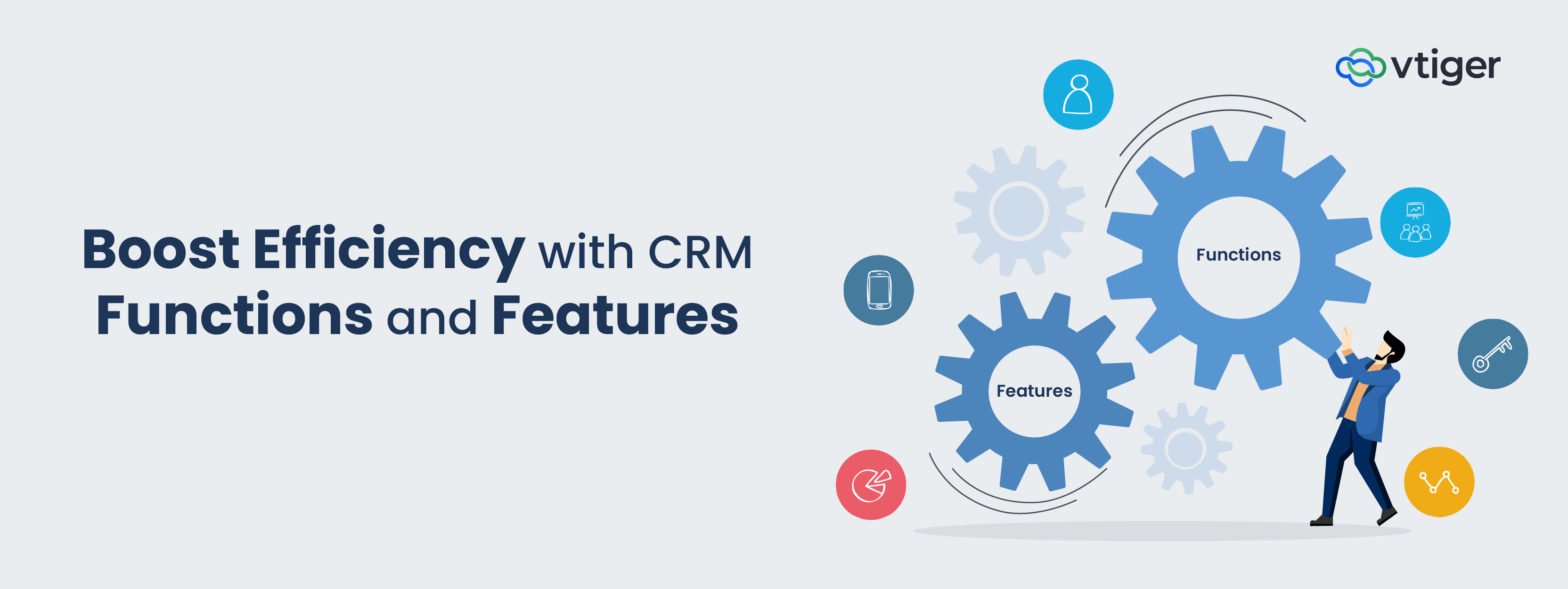
- Features of CRM: These are specific tools, such as lead management, contact management, reporting, etc., built into the CRM.
- Functions of CRM: CRM functions are the bigger goals that these features help you achieve, such as improving sales, offering better customer support, and so on.
What Is a CRM System?
A CRM system manages customer data and governs how customer-facing operations are executed across teams. It enforces CRM system functions such as lead progression, activity logging, ownership assignment, and pipeline tracking within a controlled environment. Through structured CRM functionality, the system standardizes data capture, maintains auditability of interactions, and supports reporting and process review. This allows sales, marketing, and service teams to operate with shared records, defined workflows, and measurable execution.
Why CRM Functions & Features Matter for Business Growth
Managing customer relationships is no longer a luxury but a necessity. Businesses need a CRM because:
- It centralizes customer data, conversations, purchase history, etc., in a single location.
- It tracks every interaction that a customer has with your business.
- It elevates customer satisfaction by offering personalized services.
- It improves collaboration among team members.
- It automates routine tasks like sales follow-ups and running email campaigns.
By using features in CRM, you can close deals faster, address customer inquiries quickly, and contribute to business growth.
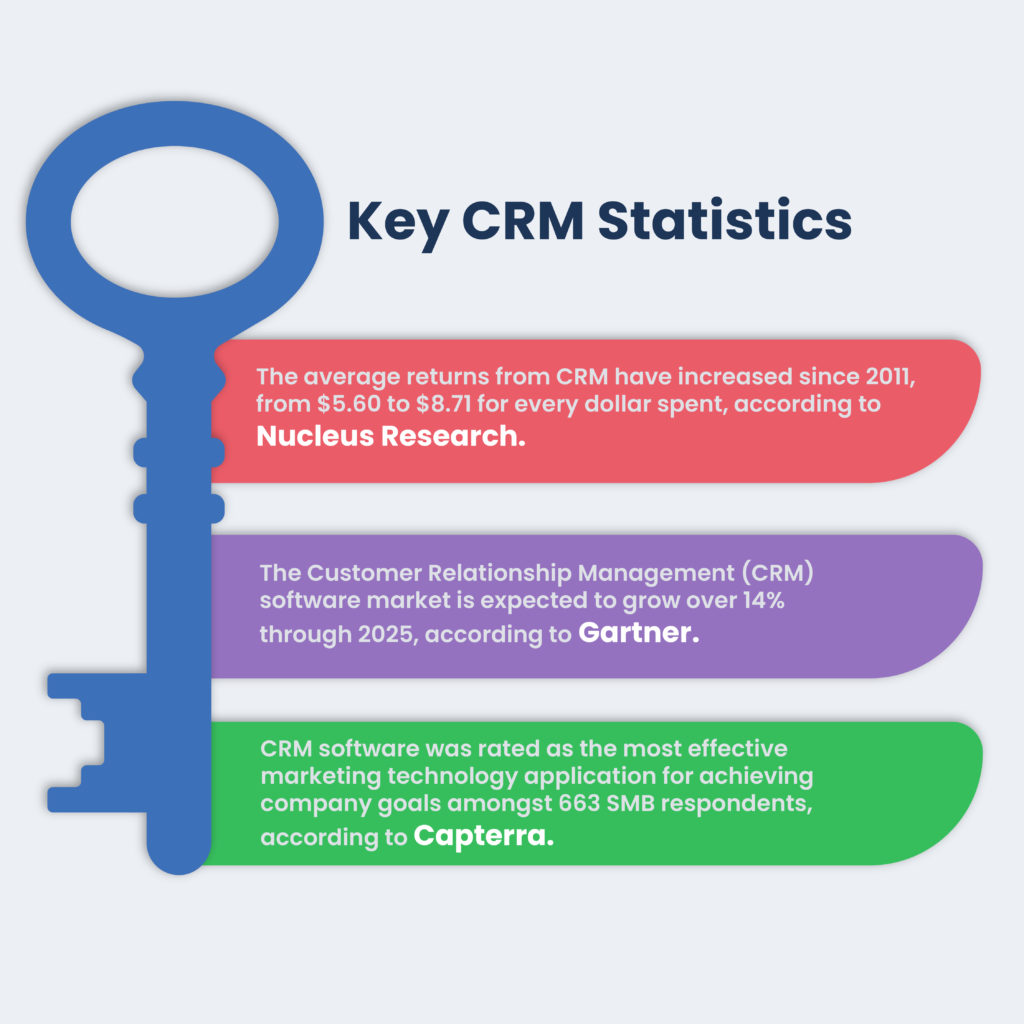
Here are the key statistics that will help you understand the impact that CRM has made in the business ecosystem:
6 Functions of CRM System
The CRM system might sound like a trendy term, but its roots actually trace back to the early 1970s. Businesses relied on Rolodexes and spreadsheets, and as the technology advanced, companies started building tools to store customer data and manage relationships effectively.
Today, CRM systems are the foundation of any business. They connect businesses with their customers and offer various functionalities to streamline operations.
Now let’s dive into the six key functions of CRM below:
1. Mobile CRM Access
Empower your sales and support teams to retrieve and update customer information in real-time, regardless of location. This allows team members to access important information on the go. You can also allow instant data entry and reduce the risk of losing information when updates are delayed. All this will eventually lead to an increase in efficiency and productivity.
Bonus Tip: Ensure your mobile CRM allows your team members to work offline to reduce interruptions in low-connectivity areas.
2. Security & User Permissions
Since CRM can store a wealth of information, it is important to implement security measures and user access control to protect sensitive data from unauthorized access. Set up role-based control so users can only view information relevant to their roles. Also, conduct regular audits to ensure that data remains safe.
Bonus Tip: Conduct regular updates and user permissions to align with changing roles in the organization.
3. Customer Segmentation & Personalization
Segment customers based on their characteristics, demographics, purchasing habits, and engagement level. This practice allows you to run targeted marketing campaigns that align with customers’ demands and preferences. Draft personalized messages and create customized offerings to improve customer satisfaction rates.
Bonus Tip: Based on the previous activities, recommend, cross-sell, or upsell products and tailor offerings to meet individual demands.
4. Artificial Intelligence (AI) Capabilities
Leveraging AI can allow you to automate your routine tasks and focus on other complex activities. It also analyzes vast amounts of data to discover patterns and insights, allowing you to make informed decisions.
Bonus Tip: Regularly train your AI models with updated data to improve accuracy and future predictions.
5. Advanced Analytics
Transform raw data into actionable insights, helping businesses analyze customer behaviors, sales trends, and campaign performance. Forecast future trends and improve efficiency.
Bonus Tip: Review analytics regularly to stay informed about important KPIs.
6. Project Management
Manage your projects by monitoring project timelines and ensuring they are completed on time. Assign tasks to your team members and collaborate in real-time to meet deadlines.
Bonus Tip: Leverage project management features to complete your projects.
Now that we have covered the functions of CRM, let’s move on to the extensive features CRM provides.
10 Key CRM Features Every Business Needs
While the functions in CRM refer to the broad capabilities, it is the key features that can bring these CRM functions to life. CRM features serve as the building blocks that can allow businesses to carry out specific tasks with precision.
Let’s discuss the top 9 standout features in CRM that can empower your team members
1. Contact Management
Centralize all your customer information, including contact details, engagement history, social media profiles, and more. This repository ensures that the sales and support team has access to updated information, which can empower them to strengthen customer relationships.
2. Lead & Opportunity Management
Capture, track, and nurture potential leads through the sales pipeline. Lead management is a lengthy process that involves capturing, assigning, segmenting, and scoring leads to convert them into sales opportunities.
By getting a comprehensive view of customer details such as interactions, preferences, and behaviour, you can transition leads into potential opportunities. With a holistic view, you can tailor your messaging and increase the chances of conversion.
3. Sales Pipeline Management
This feature in CRM offers a visual representation of the sales process, which allows your team to track deals through different stages, from the initial point of contact to closing. You can customize your pipeline stages and assign tasks so that your reps are clear about what actions to perform after completing each stage. It also gives you an option to analyze pipeline metrics to make better decisions and boost sales strategies.
4. Workflow Automation
The automation feature in CRM is one of those tools that can free your time from routine activities and help you focus on other strategic tasks, such as building strong customer relationships. By setting up a workflow, you can automate tasks such as sending email follow-ups, updating records, and creating meeting events.
Set up conditions for each task and trigger actions based on those conditions or events. This way, you can improve productivity and do more activities in less time.
5. Customer Support & Ticketing
Generate, categorize, and monitor support tickets to manage customer inquiries. This will ensure instant responses and timely resolutions, thus increasing customer satisfaction.
Empower your support reps with a centralized platform to track the status of queries raised and address them effectively. Enable real-time notifications to keep both customers and the support team informed about the activities and improve transparency.
6. Integration with Other Tools
Integrate with third-party applications such as email automation, accounting software, social media, etc., to create data consistency and reduce departmental silos. By connecting different departments and functions, you can improve cross-team collaboration and ensure customers get a better experience across all the channels.
7. Document Management
Store, organize, track, and share documents such as contracts and proposals in a common location so that your team can have the necessary information at their fingertips. You can also set up user permissions to further improve security. By maintaining documents within the CRM, you can improve collaboration and get real-time visibility into document activities.
8. Quote Management
Create, manage, and track quotes seamlessly for potential customers. Add the right products, apply discounts wherever required, and create professional-looking quotes. You can also automate sending it for approvals and track specific deals to check if further negotiations are required.
9. Analysis and Reporting
Delve deep into customer behavior, sales trends, and campaign performance and offer strategic insights to drive business growth. These valuable insights can better help you understand customer needs, spot new opportunities, and boost processes. Leverage customizable dashboards to track key performance indicators and team progress.
10. Role-Based Access Control
Role-based access control defines how data visibility and system actions are restricted within a CRM. It assigns permissions based on roles such as sales, marketing, support, or management, ensuring users access only the records and functions relevant to their responsibilities. This feature controls who can view, edit, approve, or delete data across modules.
By now, you must have understood CRM systems are no longer optional but they are essential tools to help you stay connected with your customers. CRMs systems like Vtiger allows you to manage customer data and create strong connections. Therefore, understand the functions and features of CRM and implement it for your business success.
CRM Security, Access Control & Compliance
CRM security is not a feature checkbox; it is an operating discipline. A CRM becomes the system of record for customer, revenue, and interaction data, which makes governance mandatory rather than optional.
- Data segregation and record ownership: Account ownership, territory rules, and team visibility ensure users access only the data relevant to their responsibilities. This is critical in multi-region and multi-entity setups.
- Audit trails and activity logging: Every update, deletion, approval, or status change is logged with user identity and timestamp. Audit logs support internal reviews, dispute resolution, and regulatory audits.
- Compliance with data protection standards: CRM systems must support compliance with regulations such as GDPR, DPDPA, HIPAA, or industry-specific mandates. This includes consent tracking, data retention policies, and right-to-access or deletion workflows.
- Authentication and access enforcement: Security standards include multi-factor authentication, IP restrictions, session controls, and periodic access reviews to reduce risk from credential misuse.
How Many CRM Functions & Features Do You Really Need?
The right number of CRM functions and features depends on maturity, not ambition. Over-implementation creates friction; under-implementation limits visibility.
- Operational level: Teams need functions that support daily execution: contact management, activity tracking, pipeline stages, and task control. At this level, features must reduce manual work and ensure consistent data entry.
- Analytical level: As volume grows, reporting, forecasting, and performance tracking become necessary. CRM functions here focus on pipeline analysis, conversion trends, and activity-to-outcome correlation.
- Strategic level: Mature organizations require functions that support planning and governance. This includes territory management, role-based controls, integration with finance or ERP systems, and long-term customer lifecycle analysis.
How to Choose the Right CRM for Your Business
CRM decisions usually happen after something breaks. Leads slip through, reports don’t match reality, teams track work in parallel tools, or leadership stops trusting pipeline data. The right CRM is the one that removes these failures without creating new ones.
Broken Process Visibility
Most CRM failures begin when sales, marketing, and service teams follow different versions of the same process. If the CRM cannot reflect actual lead movement, ownership changes, and handoffs, data becomes unreliable and reviews lose meaning.
Data Trust and Control Gaps
When records can be edited freely, duplicated, or left incomplete, reporting stops being credible. A suitable CRM must enforce validation, ownership, and audit trails so decision-making relies on controlled data rather than assumptions.
Scaling Without Rework
Many businesses outgrow their CRM faster than expected. User growth, regional expansion, or new revenue models expose limitations in hierarchy, permissions, and data volume. The right CRM supports scale without requiring process redesign.
Reporting That Requires Manual Fixes
If forecasts depend on spreadsheets or offline adjustments, the CRM is not functioning as a system of record. Reporting must reflect live pipeline and activity data without manual intervention.
Adoption Friction
CRMs fail quietly when teams avoid them. Poor usability, unclear workflows, or excessive fields push users toward workarounds. The right system reduces friction by making correct usage unavoidable and visible.
Frequently Asked Questions
What are the main features of a CRM?
Important features of CRM include contact management, sales pipeline, CRM workflows, email marketing, and so on. Using these features, you can help organizations streamline operations and improve customer interactions.
What are the main functions of CRM?
The primary functions of a CRM are to store customer data, automate sales processes, and improve communication. You can track interactions, manage leads, and offer intelligent insights.
Why is CRM important for marketers and sales teams?
CRM is important for sales and marketing teams as it allows you to run personalized marketing campaigns and conduct efficient sales tracking. You can receive smart insights into customer behavior and trends, leading to increased conversion rates.
What is the main role of CRM?
CRM’s main role is to record and store customer information and improve business relationships. By providing a centralized platform, you can drive sales growth and increase customer retention.
How do CRM features support business growth?
CRM features support business growth by standardizing the management of customer data, sales activity, and service interactions . They improve visibility into pipelines, reduce manual effort through automation, and enable consistent execution. This allows teams to scale operations, improve conversion control, and make decisions using reliable, system-driven data.
What is the difference between CRM functions and CRM features?
CRM functions describe the broader objectives of the system, such as improving sales performance or customer retention. CRM features are the specific tools that execute those objectives, like pipelines, workflows, or reporting. Functions define intent, while features provide the operational mechanisms to achieve it.
Which CRM features are essential for small businesses?
Small businesses typically need contact management, lead tracking, basic pipeline management, task reminders, and reporting. These features help maintain visibility, prevent missed follow-ups, and establish process discipline early. Advanced features can be added later as volume, team size, and operational complexity increase.
How does CRM automation improve sales efficiency?
CRM automation reduces manual work by handling repetitive actions such as follow-ups, task creation, record updates, and notifications. This ensures consistency in execution, reduces delays, and keeps opportunities moving through stages without constant manual intervention, allowing sales teams to focus on active deal progression.
What CRM features help improve customer experience?
Features like interaction history, ticket tracking, automated responses, and centralized customer records improve customer experience. They ensure customers do not repeat information, receive timely responses, and interact with teams that have full context of past conversations and issues.
Are CRM features customizable for different industries?
Yes, most CRM features can be customized to match industry-specific workflows, terminology, and compliance needs. Custom fields, pipelines, automation rules, and access controls allow the same CRM system to support industries such as manufacturing, healthcare, finance, or services without changing core architecture.
How do AI-powered CRM features work?
AI-powered CRM features analyze historical and real-time data to identify patterns, predict outcomes, and recommend actions. They support functions like lead scoring, forecasting, sentiment analysis, and anomaly detection, helping teams prioritize work and respond based on data rather than intuition.
What security features should a CRM have?
A CRM should include role-based access control, audit logs, data encryption, authentication controls, and permission management. These features protect sensitive data, prevent unauthorized changes, and support compliance with data protection and industry regulations.
How do CRM features integrate with other business tools?
CRM features integrate through APIs and native connectors with tools such as email platforms, accounting systems, marketing software, and ERP solutions. These integrations allow data to flow automatically between systems, reducing duplication and ensuring consistency across business operations.