What is CRM Integration
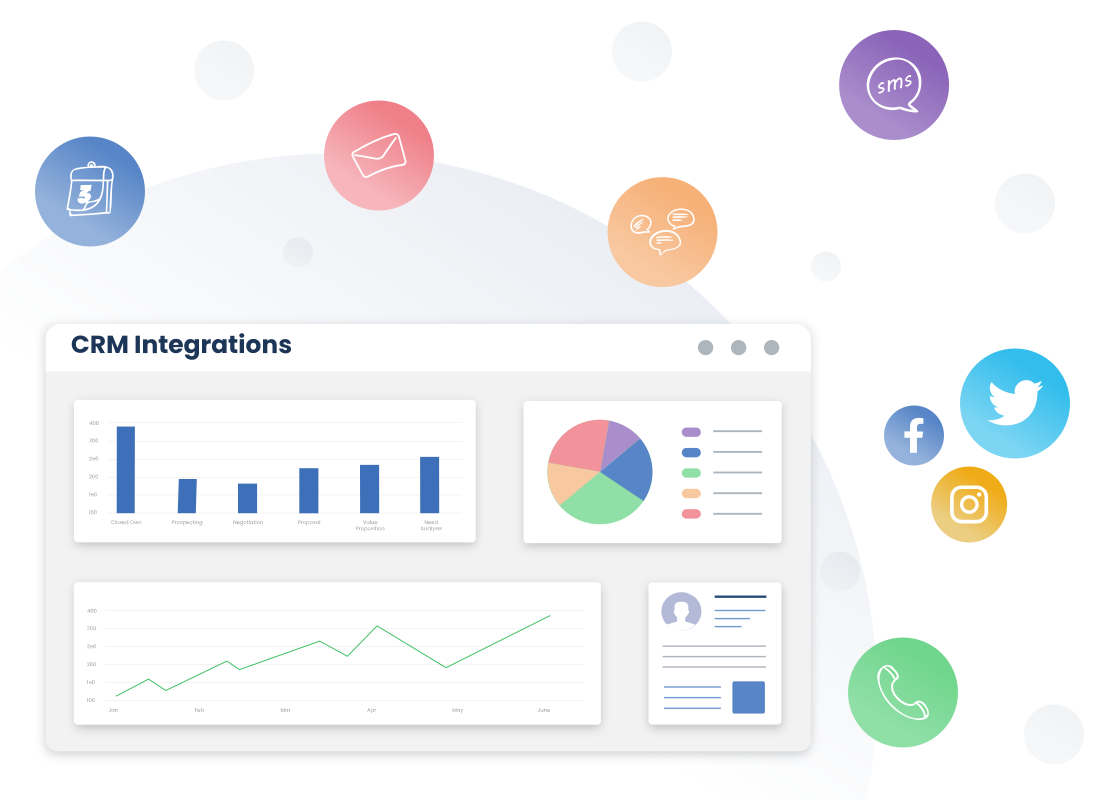
CRM integration refers to the process of connecting external applications with CRM software. Using CRM integrations, you can automate workflows, minimize data silos and gain a holistic customer view. This will help you streamline your sales and marketing processes and deliver a superior customer experience.
Connect third-party applications, like email marketing, social media, accounting software, etc., with CRM and allow seamless data sharing. Record 360-degree customer information on a single platform and perform repetitive tasks without toggling between screens.
Why integrate your CRM with other applications
While many CRMs offer primary features such as contact management, deal management, etc., they often lack other capabilities such as accounting or email. As a result, organizations rely on different applications and CRM to conduct business.
Types of CRM: Some of the must-have CRM integrations that businesses include are:
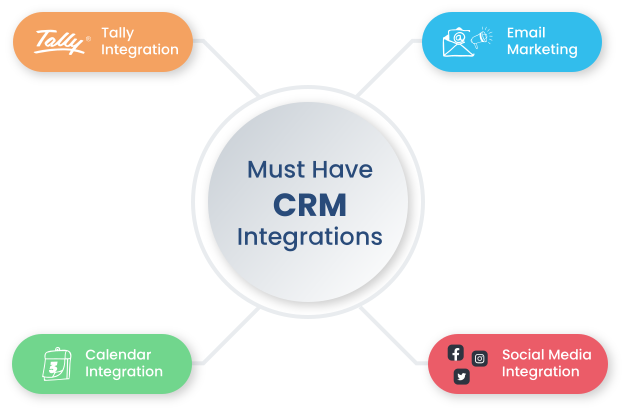
Email Marketing Integration: To monitor email interactions, automate personalized campaigns, and generate quality leads. You can also track email performance like the number of open emails, click-through rates, conversions, etc. using email integration.
Social Integration: To track and monitor customer interactions across different social media channels. It also enables you to create, schedule, and publish social media posts directly from the CRM. You can also analyze customer comments or feedback related to your brand or products.
Calendar Integration: To manage and schedule appointments, and meetings with your customers from the CRM system. Set up reminders and stay updated about the event beforehand.
Tally Integration: To manage accounting activities, generate invoices, and update payment information. This integration also facilitates better customer service by getting quick access to customer transaction history, balances, and invoicing details. Finally, it allows you to track revenue and cash flow in real-time without manual intervention.
How CRM Integration Works
CRM integrations define how customer data moves between systems without manual intervention. Instead of updating multiple tools separately, integration crm connects email, sales, finance, and marketing platforms into a shared data layer. This ensures every interaction is recorded once and reflected everywhere, keeping teams aligned on the same information.
APIs and Data Mapping
CRM integration services rely on APIs to connect applications. Data mapping ensures fields such as contact details, deal value, or activity logs match correctly across systems, maintaining accuracy during data transfer.
Real Time Synchronization
Data flows in real time or scheduled intervals. A form submission can create a lead, trigger a CRM workflow, and update marketing automation systems at the same time, ensuring immediate action.
Connected Business Systems
Email, calendars, and accounting tools are linked to create a complete customer view. This reduces duplication, improves coordination, and allows teams to act with full context across operations.
Who can benefit from Vtiger open-source CRM?
Vtiger brings value to businesses of all sizes, regardless of their stage or scale.
For startups and smaller teams, often operating on limited budgets, this platform provides a cost-effective way to organize customer data and manage relationships without breaking the bank. It’s an intelligent approach to laying a strong foundation early on.
For larger companies with dedicated tech teams, Vtiger's appeal lies in its flexibility and adaptability. These organizations can tailor the CRM to meet their precise needs, creating custom features and workflows that support even the most complex operations. It’s a toolkit that can be molded to fit the job.
In summary, the right Vtiger CRM can transform how a business operates. Open-source options not only reduce costs but also provide access to smarter systems and streamlined processes. With the right setup and vision, Vtiger becomes a powerful ally in driving business growth.
Seamless data flow
CRM records information using data mapping. It captures valuable information from multiple sources and transfers it to and from the CRM. For instance, if you have stored customer information in accounting software, same data will be stored in the CRM which helps in reducing data duplication.

Centralized Data
CRM integrations enable you to centralize important customer information from various sources into a single repository. It allows you to get unified access to all customer interactions, preferences, and history which can help you in offering personalized experiences to your customers.

Enhanced accuracy and consistency
It ensures data accuracy by synchronizing multiple applications across systems. Also, CRM integrations update information automatically which helps in minimizing manual errors.

Improved efficiency and productivity
You can reduce the need for manual data entry with CRM integrations. Empower your team by automating routine tasks and allowing them to focus on other value-adding activities.

Increased customer engagement
You can gather data from different touchpoints and applications. And, this data can be used for personalized communication. For example, email marketing integration can be used to send targeted campaigns to your customers based on important factors like customer demographics, purchase history, and more.
Common CRM Integration Use Cases
CRM integration services are implemented around revenue movement, not just data sync. Each integration CRM use case connects a specific stage in the lead-to-revenue flow, ensuring signals, actions, and outcomes move without delay across systems.
1) Marketing and Sales Alignment
Integration crm connects marketing automation platforms to CRM dashboards, syncing intent signals such as repeated pricing page visits. This enables automated lead handoff without manual qualification. E commerce integration with Shopify or WooCommerce supports dynamic personalization through triggers like cart abandonment or purchase anniversaries.
2) Customer Support and Success
Integration with CRM links helpdesk systems account records. Ticket to account sync ensures sales teams view active issues before engagement. AI driven sentiment analysis evaluates ticket tone and escalates cases when customer sentiment drops.
3) Operational and Financial Efficiency
CRM software integration with accounting platforms enables invoice generation once deals reach closed won stage. Inventory system sync ensures sales teams operate with real time stock visibility.
4) Agentic AI Orchestration
Integration in CRM with Zoom or Teams allows AI assistants to capture meetings, generate summaries, and update records with follow up actions automatically.
Challenges in CRM Integration and How to Overcome Them
CRM software integration introduces dependencies between systems, where data accuracy, API reliability, and compliance controls directly impact operational continuity.
1) Data Quality and Mapping
Mismatch in field structures creates duplication and broken workflows. CRM data cleansing combined with validation layers ensures accurate data mapping before synchronization.
2) API and System Limitations
Legacy systems with limited APIs create sync delays and instability. Integration crm uses iPaaS platforms like Zapier or Workato to standardize communication between systems.
3) Compliance and Security
Data transfer across systems increases exposure under GDPR and DPDP regulations. Encryption and role based access control ensure secure data handling across environments.
4) User Adoption
Additional fields and manual steps reduce usability. Invisible integration ensures users access synchronized data within their primary interface without disruption.
Best Practices for Successful CRM Integration
A working integration is less about connecting tools and more about how cleanly data moves between them. CRM integration services perform well when the setup is gradual, ownership is clear, and outcomes are measurable from the start.
1) Audit and Clean Data
Integration should begin only after a structured CRM data cleansing exercise. Duplicate records, inconsistent field formats, and inactive leads need to be resolved before the first sync. Clean data ensures that downstream systems such as finance, support, and marketing operate on reliable inputs.
2) Define Measurable Outcomes
Each integration must solve a specific operational gap. For example, reducing Sales to Finance invoicing time from 48 hours to 15 minutes or improving lead response time. These benchmarks help justify integration investments and track ROI.
3) API First Approach
Systems selected for integration in CRM should support bi directional sync, webhooks, and scalable APIs. This ensures that updates in one system reflect instantly across others without manual intervention.
4) Data Mapping Documentation
A detailed data dictionary should define field ownership, source system, and destination. This prevents conflicts such as mismatched customer records or overwritten data during sync cycles.
5) Pilot and Test
Instead of a full rollout, integration should begin with one function such as marketing or sales. Monitoring sync errors, latency, and data accuracy during this phase ensures stability before scaling.
6) Ongoing Monitoring
Integrations require continuous governance. Regular audits ensure systems like WhatsApp CRM integration or Google Calendar CRM sync remain stable, secure, and aligned with business process automation objectives.
Sign up for Vtiger CRM and connect to your favorite apps seamlessly
Credit card not required
FAQs
CRM integration connects a CRM system with other business applications such as email, marketing, finance, and support tools. It uses APIs and connectors to enable data sharing, ensuring that customer information flows automatically between systems and remains up to date across all touchpoints without manual entry.
CRM integration ensures that all teams work with consistent and updated data. It reduces manual effort, improves coordination between departments, and speeds up processes such as lead handling and invoicing. This directly supports faster decision making, better customer interactions, and improved operational efficiency across the organization.
A CRM platform can integrate with email systems, marketing automation tools, accounting software, helpdesk platforms, e-commerce systems, and communication tools. It can also connect with ERP systems, inventory management, and collaboration tools to create a unified view of customer and business operations.
Integration improves data accuracy, reduces duplication, and enables real time updates across systems. It helps automate workflows, improves response time, and ensures better visibility across teams. This leads to improved productivity, better customer experience, and stronger alignment between sales, marketing, and operations.
Common challenges include inconsistent data formats, API limitations in legacy systems, and integration complexity across multiple tools. Data security and compliance risks can also arise when transferring sensitive information. Without proper planning, integrations may create duplicate records or disrupt workflows rather than improve efficiency.