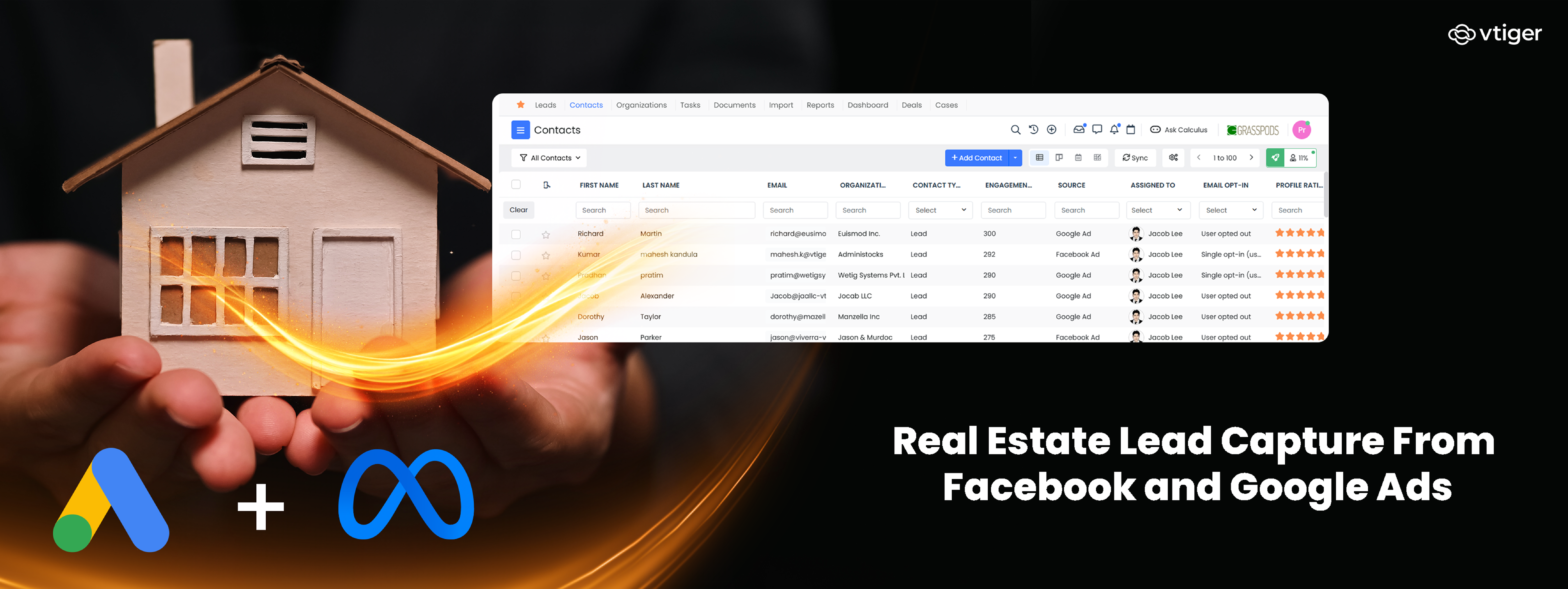
Real estate lead capture means automatically getting an inquiry from an ad, portal, or website into your CRM, with its source and campaign attached. Facebook Lead Ads and Google Lead Forms can feed lead data into a CRM without relying on manual CSV downloads. The exact retention period and retrieval options depend on the platform, so leads should be synced as soon as they are submitted rather than stored only on the ad platform.
An agent’s problem is rarely a complete lack of inquiries. The bigger problem is that inquiries arrive through several channels and are not always assigned or contacted quickly.
A Facebook lead form can arrive at ten in the evening. A Google lead form can arrive the next morning. A property portal can send an email to a shared inbox, while a website form goes somewhere else. If nobody sees the inquiry promptly, the buyer may contact another agent before your team responds.
The advertising may have worked. The failure happened between lead submission and follow-up.
This guide explains how to get Facebook and Google ad leads into a CRM, attach the original source to each record, respond quickly, prevent duplicate records, route inquiries to the right agent, and calculate what each acquired client actually costs.
Where Real Estate Leads Come From
Real estate agencies often receive inquiries from several sources at the same time. These sources differ in buyer intent, data quality, and how much control the agency has over the lead information.
| Source | Typical intent | Contact data | Where the data starts |
| Facebook and Instagram Lead Ads | Low to medium | Often pre-filled | Meta |
| Google Lead Forms | Medium to high | Often pre-filled | |
| Property portals | High | Supplied through portal | Portal |
| Website forms | High | Entered by prospect | Your website/CRM |
| Referrals and walk-ins | High | Captured by staff | Usually your systems |
Why The Source Matters
A lead from a property portal may already be looking at a specific property. A Facebook lead may have submitted a form after seeing an ad while browsing social media.
The source therefore affects how you should prioritize, contact, and measure the lead.
It also affects how much control you have over the underlying data.
| For example: Leads generated through a website form can generally be sent directly to your CRM. Leads generated through an advertising platform first exist within that platform and need an integration or another retrieval method to reach your CRM. |
Pre-Filled Data Needs Verification
Auto-filled forms reduce how much information a prospect has to type. That can make submission easier, but the information is not necessarily proof of buying intent. A phone number may be valid, while the email address is rarely checked. A prospect may also submit a form for several properties without being ready to schedule a viewing.
That is why lead source, form responses, and subsequent activity should remain attached to the CRM record.
Connecting Facebook And Google Ads To Your CRM
Both Facebook Lead Ads and Google Lead Forms can transfer lead information into a CRM through supported integrations. The goal isn’t simply to move a name and phone number. The CRM should also retain the campaign, form, source, and other relevant fields required for follow-up and reporting.
Facebook Lead Ads
Facebook and Instagram Lead Ads allow prospects to submit information through a form without necessarily visiting the advertiser’s website.
The lead information can then be imported into a CRM through an integration.
There are three broad approaches:
- Manual CSV export: Someone downloads lead information and imports it into the CRM.
- Custom integration: A developer connects the advertising platform to the CRM through available APIs or integration methods.
- CRM integration: A supported CRM integration captures and maps the lead data into the appropriate CRM records.
Manual export becomes difficult to maintain as lead volume increases because it depends on someone checking the platform, downloading the latest records, and importing them correctly.
Vtiger’s Facebook integration supports syncing Facebook Lead Ads and mapping form fields to CRM records. It also provides duplicate prevention options when an existing lead or contact submits another form.
What Should Be Captured?
At minimum, the CRM record should retain:
- Lead name
- Phone number
- Email address
- Property or campaign interest
- Lead source
- Campaign or form
- Date and time received
- Assigned agent
- Follow-up status
The campaign field becomes important later when comparing advertising performance.
A record that says only “online lead” cannot tell you whether Facebook, Google, a portal, or your website produced the inquiry.
Google Lead Forms
Google Lead Forms allow prospects to submit information through forms associated with Google advertising placements.
Vtiger’s Google Lead Forms integration can import Google lead data into the CRM, map form fields to CRM fields, and maintain a sync log. It removes the need to manually download CSV files before contacting the lead.
The practical difference between Google and Facebook is often the context of the inquiry.
Someone completing a Google form may have searched for a property, location, service, or related term before submitting the form. Someone submitting a Facebook form may have encountered the property while browsing social content.
That does not make one source automatically better. It means the agency should measure each source through the same downstream stages rather than judging performance only by lead volume.
| Important: The retention and retrieval rules for lead data are controlled by the advertising platform and can change. The safest operating process is to sync leads into your CRM as soon as they are submitted rather than treating Facebook or Google as the permanent system of record. |
Why Speed To First Contact Matters
A property inquiry is often sent to several agents or agencies. The buyer is usually looking for information, availability, a price, or a viewing rather than waiting for one particular agent to respond.
That makes the period between lead submission and first contact important.
If a lead arrives at 10 p.m. and nobody sees it until 9 a.m., the delay is not caused by the advertising campaign. It is caused by the lead-handling process.
What Actually Delays The Call
The problem is often visibility.
A lead can exist inside an advertising platform without appearing in the agent’s normal workflow. If the agent has to log into Facebook, Google, a portal, and a website inbox separately, there is no reliable guarantee that every inquiry will be seen promptly.
Automatic CRM capture changes that workflow by creating a record that can trigger assignment, notification, follow-up, and reporting.
Measure Response Time
Set a defined response target and measure it. A useful measurement is:
First response time = Time of first contact − Time the lead entered the CRM
| Metric | What it tells you |
| Lead volume | How many inquiries a source generates |
| First response time | How quickly the team acts |
| Contact rate | How many leads receive a successful contact attempt |
| Viewing rate | How many leads progress to a viewing |
| Offer rate | How many leads submit offers |
| Completion rate | How many leads result in completed transactions |
Review the first-response metric by source and time of day.
If leads received during evenings consistently take longer to contact, the solution may be an after-hours routing rule rather than another advertising campaign.
Ten-minute target: A ten-minute first-contact target can be useful if the agency has the staffing to support it. The key is to measure actual response time rather than treating “fast follow-up” as an informal expectation.
Routing And Deduplicating Inquiries
Capturing a lead quickly is only useful if the record reaches the right person. The CRM therefore needs two related processes:
- Duplicate prevention: The same person does not become multiple unrelated records.
- Lead assignment: The correct agent receives responsibility for the inquiry.
Matching Repeat Inquiries
A serious buyer may contact the same agency several times.
They might:
- Submit a Facebook form for one property
- Inquire through a property portal
- Submit a website form
- Call the office
- Respond to an email
If each interaction creates a new lead, the agency can end up with several records for one person.
That creates three problems:
- Multiple agents may contact the same buyer.
- Previous conversations are hidden from the next agent.
- Campaign reporting can count one buyer several times.
Match On Reliable Fields
Phone number is often a useful matching field for residential property inquiries, but it should not be treated as universally reliable.
A CRM can use phone number, email address, or other identifying fields depending on the available data and configuration.
The key is to define matching rules before lead volume becomes difficult to manage.
Vtiger’s Facebook and Google lead integrations include duplicate-prevention functionality that can use existing CRM records instead of creating another record when an existing lead or contact submits a form.
Assignment Rules
Once the system identifies the record, it needs to assign responsibility. Useful assignment rules include:
- Availability: Do not assign a new inquiry to an unavailable agent.
- Location: Route the lead to someone familiar with the relevant area.
- Property type: Match apartments, houses, commercial property, or other categories to the relevant team.
- Price range: Route higher-value or specialized inquiries to the appropriate agent.
- Existing relationship: Where possible, keep repeat inquiries with the agent who already handled the buyer.
| Routing rule | Example | Operational benefit |
| Availability | Working agent receives the new inquiry | Reduces unattended leads |
| Location | Pune West inquiry goes to area specialist | Improves local knowledge |
| Property type | Commercial inquiry goes to commercial team | Matches expertise |
| Price band | Premium property goes to relevant agent | Matches experience |
| Existing relationship | Previous buyer returns to same agent | Preserves context |
Avoid purchased lead lists as a substitute for permission-based lead generation. A purchased contact list can create consent and data-protection issues depending on the jurisdiction and how the data was collected. It can also distort campaign reporting because contacts that did not respond to your advertising are being mixed with genuine campaign leads.
Measuring Cost Per Acquired Client
Most agencies track cost per lead because it is easy to calculate. The more useful measure is often cost per acquired client, because a lead only creates business value when it progresses to an actual transaction.
Calculate It In Four Steps
1. Total the channel spend
Include advertising spend and, where practical, the cost of campaign management.
2. Count the leads
Use the leads attributed to that channel during the same period.
3. Trace leads to completed transactions
Do not stop at inquiries, calls, or viewings. For a transaction-based calculation, use completed transactions.
4. Divide spend by completed transactions
Cost per acquired client = Total channel cost ÷ Completed clients from that channel
Why Cost Per Lead Can Mislead
Consider two hypothetical channels:
| Channel A | Channel B | |
| Advertising spend | ₹100,000 | ₹100,000 |
| Leads | 500 | 200 |
| Cost per lead | ₹200 | ₹500 |
| Completed transactions | 2 | 5 |
| Cost per acquired client | ₹50,000 | ₹20,000 |
Channel A appears stronger if you only compare cost per lead.
Channel B is stronger if the objective is completed transactions.
The calculation only works if the original lead source remains attached to the CRM record throughout the sales process.
That means the source captured at the beginning has to remain connected through:
Lead → Contact → Viewing → Offer → Transaction
Vtiger provides CRM analytics and reporting capabilities to analyze lead and sales information.
Real Estate Lead Capture With Vtiger One
Vtiger One can bring lead information from advertising and other channels into the CRM so teams can manage inquiries, assignments, follow-ups, and sales activity from a central record.
Vtiger’s current documentation lists Facebook Lead Ads and Google Lead Forms among its lead-generation integrations.
Capture Facebook Leads
The Facebook integration can sync leads from Facebook Business Pages and Lead Ads into Vtiger.
The integration supports field mapping, so information collected through the form can be mapped to the appropriate CRM fields. It also supports duplicate prevention and allows campaign-related information to be tracked within the CRM.
This means the lead can enter the same workflow as inquiries from other sources instead of remaining inside Facebook’s advertising interface.
Capture Google Leads
The Google Lead Forms integration can import Google lead data into Vtiger and map Google form fields to CRM fields.
The integration also provides a sync log and lets the organization pause a particular form’s sync when needed.
Connect The Lead To Its Source
Source and campaign information should remain attached to the lead record.
This lets an agency compare:
- Leads generated
- Response times
- Viewings booked
- Offers received
- Transactions completed
- Cost per acquired client
Without source attribution, the CRM becomes a contact database but cannot reliably connect advertising spend to sales outcomes.
After The Lead Arrives
Once the inquiry reaches the CRM, the next steps are operational rather than advertising-related.
Useful workflows include:
- Automatic assignment by location, property type, availability, or other criteria
- AI lead scoring to prioritize inquiries
- Lead nurturing sequences for buyers who are not ready to transact immediately
- Defined sales funnel stages to track movement from inquiry to viewing, offer, and transaction
Vtiger’s lead management capabilities provide a process for assigning and following up with leads, while its sales CRM connects sales activity to the wider customer record.
For real estate teams, the relevant value of real estate CRM software is keeping property inquiries, buyer information, appointments, follow-ups, and sales activity connected rather than managing each stage in a separate inbox or spreadsheet. Vtiger specifically positions its real estate CRM around property inquiries, lead sources, appointments, listings, and lead management.
Frequently Asked Questions
How do I get Facebook Lead Ads into my CRM?
Connect your Facebook Lead Ads forms to a CRM through a supported integration. The integration maps the form fields to CRM fields and transfers the lead information into the CRM. Manual CSV export is another option, but it requires someone to repeatedly retrieve and import the data.
How do I get Google Lead Forms into my CRM?
Connect the Google Lead Forms integration to your CRM and map the Google Form fields to the corresponding CRM fields. Vtiger’s integration supports importing Google lead data, field mapping, and sync logs.
How long should I take to respond to a real estate lead?
Set a response target your team can consistently meet, and measure the time between lead creation and first contact. A ten-minute target can be useful for teams that have the staffing to support it, particularly for leads arriving during active business hours.
How do I stop duplicate real estate leads?
Use duplicate-prevention rules based on reliable identifying information such as phone number or email address. Standardize the formatting of those fields and configure the CRM to match incoming inquiries against existing records. Vtiger’s Facebook and Google lead integrations provide duplicate-prevention options.
How should real estate leads be assigned to agents?
Start with agent availability, then consider location, property type, price range, and previous ownership of the customer relationship. The goal is to make sure every lead has one clear owner and reaches someone capable of handling the inquiry.
What is cost per acquired client in real estate?
Cost per acquired client is the total marketing or channel cost divided by the number of completed clients attributed to that channel. It is different from cost per lead because it measures the cost of generating an actual customer rather than an inquiry.
Are Google Lead Forms and Facebook Lead Ads the same?
They use a similar lead-capture principle, but the context differs. Google lead forms can appear after a user has searched for a relevant product, service, or property-related term. Facebook Lead Ads appear within the social platform. Compare them using downstream metrics such as contact rate, viewing rate, offer rate, and completed transactions rather than lead volume alone.
Do I need a CRM if I only run a few real estate ads?
Lead volume is only one consideration. A CRM becomes useful when inquiries arrive through multiple sources, need rapid assignment, require follow-up, or must be connected to later transactions. Even a smaller agency can benefit from having one record for the buyer rather than separate records across advertising platforms, portals, email, and spreadsheets.