Most organizations already use multiple software tools to run the business. One for accounting. One for sales tracking. Another for inventory. Each system works on its own, with its own data and its own logic.
Problems start when these systems need to work together. Numbers stop matching. Teams rely on manual updates. Decisions depend on delayed reports.
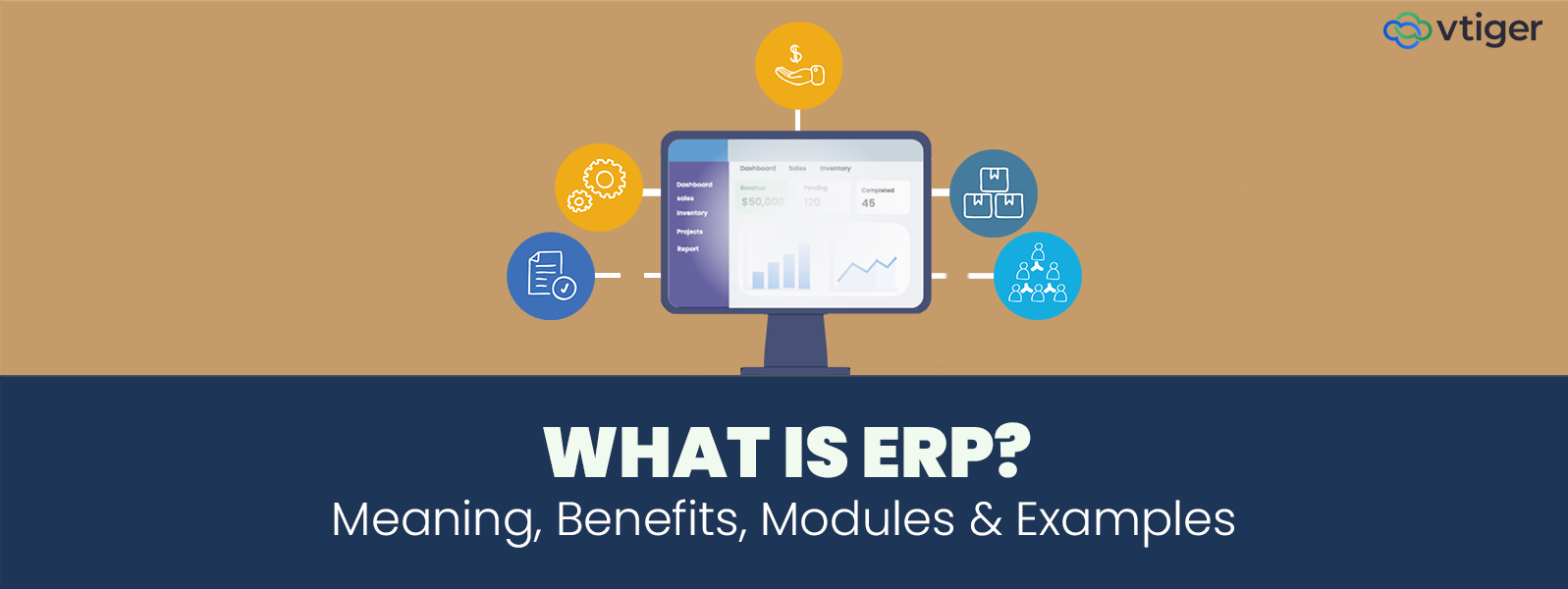
Enterprise resource planning exists to solve this operational disconnect. ERP is a single system that governs how core business transactions move across departments. It defines how orders, payments, inventory, payroll, and procurement interact inside one controlled framework
What Is an ERP System?
An ERP system is a centralized business platform that manages core functions using a single data model and shared business logic. It is not a collection of connected apps. It is one system that multiple teams operate inside.
The defining element is a common database. Every transaction exists once and is referenced everywhere it is required. There is no re-entry of data between departments and no manual syncing.
ERP systems usually manage
- Finance for general ledger, accounts payable, receivables, budgeting, and statutory reporting
- HR for payroll processing, attendance, employee records, and compliance
- Operations for internal execution, production tracking, and workflow control
- Supply chain for procurement cycles, vendor management, and material planning
- Sales for order processing, invoicing, and revenue recognition
- Inventory for stock availability, valuation, movement, and reconciliation
This structure replaces fragmented tools with controlled business management software, where processes are enforced instead of negotiated.
How ERP Works?
ERP works by controlling how business activities move across departments using one shared system. The focus is not on features or dashboards. The focus is on transaction flow, validation, and dependency. Every action inside ERP follows a defined sequence, so downstream teams are not forced to fix upstream mistakes.
Single Point of Data Entry
Every process in ERP starts with one transaction created at the source. A sales order is entered by sales. A purchase receipt is recorded by procurement. A payroll run is posted by HR. That entry becomes the master record. No other team recreates it.
Because data is captured once, errors do not multiply across systems. This is how ERP reduces reconciliation work and keeps operational numbers aligned across departments.
Shared Database Across Departments
Once recorded, the transaction is available to all relevant functions instantly. Finance, operations, inventory, and compliance teams all reference the same record. There are no parallel versions of the truth.
This shared database ensures that changes made in one process are reflected everywhere else. Inventory levels, financial postings, and operational status stay synchronized without manual updates.
Workflow Driven Process Movement
ERP uses predefined workflows to control how transactions move forward. Approval limits, validation rules, and dependencies are built into the system. A transaction cannot bypass required steps.
If the stock is unavailable, the order stops. If approvals are missing, processing pauses. This enforcement prevents downstream failures and stabilizes execution across teams.
Real Time Operational Reporting
Reports in ERP are generated directly from live transactions. There is no need for exports, consolidations, or spreadsheet adjustments. Numbers change as activity happens.
This allows managers to monitor performance, identify bottlenecks, and make decisions based on current operational data instead of delayed summaries.
Key Benefits of ERP Systems
ERP benefits are not abstract advantages. They show up when daily operations stop relying on human memory, follow-ups, and manual corrections. Each benefit exists because ERP changes how transactions are controlled, not because it adds visibility.
Process Consistency Across Departments
ERP forces every transaction to follow a defined sequence. A sales order cannot skip credit checks. A purchase cannot bypass approval limits. Inventory cannot be issued without stock validation. This removes informal handoffs that usually happen through calls, emails, or spreadsheets.
As a result, execution becomes predictable. Teams stop fixing each other’s mistakes because the system blocks incomplete or invalid actions before they move forward.
Data Integrity and Single Version of Records
ERP eliminates duplicate data creation by design. Finance does not recreate sales data. Inventory does not maintain parallel stock sheets. Operations does not track execution separately from accounting.
Because records are shared, data stays consistent across departments. Month-end issues are reduced not because people work harder, but because mismatches stop occurring in the first place.
Decision Making Based on Live Transactions
ERP reports are generated from transactional tables, not summaries prepared after the fact. When a transaction is posted, the financial impact, inventory status, and operational progress are updated immediately.
This allows managers to act during the process, not after completion. Decisions are based on what is happening now, not what happened last week.
Reduction in Manual Effort and Reconciliation
Without ERP, reconciliation becomes a permanent activity. Numbers are matched between systems. Errors are traced manually. Adjustments become routine.
ERP reduces this effort by removing the root cause. Since transactions originate once and flow automatically, there is less to reconcile. Finance teams shift from correction work to control and analysis.
Cost Visibility and Control
ERP tracks costs at the transaction level. Material consumption, labor usage, overhead allocation, and vendor charges are recorded as part of the process itself.
This makes cost leakages visible early. Variances are detected while operations are running, not after profitability is already impacted.
Compliance and Audit Readiness
ERP enforces controls through system rules rather than policies alone. Approval limits, segregation of duties, audit trails, and validation checks are built into workflows.
Because of this, compliance becomes part of execution. Audits rely on system logs instead of manual explanations. Regulatory reporting becomes structured instead of reactive.
Cross-Team Collaboration Through Shared Context
Teams collaborate better not because ERP improves communication, but because everyone works on the same data. When sales, finance, and operations reference the same transaction, discussions shift from “whose number is correct” to “what action is required”.
This shared context reduces friction and speeds up resolution.
Scalability Without Operational Breakdown
ERP systems are designed to handle volume growth without process redesign. As transactions increase, workflows remain intact. Controls do not weaken with scale.
This allows businesses to grow without multiplying coordination effort or headcount just to keep systems aligned.
Different Types of ERP Deployment Models
ERP deployment determines who controls the system, how flexible it is, and where responsibility sits. The choice affects long-term cost, risk exposure, and speed of change.
On-Premises ERP
On-premises ERP is hosted within the organization’s own infrastructure. The business owns the hardware, manages the servers, and controls the application environment.
This model provides deep control over customization and data handling. It is often preferred by organizations with strict regulatory requirements or complex internal processes. However, it demands a strong internal IT capability. Upgrades, security patches, and performance tuning become internal responsibilities. Costs are front-loaded, and changes take longer to implement.
Cloud ERP (SaaS)
Cloud ERP is hosted and managed by the software provider. The business accesses the system through the internet and pays a recurring subscription.
This model reduces infrastructure responsibility and speeds up deployment. Updates are frequent and automatic. Scalability is built in, making it easier to handle growth or seasonal spikes. Control over customization is more limited, but operational overhead drops significantly. For many organizations, this trade-off is acceptable.
Hybrid ERP
Hybrid ERP combines on-premises systems with cloud-based modules. This approach is common when legacy systems cannot be retired immediately or when specific data must remain internal.
Hybrid models allow a gradual transition instead of a forced replacement. They reduce disruption but increase integration complexity. Strong governance is required to prevent data fragmentation between environments.
ERP vs Other Business Software
Business software is often evaluated in isolation, which creates confusion about scope and responsibility. ERP is frequently compared with tools that serve a single function, even though its role is broader. The most common comparison is between ERP and CRM, because both systems interact with sales data but control different parts of the business process.
ERP vs CRM
ERP and CRM systems are designed for different operational purposes. ERP governs how internal processes are executed across departments. CRM software manages how the business interacts with customers before and after a sale. Their overlap is limited to shared data, not shared responsibility.
| Feature | ERP | CRM |
| Focus | Internal operations | Customer relationships |
| Core users | Finance, HR, Operations | Sales, Marketing, Support |
| Data scope | Organization wide | Customer centric |
| Use case | Process efficiency | Revenue growth |
| Integration | Back office systems | Front office systems |
ERP and CRM are not competing systems. They are complementary. ERP ensures that orders, billing, inventory, and finance are executed correctly. CRM supports customer engagement, pipeline tracking, and relationship management. When integrated, they allow commitments made to customers to be fulfilled through controlled internal processes.
Who Should Use ERP?
ERP adoption depends on the coordination needed by the business to function correctly. When teams, data, and decisions depend on each other, ERP becomes relevant. Different business stages face different pressures, which is why ERP usage varies by segment.
ERP for Small Businesses
Small businesses benefit from ERP when growth exposes process gaps.
- Increasing order volumes that strain manual tracking
- Early need for process standardization across finance and operations
- Dependency on founders or key staff to coordinate workflows
ERP helps small businesses prepare for scale by formalizing how transactions are recorded and approved, without adding operational overhead later.
ERP for Mid-Size Businesses
Mid-sized organizations experience complexity through expansion rather than volume alone.
- Scaling operations across multiple teams or locations
- Difficulty aligning finance, sales, operations, and inventory
- Growing reliance on manual coordination between departments
ERP allows mid-sized businesses to align departments using shared data and consistent workflows, reducing delays and rework as operations grow.
ERP for Enterprises
Enterprise environments require ERP as a core control system.
- Complex supply chains with multiple vendors and locations
- Strict compliance and audit requirements
- Global operations requiring standardized yet localized processes
ERP enables enterprises to maintain control over high transaction volumes while supporting regulatory and operational consistency across regions.
When Do Businesses Need ERP?
ERP is typically adopted when operational problems stop being isolated and start affecting multiple functions simultaneously. At this stage, existing tools no longer support consistent execution or reliable reporting.
- Disconnected tools create duplicate records across finance, sales, and operations, leading to conflicting situations
- Manual reporting delays decisions because data has to be collected, cleaned, and validated before it can be trusted.
- Inventory mismatches appear when stock levels differ between systems, warehouses, and sales commitments, breaking inventory management accuracy.
- Financial inaccuracies surface during closing cycles due to late entries, reconciliation gaps, and missing transaction links.
- Scaling challenges arise when transaction volume increases faster than the team’s ability to coordinate work across departments.
- Compliance pressure increases as audits, tax filings, and regulatory reporting rely on manual checks instead of system-enforced controls.
When these issues repeat across periods instead of being resolved, ERP becomes necessary to restore operational stability.
How to Choose the Right ERP System?
Choosing ERP is a process design decision before it is a technology decision. The system must support how work flows across the business today and how it will flow as complexity increases.
Define Business Needs
Begin by mapping how transactions currently move through the organization. Identify where handoffs fail, where approvals stall, and where data gets recreated. This clarity prevents selecting software that looks capable but does not support real workflows.
Identify Required Modules
ERP should be modular based on operational priorities. Not all functions need to be implemented at once.
- Core modules that directly affect order processing, finance, and operations
- Secondary modules planned for later phases, such as HR or advanced analytics
Module selection should align with current business growth strategies, not assumptions about future scale.
Decide Deployment Model
Deployment affects ownership, flexibility, and cost structure. The decision should reflect internal capability and regulatory needs.
- Cloud deployment for faster rollout and reduced infrastructure ownership
- On-premises deployment for higher control and customization
- Hybrid deployment when legacy systems must remain active
Evaluate Scalability
ERP must support increased transaction volume, additional users, and new locations without requiring process redesign. Scalability should be assessed against operational growth, not vendor claims.
Check Integration Needs
ERP rarely operates in isolation. Integration requirements must be defined early to avoid data silos.
- Financial tools and payroll systems
- CRM platforms supporting sales management
- Systems handling customer data management
Clear integration planning ensures data flows without manual intervention.
Assess Usability
ERP users execute repetitive transactions daily. Screens, workflows, and validations must support speed and accuracy. Poor usability increases errors and training overhead.
Plan Implementation
ERP implementation requires structured execution and ownership.
- Defined internal responsibility for decisions and approvals
- Phased rollout to reduce operational disruption
- Role-based training aligned with actual job functions
A disciplined implementation approach determines whether ERP becomes an operational asset or a reporting burden.
Frequently Asked Questions (FAQs)
What is ERP in simple terms?
ERP is one system that connects finance, sales, inventory, and operations, so teams work on the same data and processes run in sequence instead of being managed separately.
What does ERP stand for?
ERP stands for enterprise resource planning, which refers to planning and running core business resources such as finances, materials, people, and operations through a single integrated system.
What are the main functions of ERP?
ERP handles accounting, inventory tracking, procurement, sales orders, payroll, reporting, and compliance by linking these functions through shared data and rule-based workflows.
What is the difference between ERP and CRM?
ERP controls internal processes such as finance and inventory, while CRM manages customer interactions and sales activity; they address different needs but integrate to support complete business execution.
Is ERP only for large enterprises?
ERP is used by any business facing process complexity, including small and mid-size companies that need structured workflows, accurate data, and better control as operations expand.
What are the types of ERP systems?
ERP systems are available as on-premises solutions, cloud-based platforms accessed online, and hybrid models that combine local systems with cloud components for flexibility.
What are examples of ERP software?
ERP software includes platforms that combine accounting, inventory, procurement, HR, and operations into one system, commonly used across manufacturing, retail, distribution, and service industries.
How does ERP improve business efficiency?
ERP improves efficiency by removing duplicate data entry, automating approvals, keeping records consistent, and allowing teams to act on live operational information instead of delayed reports.
Is cloud ERP better than on-premises ERP?
Cloud ERP suits businesses that need faster deployment and scalability, while on-premises ERP fits organizations requiring deeper control, customization, or strict data residency requirements.
When should a company implement ERP?
A company should implement ERP when manual coordination, reporting delays, data mismatches, and growth pressures begin affecting operational control and financial accuracy across departments.