“If I had one hour to save the world, I would spend fifty-five minutes defining the problem and only five minutes finding the solution.”
– Albert Einstein, Physicist
Business processes designed to solve problems are vital for an efficient business. The manual business process attracts human errors, delayed services, declined quality, and huge costs. You can avoid these problems by periodically reviewing the process or automating it.
Business Process Automation (BPA), also referred to as business automation or digital transformation, is set to grow at an annual growth rate of 13% 1 . Gartner forecasts a 69% reduction in managers’ workload 2 with the help of automation by 2024. Leverage the potential of BPA to reduce operational costs by 60% 3 .
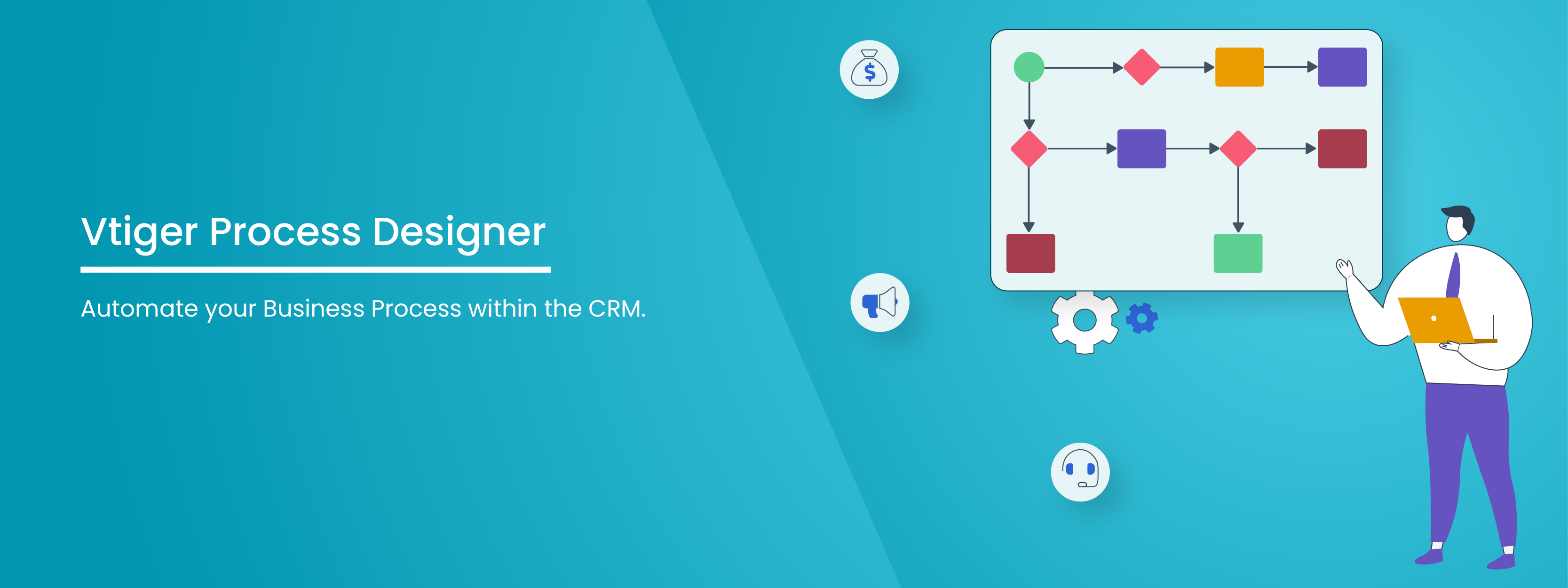
Vtiger’s latest feature, Process Designer, helps you redesign and optimize your process flows for increased productivity.
The Process Designer leverages your current processes to automate complex and repetitive marketing, business, customer service, and HR workflows. Take advantage of One View to get a unified data view, eliminate cross-department data silos, and give a unified view across the organization. Implement data-driven BPA to increase efficiency, minimize costs, simplify and optimize processes.
What Is Business Automation?
Business automation is the use of technology to automate recurring business tasks and processes, reducing or eliminating manual effort. IBM defines business process automation as the application of digital technology to “Business process automation (BPA) is a strategy that uses software to automate complex and repetitive business processes.” Business automation focuses on improving process consistency, reducing manual intervention, and increasing operational visibility across systems and teams.
An automated business relies on predefined workflows and rules to ensure tasks move through the process in a consistent, controlled manner. This includes approvals, notifications, data updates, and integrations across applications. Business process automation enables organizations to design, execute, and monitor workflows rather than relying on manual coordination.
The main goal of BPA is to streamline day-to-day operations to keep the business functioning smoothly. These “run the business” activities are the core processes that generate revenue and help ensure the business runs efficiently, such as processing orders and managing customer accounts.
Business automation supports scalability by enabling organizations to handle higher workloads without increasing operational complexity.
Why Business Automation Matters
Business automation matters because manual processes increase operational risk and limit efficiency.
By applying business process automation, organizations gain better control over workflows and outcomes. Automated processes make it easier to track progress, identify bottlenecks, and enforce consistent execution across departments. This level of visibility is critical for operational teams that need to monitor performance, manage exceptions, and maintain governance without relying on manual follow-ups. Automation also helps standardize processes across locations and business units, reducing dependency on individual practices.
Automation enables organizations to reallocate effort from repetitive tasks to higher-value activities such as analysis, decision-making, and process improvement. This shift improves workforce productivity and allows teams to focus on outcomes rather than execution. Over time, automation also supports better forecasting and capacity planning by providing reliable, process-level data.
How BPA, RPA, and BPM interrelate
Business Process Automation (BPA), Robotic Process Automation (RPA), and Business Process Management (BPM) address different layers of automation within an organization. IBM explains that these approaches complement each other and deliver the best results when applied together as part of a structured automation strategy rather than as standalone initiatives.
BPM forms the foundation. It focuses on designing, modeling, and optimizing end-to-end business processes. BPM defines how work should flow across systems, teams, and data, ensuring processes are standardized and governed before automation is introduced. This step is critical for maintaining control, compliance, and consistency as automation scales.
BPA builds on BPM by automating the defined workflows. It manages approvals, task routing, and system integrations to ensure processes execute consistently at scale. BPA enables end-to-end process execution by coordinating people, systems, and data within a single workflow.
RPA operates at the task level and supports automation where direct system integration is limited. It automates repetitive, rule-based activities by interacting with applications in the same way a user would.
Here are 5 reasons to take advantage of Vtiger’s Process Designer

Efficient Operations
Does your skilled workforce spend more time on paperwork and administrative tasks? Using Vtiger’s Process Designer, automate your business processes to eliminate skilled employees’ efforts on tedious tasks. For instance, workflow automation can reduce a sales rep’s efforts in tracking follow-up on spreadsheets.
Accuracy
Inaccurate data results in increased operational costs and complex problems. Relying on manual processes introduces human errors and delays. The Process Designer reduces the opportunity for inaccurate, duplicate, siloed data.
Unified View
Vtiger’s One View gives a unified view of a deal, contact, task, or event at any given time. Seamlessly track milestones and deadlines—leverage 360-degree view to identify workflows that can be automated. Optimize and automate processes for effective outcomes.
Scalability
Leverage the drag-and-drop feature of Vtiger’s Process Designer to create effective workflow automation seamlessly. Automating reduces turnaround time and increases scalability with on-time completions.
Market your product or service faster, fulfill orders on time, enhance customer service, and optimize overall capacity.
Enhanced Customer Service
With advanced technology in every segment, customers expect reduced wait time or instant responses. Automate customer-facing tasks for enhanced customer satisfaction.
Take advantage of Process Designer to give your customer access to 24/7 information.
Don’t wait anymore…install Vtiger CRM right away and try the Process Designer for yourself.
Key Components of Business Automation
Business automation consists of core components that help organizations build, run, and manage automated workflows at scale. These components ensure that processes operate in a structured, measurable way rather than as isolated tasks. When combined, they enable automation to function as a controlled, repeatable business capability.
Process Orchestration
Process orchestration defines how tasks move across systems, teams, and data. It ensures that activities follow a defined sequence and operate according to set rules. Without orchestration, automation remains limited to individual tasks and becomes difficult to manage when processes involve multiple departments or applications.
System Integration
System integration allows different business applications to exchange data automatically. By connecting systems such as CRM, ERP, and finance platforms, automation reduces manual data entry and delays between teams. Integration is required for workflows that span departments and rely on shared data.
Monitoring and Analytics
Monitoring and analytics provide visibility into how automated processes are running. They track execution status, processing time, and exceptions. This information helps teams identify issues, measure performance, and make informed adjustments to processes.
Governance and Control
Governance and control define how automation is managed as it grows. This includes ownership, access controls, and change management practices. These measures help ensure automated workflows remain compliant and aligned with business requirements.
Enterprise Automation Scope
Automation is no longer limited to operational tasks. According to Gartner, 80 percent of executives believe automation can be applied to any business decision. This shift increases the importance of having strong orchestration, integration, monitoring, and governance to support automation across the organization.
Types of Business Automation
Business automation can be implemented in different ways based on process complexity, existing systems, and organizational readiness. Understanding these types helps businesses select an approach that fits their operational needs instead of applying the same automation model everywhere.
Task Level Automation
Task-level automation focuses on repetitive and rule-based activities. It is commonly used for data entry, data validation, file transfers, and system updates. This type of automation delivers rapid efficiency gains but operates within a limited scope, as it does not manage task dependencies or broader processes.
Workflow Automation
Workflow automation coordinates tasks across teams, users, and systems. It manages approvals, routing, and handoffs to support the execution of complete processes across departments. This approach is often used for customer onboarding, invoice approvals, and employee service requests where consistency and process visibility are required.
Intelligent Automation
Intelligent automation combines automation with AI-driven decision logic and data interpretation. It enables systems to work with unstructured data, apply rules dynamically, and respond to changing inputs. This type of automation is suited for processes where outcomes cannot be fully defined in advance and require contextual evaluation.
Automation Adoption Progression
Organizations usually adopt automation in stages rather than all at once. Many begin with isolated task automation and gradually move toward workflow-based and intelligent automation. Gartner reports that by 2026, 30% of enterprises will automate more than half of their network activities, up from under 10% in mid 2023. This trend shows the importance of choosing automation approaches that can scale across operations.
Examples of business process automation
To understand what business automation is in practice, it helps to look at how organizations apply automation to everyday operational workflows. These examples show how business process automation standardizes execution, improves visibility, and reduces manual coordination across teams.
Customer onboarding automation
In many organizations, onboarding involves data collection, approvals, and account setup across multiple systems. Business process automation coordinates these steps through predefined workflows. Once a customer is approved, tasks are automatically triggered for the relevant teams, ensuring consistent execution. This is a common example used to explain what business process automation is in customer-facing operations.
Invoice processing automation
Invoice processing often includes validation, approval, and posting in finance systems. Automated workflows capture invoice data, apply business rules, and route exceptions for review. This reduces processing delays and improves accuracy while maintaining audit trails.
Sales and lead management automation
Automation is widely used to manage lead assignment and follow-ups. When leads meet defined criteria, workflows automatically assign them to sales representatives and trigger next actions. In this context, what an automated business is becomes clear, as sales processes run with minimal manual intervention and improved pipeline visibility.
Employee request and approval automation
Processes such as leave requests, expense approvals, and access requests are managed through automated workflows. Requests follow predefined approval paths, reducing turnaround time and ensuring compliance with internal policies.
IT service request automation
IT teams use business process automation to manage service requests such as access provisioning and issue resolution. Automated routing and escalation rules help ensure requests are handled consistently and within defined service levels.
Benefits of Business Automation
The value of business automation becomes clear when its impact on day-to-day operations is examined. Automation helps organizations standardize how work is executed, reduce manual effort, and maintain control across key processes. These benefits are particularly important for businesses handling large volumes of transactions across multiple systems.
Cost Reduction
Automation reduces reliance on manual work, lowering labor costs and limiting rework caused by errors. Automated workflows also eliminate delays associated with approvals, routing, and handoffs, resulting in faster process completion and more predictable cost control.
Operational Efficiency
When automation is applied consistently, processes run in a defined and repeatable manner. This improves throughput and allows teams to focus on handling exceptions instead of routine tasks. In this sense, automation supports reliability and process consistency, not just faster execution.
Scalability Support
Automation allows organizations to manage higher workloads without increasing headcount at the same rate. As volumes grow, automated processes can absorb additional demand with minimal manual involvement. This enables businesses to scale operations without relying entirely on human effort.
Financial Performance Impact
Research from Gartner shows the financial effect of automation at scale. Gartner predicts that by 2029, agentic AI will autonomously resolve 80% of common customer service issues without human intervention, leading to a 30% reduction in operational costs. This demonstrates how advanced automation contributes directly to cost control and operational performance.
Overall, business automation helps organizations improve efficiency, manage costs, and maintain consistent execution across processes.
Challenges of Business Automation
While business automation offers clear advantages, implementing it at scale introduces several challenges. Many organizations struggle not with deploying automation tools, but with converting automated outputs into actions that support business decisions.
Process Fragmentation
Automation initiatives often focus on individual tasks instead of end-to-end workflows. When business process automation is implemented without defined ownership and orchestration, it increases operational complexity rather than improving efficiency.
Data Usability
Automated systems generate large volumes of data, but organizations often fail to translate this data into actionable insights. Gartner highlights this gap clearly.
“With analytics comes the expectation of transformative decision making, but the reality is that many organizations struggle to produce actionable insights regarding their most important decisions,” said Kelly Fischbein, Senior Principal, Research in the Gartner Sales Practice.
System Integration Issues
Automation depends on consistent data flow across applications. When systems are poorly integrated, automated workflows break and require manual intervention, reducing process reliability.
Change Management
Employee adoption remains a challenge when processes are unclear or training is insufficient. For organizations aiming to build automated operations, success depends on aligning technology, processes, and people rather than relying on tools alone.
Tools Used for Business Automation
Business automation tools provide the operational backbone for executing, integrating, and governing automated workflows across an organization. These tools are not standalone utilities. They work together to manage process logic, system connectivity, task execution, and performance tracking. When implemented correctly, they enable consistent and controlled business process automation across functions and systems.
Business Process Automation Platforms
These platforms form the foundation of automation initiatives. They enable organizations to design, execute, and manage end-to-end workflows that span departments and applications. BPA platforms handle approvals, routing, and exception management, providing structure and governance to business process automation efforts.
Robotic Process Automation (RPA) Tools
RPA tools automate repetitive, rule-based tasks by interacting with applications at the user interface level. They are commonly used where direct system integration is limited, supporting task-level automation within broader automation strategies.
Integration and API Management Tools
Integration tools enable data exchange between systems such as CRM, ERP, and finance platforms. Reliable integration ensures automated workflows function end-to-end without manual intervention, which is essential for organizations moving toward what is an automated business model.
Analytics and Monitoring Tools
These tools provide visibility into automated process performance. They track execution status, cycle times, and exceptions, helping teams identify bottlenecks and improve outcomes over time.
Low-Code and No-Code Automation Tools
Low-code and no-code tools allow business users to configure workflows with minimal development effort. They support faster deployment while maintaining control through predefined rules.
Business Automation vs Digital Transformation
| Aspect | Business Automation | Digital Transformation |
| Core Focus | Streamlining and automating existing business processes | Redesigning business models, operations, and customer experiences using digital technologies |
| Scope | Narrower and process-specific | Broad and organization-wide |
| Primary Objective | Improve efficiency, accuracy, and consistency in workflows | Enable long-term business change and competitive advantage |
| Process Orientation | Focuses on automating defined, repeatable processes | Often involves redefining or replacing existing processes |
| Technology Usage | Uses tools such as business process automation platforms, RPA, and workflow engines | Uses a mix of automation, cloud, data analytics, AI, and digital platforms |
| Time Horizon | Short to medium-term improvements | Long-term strategic initiative |
| Impact on Operations | Reduces manual effort and operational delays | Changes how the organization operates and delivers value |
| Risk Level | Lower, as it builds on existing processes | Higher, due to organizational and cultural change |
| Role in an Automated Business | Enables structured execution and scalable process control | Provides the broader vision and framework for digital maturity |
Business Process Automation FAQ’s
What is business process automation?
Business process automation is the use of technology to automate repeatable, rules-based business workflows. It enables organizations to standardize execution, reduce manual effort, and improve process visibility across systems and teams while maintaining operational control and consistency.
What are the 5 stages of BPM?
The five stages of BPM are process design, modeling, execution, monitoring, and optimization. These stages help organizations define workflows, automate execution, track performance, and continuously improve processes based on data and operational outcomes.
How does business process automation work?
Business process automation works by defining workflows, rules, and triggers that guide task execution across systems and users. Once configured, the automation platform routes tasks, applies logic, integrates applications, and monitors outcomes with minimal manual intervention.
What are examples of business processes that can be automated?
Common examples include customer onboarding, invoice processing, lead management, employee approvals, IT service requests, and compliance workflows. These processes are typically repetitive, rules-driven, and involve multiple systems or teams, making them suitable for automation.
What are the key benefits of business process automation?
Key benefits include improved efficiency, reduced errors, faster cycle times, better process visibility, and lower operational costs. Automation also enables organizations to scale operations without proportional increases in manual effort or headcount.
—————————————————————————————————————————————
References
1. 32 Business Automation Statistics for 2021
2. Gartner Predicts 69% of Routine Work Currently Done by Managers will Be Fully Automated by 2024.
3. Automation Alters The Global Workforce