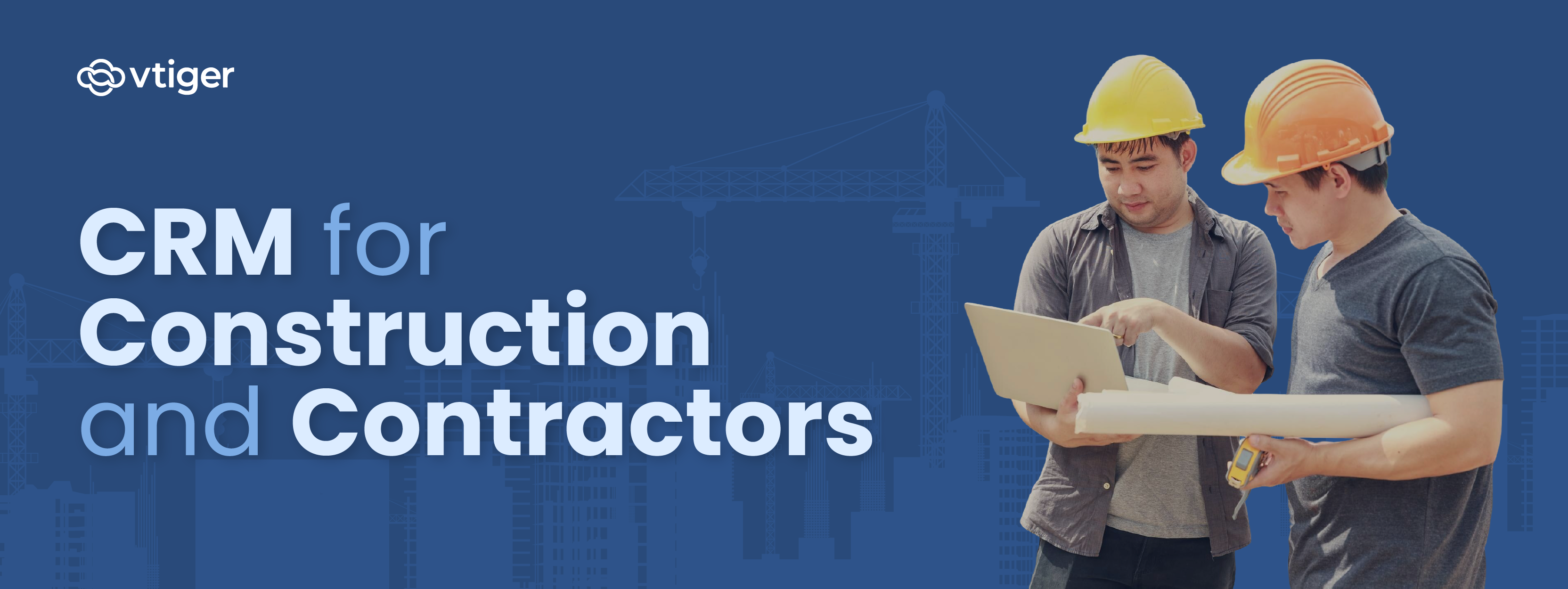
Construction projects move across several sites and involve architects, subcontractors, suppliers, and on-site crews working to strict deadlines. Coordinating permit approvals, equipment scheduling, and material deliveries while keeping clients informed can easily create communication gaps and project delays. Relying on spreadsheets or paper-based methods to track bid requests, client updates, and workforce allocation often results in duplicated effort and costly errors.
A CRM built for the construction industry brings project and client management into a single, organised framework. Client records, contract details, schedules, and internal updates can be viewed in one place, cutting down on overlooked tasks or miscommunication. It becomes easier to coordinate subcontractors, keep budgets in check, and track follow-ups without shifting between spreadsheets or emails.
With every stakeholder accessing the same accurate data, project oversight stays clear and clients receive timely, consistent updates, thereby strengthening both operational control and customer confidence.
What is a Construction CRM?
A Construction CRM is a customer relationship management platform designed for builders, contractors, and construction service providers. It helps organise client data, project details, and communication in a single interface.
Compared to generic CRMs, a Construction CRM focuses on industry-specific needs such as lead management, bid tracking, and project progress monitoring. For example, sales teams can record inquiries from property developers, while project managers can update milestones and allocate resources without relying on multiple tools, with improved visibility and accuracy. By centralizing information and streamlining daily operations, it supports better project planning, on-time delivery, and improved client satisfaction.
Top Features of Construction CRM Software
A construction CRM is built to handle both the field and back-office tasks that keep projects moving. From capturing new business leads to monitoring budgets and updating stakeholders, it simplifies the top view of daily operations for staff across departments. The following list of features supports the entire construction process, from initial bidding to project handover.
Lead & Client Management
Managing new opportunities and maintaining client records are critical tasks for a construction firm. A CRM allows the sales team to capture inquiries from tenders, website forms, and referrals in one database while ensuring every follow-up is tracked. Client profiles, communication history, and project-related interactions stay organised, so teams can respond quickly to bids and maintain accurate records.
- Centralised database for client and prospect details
- Automated reminders for calls, emails, and meetings
- Status tracking for leads from initial inquiry to project closure
Project Tracking
Construction projects involve multiple teams, tight timelines, and frequent status changes. A CRM helps project managers and engineers keep every stage visible—from planning and procurement to site execution. Progress can be updated in real time and viewed by management without relying on separate spreadsheets or manual reports.
- Real-time updates on site progress and deadlines
- Role-based access for project managers, engineers, and support teams
- Central dashboard to view multiple projects at once
Document Storage
Contracts, permits, blueprints, and invoices require secure handling and easy retrieval. A construction CRM provides a central location to store all project documents with version control, ensuring teams access the latest files and reduce the risk of errors caused by outdated information.
- Version control for updated drawings or plans
- Permission-based access for internal teams and contractors
- Quick search for documents related to specific projects
Scheduling & Task Assignments
Allocating tasks and scheduling site work across teams and subcontractors can be complex. A CRM simplifies workforce planning by offering calendar-based scheduling, automated alerts, and a single view of all assignments. This helps operations teams match resources with deadlines and avoid overlapping schedules.
- Calendar-based task assignments for staff and subcontractors
- Automated notifications for upcoming deadlines
- Tracking of workforce allocation across different sites
Real-time Reporting
Construction companies need timely insights into project performance and financial health. A CRM generates live reports so managers can review budgets, timelines, and client activity without waiting for manual updates. These reports guide quick decisions and keep stakeholders informed.
- Custom reports on project status, resource usage, and client activity
- Live dashboards for financial and operational performance
- Export options for management reviews or stakeholder reports
Budgeting & Cost Control
Monitoring expenses and staying within budget are essential for profitable projects. A CRM enables finance and project teams to track material costs, labour expenses, and subcontractor payments in real time. Budget alerts help prevent overruns and ensure accurate cost control.
- Cost tracking for materials, labour, and subcontractor payments
- Alerts for budget overruns
- Integration with purchase orders and invoices
Mobile Access
Site engineers, supervisors, and office teams can all work from the same platform using mobile-friendly dashboards. Staff on-site can upload progress photos, record approvals, or update task completion, while management can view live project status from anywhere.
- Mobile-friendly dashboards for updates from any location
- On-site staff can upload photos, progress notes, and approvals
- Instant notifications for schedule changes or urgent updates
Integration with Accounting or ERP Tools
For smooth back-end operations, a construction CRM can connect with accounting software or full-scale ERP systems. This eliminates duplicate data entry and ensures that financial records, vendor payments, and project costs are consistently updated across all platforms.
- Synchronisation of project costs, vendor payments, and invoices
- Unified view of financial and project data
- Reduced duplication of data entry across platforms
Key Benefits of Using CRM in Construction Projects
Running a construction project means balancing client expectations, site operations, and back-office tasks simultaneously. A dedicated CRM gives every team, right from sales and estimation to project management and finance, a single platform to work from. The benefits below outline how this system supports both daily operations and long-term growth.
Improved Project Coordination
Construction projects involve architects, contractors, engineers, and site supervisors working across different locations. A CRM centralises task assignments and progress updates, so every team member has access to the same information. This reduces confusion and keeps timelines on track.
Enhanced Client Communication
Clients expect regular updates on project status, budgets, and delivery dates. A construction CRM records every email, call, and meeting, ensuring no detail is missed. Teams can share real-time progress reports and quickly address client queries, which helps maintain trust and avoid misunderstandings.
Accurate Documentation & Compliance
From building permits and contracts to safety records and inspection reports, construction projects generate a high volume of documentation. A CRM provides a secure, central location for storing and retrieving these records. With version control and access permissions, it supports compliance with local regulations and industry standards.
Time and Cost Savings
Manual tracking of bids, tasks, and budgets often leads to delays and rework. Automation in a CRM reduces repetitive data entry and speeds up everyday processes such as scheduling and reporting. Fewer errors and faster updates help projects stay within budget and reduce administrative costs.
Increased Sales and Repeat Business
A construction CRM tracks leads from tenders, referrals, and ongoing inquiries, helping sales teams follow up consistently. By maintaining a detailed history of past projects and client interactions, it becomes easier to secure repeat contracts and identify new work opportunities with existing customers.
Real-time Insights for Better Decision Making
Project managers and company executives can view live dashboards that display budgets, timelines, and workforce allocation. These real-time insights highlight potential risks early, making it possible to adjust plans quickly and keep projects aligned with financial and operational goals.
How Construction CRM Helps in Managing Site Operations
Running day-to-day site work calls for precise coordination between field supervisors and office staff. A construction CRM keeps every operational detail from people, materials, schedules, and safety checks, inside one system so updates are visible to all teams at once.
- Crew Scheduling and Task Allocation: Assign daily activities to site teams, adjust shifts when weather or equipment delays occur, and track completion without manual sheets.
- Material and Equipment Monitoring: Log deliveries, record usage, and flag low stock levels so procurement staff can reorder before work is disrupted.
- Safety Compliance Tracking: Upload inspection reports, safety permits, and incident logs to meet regulatory requirements and keep records ready for audits.
- Progress Visibility: Share real-time site updates with project managers and office staff, ensuring issues are identified and addressed before they affect deadlines.
These functions help construction firms maintain steady site operations, cut downtime, and ensure compliance without relying on unorganized records.
CRM for Vendor & Subcontractor Management
Coordinating subcontractors and suppliers is a core part of every construction project, from initial bidding to final payment. A construction CRM gives project managers and procurement teams one platform to track contracts, monitor payments, and assess service quality. It simplifies record-keeping and provides clear visibility into vendor performance, making it easier to choose reliable partners for upcoming work.
- Vendor Profiles with Key Details: Create profiles that include licences, certifications, contact information, payment terms, and service categories. For example, store the electrical subcontractor’s safety certificates and agreed billing rates for quick reference during project planning.
- Performance Ratings: Record feedback on quality of work, adherence to schedules, and compliance with safety regulations. Ratings help decide which subcontractors to rehire for future projects.
- Payment and Contract Tracking: Monitor invoices, retention amounts, and contract expiry dates to avoid payment delays or disputes. A CRM can alert the finance team when milestone-based payments are due.
- Deadline Management: Set automated reminders for delivery dates and service completion milestones. Site managers receive notifications when a subcontractor’s scheduled work is nearing completion or requires follow-up.
- Service History Archive: Maintain a record of all previous projects handled by each vendor, including outcomes and any issues. This history supports negotiations and helps select the most reliable partners for new contracts
Choosing the Right CRM for Your Construction Business
Construction companies operate with layered workflows like estimations, vendor contracts, client updates, and on-site coordination. A CRM must fit these specific processes rather than just offer generic sales tracking.
Before selecting a platform, it’s important to review how your projects are managed, the size of your teams, and the level of integration needed with tools such as accounting or ERP software. The steps below outline key factors that help identify a CRM suited to construction services and day-to-day project operations.
1. Assess Business Size and Project Complexity
Begin by mapping the scale of your operations.
- How many projects you handle at a time
- Number of departments involved
- Number of staff who will use the CRM.
A small residential contractor that mainly manages a few home builds may only need lead tracking, basic scheduling, and simple client communication tools. A mid-size commercial builder might require job costing, subcontractor management, and document sharing. Large infrastructure firms running multiple sites at once usually need advanced project tracking, multi-department access, and integration with ERP systems to keep every team from estimation to site supervision, working on the same data set.
2. Define Budget Limits
Review the full cost of ownership, including monthly or annual subscriptions, one-time setup charges, and fees for additional users. Weigh these costs against the core functions your teams need, such as real-time reporting, vendor management, or safety compliance tracking. The goal is to match your budget with features that reduce manual work and support long-term project efficiency.
3. Check User-Friendly Interface
A CRM for construction industry must be simple for both site staff and office teams. Look for clear dashboards that display project timelines, budget status, and daily tasks, with minimal training required. Mobile-friendly access is essential so supervisors and engineers can update progress or upload site photos directly from the field.
4. Evaluate Integration Capabilities
Choose a CRM that integrates seamlessly with existing construction tools,such as accounting software, ERP platforms, or project management applications. Seamless integration avoids duplicate data entry, keeps financial records aligned with project updates, and allows departments such as procurement and finance to work from a single source of truth.
5. Review Customer Support and Training
Reliable support helps your team adopt the system quickly. Select vendors that offer structured onboarding, role-based training, and responsive technical assistance. Strong after-sales support ensures minimal disruption when new features are introduced or when teams face issues during critical project phases.
| Factor | Why It Matters |
| Budget | Keeps costs aligned with the scale of projects and required features |
| Integration | Maintains consistency between financial data, project updates, and vendor records |
| Support | Reduces downtime and ensures staff can fully use the CRM’s construction-specific tools |
Overcoming Common Challenges in CRM Implementation
Implementing a CRM in a construction company can improve project coordination, but the process often faces practical hurdles. Addressing these challenges early helps the system deliver value without disrupting ongoing work.
Employee Resistance
There can be instances where few members from the construction teams like site supervisors and even office staff, may be reluctant to move away from spreadsheets or manual logs. Early involvement of key staff, clear demonstrations of how the CRM simplifies tasks like scheduling, progress tracking, and document management, and role-based training can encourage adoption and reduce hesitation.
Data Migration
Transferring client information, project files, vendor records, and historical contracts from existing systems or paper archives can be complex. Staged migration with proper backups, verification processes, and dedicated staff overseeing the transfer ensures data accuracy and prevents lost or duplicated records.
Cost Concerns
Construction budgets are often tight, making software investment a sensitive topic. Comparing pricing models, prioritising essential features, and showing how automation reduces administrative effort can help justify costs. Firms can also consider phased rollouts to spread out expenses.
Learning Curve
Teams with varied technical skills may struggle to use new dashboards or mobile tools. Choosing a CRM with a simple, mobile-friendly interface, supported by training sessions, tutorials, and ongoing vendor support, helps staff gain confidence and fully leverage the system’s features.
Integrating CRM with Other Tools
Integration allows field staff, office teams, and subcontractors to access the same information, keep track of budgets, update schedules, and share documents without delays, making project management more efficient and accurate.
Integration with Project Management Software
Connecting a CRM to project management tools enables teams to automatically track tasks, resources, and milestones. For example, if a concrete delivery is delayed, the CRM can alert site supervisors to reschedule dependent tasks like inspections or finishing work. It also supports approval workflows, letting managers review and approve daily progress reports directly in the CRM.
Integration with Accounting Solutions
A CRM linked to accounting software keeps budgets, invoices, and subcontractor payments updated in real time. If a subcontractor submits a new invoice, the system can match it with the approved purchase order, update project costs, and notify the finance team. This reduces mistakes, prevents overspending, and gives project managers accurate financial data for better decisions.
Integration with Communication Platforms
When messaging and collaboration tools are integrated with a CRM, teams can share documents, get updates, and confirm tasks easily. For example, if a blueprint is updated, the CRM can notify engineers, foremen, and subcontractors, while tracking confirmations or issues. Automatic reminders for inspections, material deliveries, or safety checks help keep tasks on schedule without back-and-forth emails.
Conclusion – Streamlining Construction Management with CRM
A construction CRM helps manage all parts of a project, from client leads and approvals to site schedules and subcontractor coordination. By keeping project plans, material deliveries, labor allocation, and budgets in one system, it reduces mistakes, avoids delays, and keeps office and site teams working together.
With reporting tools, document storage, and links to accounting or project management software, a CRM makes it easier to track costs, manage payments, and monitor progress. Site supervisors can update daily logs, record safety checks, and report issues immediately, while managers can make decisions based on accurate, real-time information.
Take control of every project, keep your teams on the same page, and stay on schedule without wasting time or money. A construction-focused CRM software gives you clear visibility on tasks, budgets, and subcontractors. Pick the right system for your workflow and start running projects smoothly from day one.
FAQ – Frequently Asked Questions
What is the primary purpose of a construction CRM?
A construction CRM centralizes project, client, subcontractor, and on-site team management. It tracks leads, manages bids, and schedules daily site tasks. The system also stores critical project documents such as drawings, contracts, safety reports, and material delivery schedules. By keeping all this information in one platform, it allows project managers, office staff, and site supervisors to coordinate efficiently, reduce errors, and maintain consistent communication throughout the construction lifecycle.
Can a CRM be used for small construction businesses?
Yes. Even small construction firms can benefit from a CRM. It helps track client inquiries, manage a few ongoing projects, maintain subcontractor records, and monitor material deliveries. Scalable CRMs allow small teams to use only the features they need, such as basic project tracking and document storage, while still providing visibility into timelines and budgets, ensuring projects stay organized without overcomplicating workflows.
How does a CRM improve client relationships?
A CRM provides a detailed record of all client communications, project updates, approvals, and invoices. Clients receive timely updates on project milestones, schedule changes and cost variations. This transparency builds trust and reduces misunderstandings, as clients can see that deadlines are being met and that their requirements are consistently addressed.
Is construction CRM software expensive?
The cost varies depending on the size of the firm, the number of users, and the required features. Small contractors can choose basic plans for lead tracking and task management, while larger construction companies can invest in advanced modules for multi-site coordination, budgeting, and subcontractor management. Many vendors offer modular pricing, allowing firms to start small and add functionality as their business grows.
How secure is the data in a CRM system?
Construction CRMs use role-based access controls, encrypted storage, and secure cloud hosting to protect sensitive information. This includes client data, contracts, project budgets, inspection reports, and financial transactions. Site supervisors, project managers, and finance teams can be assigned different access levels, ensuring that critical information remains safe while still accessible to the right personnel.
Can CRM track both projects and finances?
Yes. A construction CRM tracks site progress, labor allocation, project milestones, and material deliveries alongside financial details such as budgets, invoices, and subcontractor payments. Integration with accounting software allows project managers to monitor expenses in real time, compare them against estimates, and make decisions to avoid budget overruns or delays.
How easy is it to train employees on CRM tools?
Most modern construction CRMs are designed for both office and field teams. Clear dashboards, mobile access, and intuitive interfaces make it easier for site engineers, supervisors, and office staff to log updates, assign tasks, and track progress. Vendors typically provide onboarding support, tutorials, and ongoing help to ensure employees quickly become comfortable with the system.
Does a CRM integrate with accounting software?
Yes. Integration allows budgets, invoices, and payments to be automatically synced between the CRM and accounting software. Project managers can see actual expenses against estimates, monitor subcontractor payments, and ensure timely invoicing without manual entry, reducing errors and saving time across departments.
How can CRM help during site inspections?
During site inspections, supervisors can log compliance checks, safety reports, and photos directly into the CRM. Managers in the office can immediately review results, assign corrective actions, and track completion. This process ensures that inspections are documented, safety standards are met, and project progress is transparent.
What mobile features should a construction CRM have?
A mobile-enabled CRM allows field staff to update work progress, record daily site activities, upload photos of completed work, and track material deliveries. Notifications for pending approvals, inspections, or deadlines ensure that site and office teams stay coordinated, even when working across multiple locations.