A lead comes in, but no one follows up until the next morning. A customer’s request sits in the wrong queue because it was not routed to the right team. A sales representative forgets to update an opportunity after a call, leaving the rest of the team without the latest information. None of these problems are difficult to solve individually, but when they happen across hundreds of leads, customers, and interactions, they create delays and inconsistencies that are difficult to manage manually.
Instead of relying on employees to remember every follow-up, update, assignment, or escalation, a CRM can perform these actions when predefined conditions are met. A new lead can be assigned automatically, a follow-up can be triggered after a set period, and a service ticket can be escalated when it approaches an SLA deadline.
The purpose is not to replace people. It is to reduce repetitive administrative work so teams can spend more time on decisions, problem-solving, and customer conversations. Automation also creates a more consistent way of working by applying the same rules across records, tracking deadlines, and logging actions for review.
What Is CRM Automation?
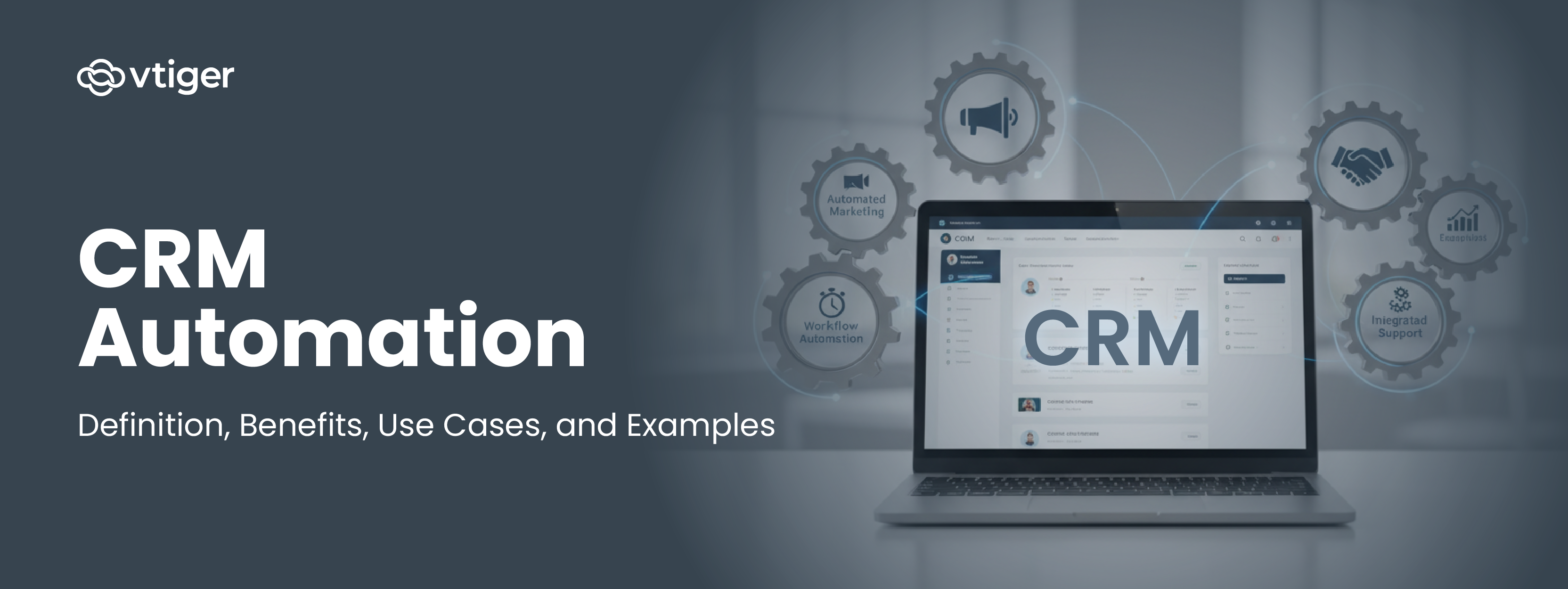
CRM automation brings predefined rules into the day-to-day processes managed through a CRM. Instead of relying on employees to remember every assignment, update, reminder, or follow-up, the system carries out these actions when specific conditions are met.
A typical workflow has three parts: a trigger that starts the process, conditions that determine what should happen, and actions that the system performs. For example, when a new lead enters the CRM, it can be assigned to the appropriate sales representative, a follow-up task can be created, and a welcome email can be sent automatically.
As customer and sales volumes increase, these workflows help teams maintain consistent processes without adding the same amount of manual work. An AI CRM software adds a layer on top of the rules. It uses past data to score records and recommend the next action, while the workflows handle the routine execution underneath.
Together, automation and AI help CRM systems handle routine execution while giving teams better information for decisions and customer interactions.
How CRM automation works
Every automation follows the same sequence, from the event that starts it to the record it leaves behind. The five steps below make it easier to design workflows that hold up in production.
- Trigger. An event or condition starts the workflow, such as a form submission, a stage change, or a date being reached. The trigger defines exactly when the automation runs.
- Rule evaluation. The system checks the record against conditions, like deal size, region, or lead source, to decide what should happen. Different conditions can send the same record down different paths.
- Action. The workflow executes: assign an owner, send an email, create a task, or update a field. One trigger can fire several actions in sequence.
- Notification and escalation. If a step is missed or a deadline is at risk, the system alerts the right person so nothing stalls silently.
- Logging. Every action is recorded, which gives an audit trail and the data for reporting on how work actually moves.
Two examples show the sequence in practice. A web form submission creates a lead, checks the region, assigns it to the local rep, and sends a first email, all within seconds.
On the service side, a ticket marked high priority from an enterprise account is escalated to a senior agent, who receives an alert, while the timestamp is logged so response time can be measured against the SLA.
Features of CRM Automation
CRM automation connects routine activities into a structured workflow, so teams can see what needs to happen, when it should happen, and who is responsible. The main features cover workflow execution, lead handling, customer data, and timely alerts.
Workflow automation
Rule-based workflows trigger actions when defined conditions are met. They can assign leads, create tasks, update records, or move deals to the next stage. Teams can start with simple rules, such as routing inbound leads by territory, and expand automation as processes become more complex.
Lead management
Automation captures leads from forms, ads, chat, and other sources, then scores and routes them using criteria such as territory, product interest, or lead quality. This prevents leads from sitting unassigned and helps sales teams focus first on prospects with stronger buying signals.
Contact management
Automated contact management keeps customer records updated as interactions take place. Communication history, activities, and relevant customer details remain connected to the same record, reducing duplicate data entry and giving sales, marketing, and service teams a consistent view of the customer.
Notifications and reminders
Automated notifications alert employees about tasks, approvals, meetings, overdue activities, and approaching deadlines. Instead of relying on personal checklists or memory, the CRM sends the alert when action is required and directs it to the appropriate person or team.
Benefits of CRM Automation
CRM automation delivers tangible improvements in productivity, efficiency, and customer experience by reducing manual workload and standardizing processes. As businesses scale, these benefits become increasingly important because they allow teams to manage larger volumes of customers without increasing complexity.
Automation also improves visibility across operations by ensuring data is consistently captured and updated. This leads to better forecasting, more accurate reporting, and improved decision-making across departments.
1) Maximize Productivity with Intelligent Automation
CRM automation reduces manual administrative work across pipeline management, campaign execution, and service handling. AI models and automation workflows ensure that records update automatically and tasks are triggered at the right time.
Sales productivity
AI engines score leads based on engagement signals such as email responses, meeting activity, and content interaction. Opportunities are prioritized using conversion probability.
The system recommends Next Best Action, creates follow-up tasks, and updates deal stages automatically. Sales teams focus on closing opportunities instead of maintaining pipeline data.
Marketing execution
Marketing automation uses predefined rules and AI Marketing Agents to evaluate lead readiness continuously. Behavioral scoring adjusts dynamically based on website visits, email engagement, ad interaction, and content downloads.
AI Marketing Agents trigger email sequences, schedule multi-channel campaigns, and generate personalized message drafts. Campaign execution continues without manual intervention.
Service efficiency
Help desk automation manages ticket classification, routing, and escalation. Incoming service requests are assigned based on issue category, urgency, and service policies.
AI chatbots handle repetitive queries instantly. Complex cases move to the appropriate agent with full customer interaction history.
2) Improve Customer Experience Using Unified Customer Data
Timely communication and consistent engagement help build trust and improve satisfaction. Businesses often see these outcomes when combining automation with the broader benefits of CRM strategies.
Unified customer view
Customer records include sales activity, campaign engagement, service requests, and communication logs. This unified view ensures every team works with the same customer context.
Personalized outreach
AI agents monitor behavioral signals and trigger communication automatically. Messages are generated based on engagement patterns, deal stage, and customer activity. Outreach timing aligns with customer readiness instead of fixed schedules.
Support continuity
Service agents access complete customer timelines across email, chat, phone, and messaging channels. Issue handling continues without restarting the context. Resolution accuracy and response time improve.
3) Enable Cross-Department Coordination
CRM automation connects marketing, sales, and service teams through shared workflows and automated handoffs. Customer data flows automatically between functions.
Marketing sales handoff
Leads reaching defined behavioral scores are assigned automatically to sales teams. Engagement history, campaign interaction, and activity records remain attached.
Sales teams begin engagement with full context.
Sales service transition
When deals close, customer records transfer automatically to onboarding and service teams. Contract details, product information, and prior communication remain available. Customer lifecycle continuity is maintained.
Internal task visibility
Workflow automation generates alerts, assigns tasks, and tracks progress based on pipeline events and customer actions. Teams stay aligned without manual follow-ups.
4) Scale Revenue and Retention Outcomes
CRM automation improves conversion performance, campaign efficiency, and customer retention by applying predictive models and system-driven execution.
Conversion improvement
AI lead scoring identifies high probability opportunities. Sales teams focus on qualified prospects, improving conversion rates, and pipeline efficiency.
Marketing optimization
AI Marketing Agents monitor campaign performance, run automated testing, and adjust targeting and messaging based on engagement data. Marketing efficiency improves with measurable results.
Retention improvement
Automated support workflows, faster response times, and unified customer records improve service quality. Customer churn risk reduces as service continuity improves.
Common CRM Automation Use Cases
Conclusion
For years, CRM depended on user discipline. The system was only as reliable as the person updating it. Follow-ups happened if someone remembered. Leads moved if someone reviewed them. Service quality depended heavily on individual consistency. This made growth harder to manage, because adding more customers also meant adding more manual responsibility.
That dependency is now being reduced. CRM automation shifts the burden of coordination from people to the system. Instead of constantly maintaining records and checking what needs attention, teams step in where judgment, negotiation, and customer understanding are actually required. The system handles continuity. People handle decisions.
The larger shift is already underway. CRM is moving from being a place where work is logged to becoming a place where work is directed. As AI capabilities mature, systems will not just assist execution but influence timing, prioritization, and engagement strategy.
FAQs for CRM Automation
1. What is CRM automation?
CRM automation is the use of workflows, rules, and technology within a CRM system to automatically handle repetitive tasks such as lead assignment, follow-ups, and data updates. It reduces manual effort, improves consistency, and helps teams focus on customer engagement, decision-making, and revenue-generating activities rather than routine operational work.
2. How does CRM automation work?
CRM automation works by using triggers, predefined rules, and automated actions. When a specific event occurs, such as a new lead or deal stage change, the system executes tasks like sending emails, assigning records, or creating reminders. This structured workflow ensures processes run consistently without requiring constant manual input from teams.
3. What tasks can be automated in a CRM?
A CRM can automate tasks such as lead capture and assignment, follow-up emails, task reminders, ticket routing, data updates, notifications, and reporting. These automations reduce administrative workload and ensure processes are completed on time, allowing teams to focus on customer conversations and strategic activities instead of repetitive operations.
4. Is CRM automation suitable for small businesses?
Yes, CRM automation is highly beneficial for small businesses because it helps small teams operate more efficiently with limited resources. By automating routine tasks, businesses can save time, maintain consistent customer communication, and scale operations without hiring additional staff, making growth more manageable and cost-effective.
5. How does CRM automation help sales teams?
CRM automation helps sales teams by reducing administrative tasks such as data entry and follow-up tracking. It ensures leads are assigned quickly, reminders are generated automatically, and pipeline updates happen in real time. This improves productivity, shortens sales cycles, and gives teams better visibility into opportunities and performance.
6. Can CRM automation improve customer service?
Yes, CRM automation improves customer service by enabling faster responses, consistent communication, and efficient ticket management. Automated routing, escalation, and SLA tracking ensure issues are addressed on time, while notifications keep teams informed. This leads to quicker resolutions, better service quality, and improved customer satisfaction overall.
7. What is the role of AI in CRM automation?
AI enhances CRM automation by providing predictive insights, smart recommendations, and workflow optimization. It can prioritize leads, suggest next best actions, and forecast outcomes based on data patterns. This helps teams make more informed decisions while improving efficiency and enabling more personalized customer engagement strategies.
8. Does CRM automation replace human agents?
No, CRM automation is designed to support human agents, not replace them. It handles repetitive administrative tasks so teams can focus on relationship building, problem-solving, and decision-making. Human oversight remains essential for complex interactions, ensuring customer experiences remain personalized and context-driven.
9. How long does CRM automation take to implement?
The implementation timeline depends on complexity. Basic workflows such as reminders or lead routing can be set up quickly, often within days. More advanced automations involving integrations, custom rules, or AI capabilities may take several weeks, depending on business requirements and process design.
10. What are examples of CRM automation?
Common examples include lead routing, automated email sequences, follow-up reminders, ticket escalation, SLA tracking, and performance reporting. These automations streamline operations, improve response times, and ensure consistent execution of processes across sales, marketing, and customer service functions.