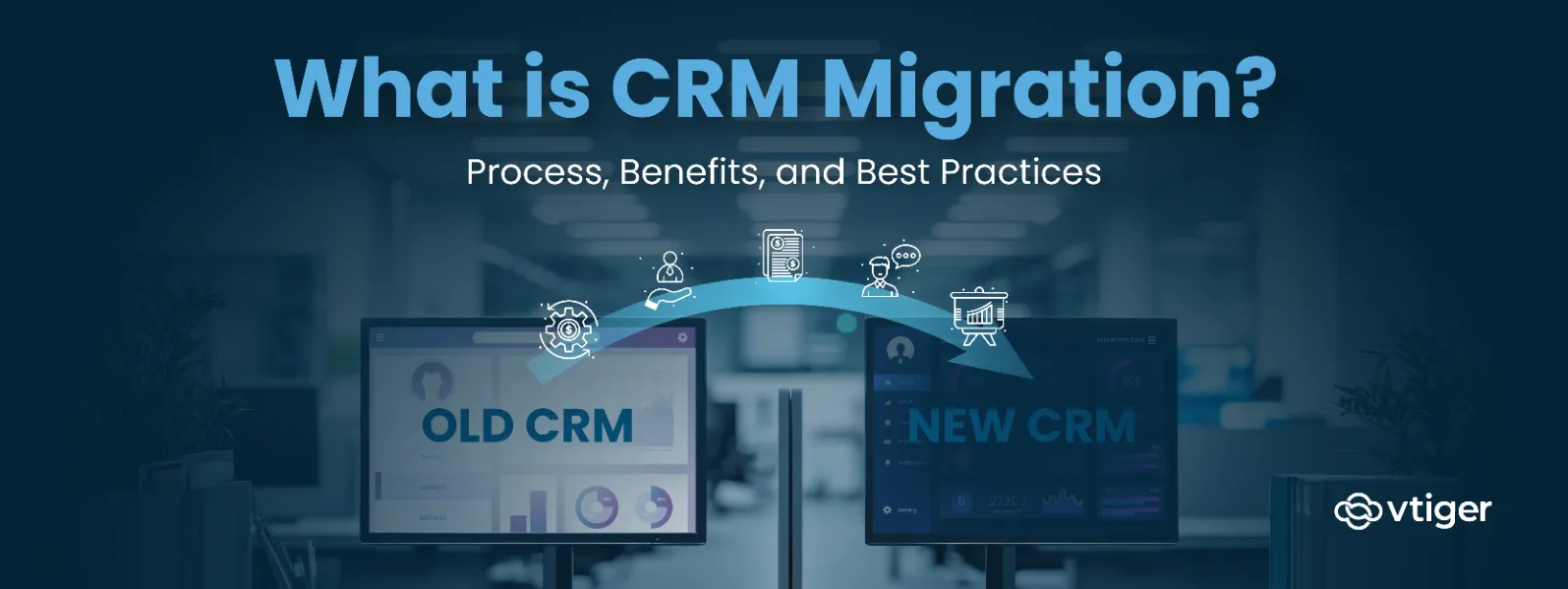
CRM migration is the process of transferring customer data, workflows, and system configurations from an existing CRM or legacy system to a new CRM platform. Businesses usually migrate when their current system no longer supports growth, automation needs, or collaboration requirements.
A CRM system stores critical information such as contacts, deals, communications, and activity history. When organizations switch platforms, this information must be carefully migrated without disrupting data relationships or operations. This process includes auditing existing records, cleaning outdated data, mapping fields, and transferring configurations.
What Is CRM Migration?
CRM migration refers to the process of transferring data and operational configurations from one CRM environment to another system. This includes moving customer records, activity history, pipelines, and workflow automation while maintaining the structure of the data.
During CRM data migration, businesses typically move several types of information including:
- Contacts, accounts, and customer profiles
- Leads, opportunities, and deal records
- Activity history such as emails, calls, and notes
- Sales pipelines and workflow rules
- Custom fields and system configurations
- User permissions and integrations
The goal of the CRM migration process is not just to copy data but to improve how that data is structured and used inside the new system. Businesses migrate CRMs in different situations.
Spreadsheet to CRM
Some organizations initially manage customer data in spreadsheets. As operations grow, spreadsheets become difficult to maintain and lack automation capabilities. Migrating from spreadsheets to a CRM centralizes customer information and improves team coordination.
Legacy CRM to Modern CRM
Older CRM platforms often lack automation, analytics, and modern integrations. Businesses may decide to migrate to a new CRM to gain better reporting, automation, and collaboration features.
On Premise CRM to Cloud CRM
Many organizations are moving from on premise CRM systems to cloud based platforms. Cloud systems reduce infrastructure maintenance and allow teams to access data from anywhere.
CRM Consolidation
Companies that operate multiple CRM tools across departments may migrate data into a single platform. Consolidating systems improves visibility and reduces data silos.
Why Do Businesses Migrate to a New CRM?
Businesses rarely migrate to a new CRM just to change the interface. Most migrations occur when the existing system begins to slow operations, limit growth, or create data and workflow challenges.
In many cases, CRM migration becomes a strategic decision to remove operational friction, improve data visibility, and enable modern capabilities such as automation and AI driven insights. Below are some of the key reasons organizations decide to migrate to a new CRM.
Legacy Systems Start Creating Friction
Older CRM platforms often rely on rigid setups and outdated integrations. Over time, they require constant fixes just to keep working with newer tools such as marketing platforms, analytics tools, or support systems.
This creates unnecessary maintenance work for IT teams and slows down business operations. Migrating to a modern CRM allows companies to use more flexible systems that connect easily with other tools and adapt as the tech stack evolves.
Data Quality Needs Improvement
CRM databases usually collect duplicate contacts, outdated records, and inconsistent data fields over time. When data becomes messy, reporting becomes unreliable and teams lose trust in the system. A CRM migration process gives businesses a chance to clean their data before moving it. Teams can remove duplicates, standardize fields, and update old records. The result is a cleaner database that supports better reporting and decision making.
Moving Beyond Simple Data Storage
Many older CRM systems mainly act as storage for customer records. They hold contacts, deals, and activities but offer very little insight. Modern CRM platforms help teams understand what the data actually means. They can highlight trends, identify sales opportunities, and alert teams when deals slow down or customers become inactive. This turns the CRM into a system that actively supports decision making.
Breaking Down Data Silos
As companies grow, different teams often start using different tools. Marketing may use one platform, sales another, and support another. This leads to data silos where each team only sees part of the customer journey. Migrating to a unified CRM helps bring these systems together so all teams can work with the same customer information. When everyone works from a shared view of the customer, collaboration improves and the customer experience becomes more consistent.
Improving Efficiency
Older CRM systems often require manual updates, repeated data entry, or disconnected workflows. Migrating to a modern platform allows businesses to automate many of these tasks. Sales activities can be tracked automatically, workflows can trigger follow ups, and reports can update in real time. Features like CRM automation reduce repetitive work and help teams focus more on actual customer interactions.
Supporting Business Growth
A CRM that worked well for a small team may struggle as the company grows. More users, larger datasets, and more complex sales pipelines can put pressure on older systems. Modern CRM platforms are designed to handle larger teams and more complex processes. Migrating to a scalable system ensures the CRM can continue supporting the business as it expands.
Improving User Adoption
If a CRM is difficult to use, employees often stop relying on it. They may track deals in spreadsheets or use their own tools instead. Modern CRM platforms usually offer simpler interfaces, mobile access, and better collaboration features. These improvements make the system easier to use, which encourages teams to update data consistently and rely on the CRM in their daily work.
What Data Is Migrated During CRM Migration?
A CRM migration involves more than just transferring contact records. Organizations must move multiple layers of operational data to ensure continuity in sales and customer management processes.
Typical CRM data migration includes the following components:
- Contacts and accounts containing customer profiles
- Leads and opportunities associated with sales activities
- Sales pipeline stages and deal progression history
- Tasks, follow ups, and activity tracking records
- Notes and communication history from calls or emails
- Custom fields configured for specific business needs
- Reports and dashboards used for performance monitoring
- User roles and access permissions
- Workflow automations and task triggers
- Integrations with external tools such as email or marketing platforms
Migrating this information ensures that teams retain historical context while transitioning to the new CRM.
Systems such as sales tracking software and sales pipeline management tools rely heavily on this historical data to maintain continuity in forecasting and reporting.
Step by Step Process for CRM Migration
A CRM migration is not only a technical transfer of data. It is a business process transition that affects sales operations, reporting, workflows, and team productivity. Without a structured approach, organizations risk losing important data relationships or disrupting daily operations. A clearly defined CRM migration process helps teams move from the old system to the new platform while maintaining data accuracy and operational continuity.
Step 1: Audit the Current CRM Environment
The migration process begins with a detailed review of the existing CRM environment. This stage focuses on understanding how the system is currently used across teams.
Key areas of evaluation include data quality, duplicate records, inactive contacts, and outdated fields. Sales pipelines, workflows, and reporting structures also require documentation. A complete audit helps organizations identify which data should be retained, which processes require improvement, and which elements are no longer necessary.
Step 2: Define Migration Objectives
Clear objectives provide direction for the migration effort. Organizations usually migrate with specific operational improvements in mind.
These goals may include better reporting visibility, stronger automation capabilities, improved collaboration across departments, or support for larger sales teams. At this stage, decisions are also made about which datasets should be transferred and which outdated records should be archived or removed.
Step 3: Select the New CRM Platform
Platform selection plays a major role in the long term success of the migration. The chosen CRM must align with both current operational needs and future growth plans.
Evaluation criteria typically include scalability, automation, integration , reporting tools, and user experience. Many organizations prefer cloud based CRM platforms because they simplify deployment, upgrades, and system maintenance. During this stage, businesses often compare multiple solutions, including open source CRM options and modern cloud platforms.
Step 4: Data Mapping and Field Alignment
Data mapping ensures that information from the existing CRM aligns correctly with the structure of the new system. Each field from the legacy system must correspond to an equivalent field in the new CRM. For example, a field labeled “company name” in the old system may correspond to an “account name” field in the new platform. Custom fields require careful alignment to prevent loss of critical business information. Proper mapping also ensures that relationships between contacts, accounts, and deals remain intact.
Step 5: Data Backup and Risk Safeguards
Data protection becomes critical before any migration activity begins. A complete backup of the existing CRM database provides a safeguard against accidental loss or corruption. Backup files allow organizations to restore the original dataset if unexpected issues arise during migration. This step also provides additional confidence for teams managing large or complex CRM environments.
Step 6: Pilot Migration and System Validation
A test migration with a limited dataset allows teams to evaluate how data behaves in the new environment. This pilot phase focuses on identifying formatting issues, missing field mappings, and broken relationships between records. Validation checks usually include verifying contact records, pipeline stages, activity histories, and reporting outputs. Early testing helps detect issues before the full migration occurs.
Step 7: Execute Full CRM Data Migration
Once the pilot phase confirms that the migration process works correctly, the organization proceeds with the full transfer. This stage includes transferring all approved datasets, workflows, pipelines, and user configurations into the new CRM platform. Data completeness checks and verification processes ensure that all records have been transferred accurately.
Step 8: User Training and System Go Live
Successful CRM adoption depends on how well teams understand the new system. Training programs and onboarding sessions help employees learn new workflows and system features. Documentation, support channels, and internal guidance resources support the transition period. Once teams are comfortable with the new environment, the CRM system officially goes live across the organization.
Step 9: Post Migration Monitoring and Optimization
The migration process does not end immediately after deployment. Ongoing monitoring ensures that the new CRM environment performs as expected. Teams usually review data accuracy, reporting outputs, workflow automation, and overall system usage. User adoption levels also require observation during the initial weeks after launch. Early adjustments during this phase help resolve small issues before they affect business operations and ensure the new CRM delivers the intended improvements.
Benefits of CRM Migration
CRM migration often improves how teams manage customer data, sales activities, and cross-departmental collaboration. Moving to a modern CRM system helps organizations organize information better, simplify processes, and support future growth. When the migration is planned well, businesses usually see stronger data quality, better visibility into customer interactions, and smoother workflows across teams.
Improved Efficiency
Modern CRM platforms simplify daily work by bringing multiple tasks into one system. Activities such as updating deals, logging interactions, and assigning follow ups can happen automatically or within fewer steps.
Sales teams spend more time interacting with customers instead of managing records. Marketing and support teams can also access customer information quickly without switching between tools.
Better Data Accuracy
CRM migration gives businesses an opportunity to review and organize their customer data. Duplicate contacts, outdated records, and inconsistent field formats can be corrected during the migration process.
Clean and structured data improves reporting accuracy and helps teams rely on the CRM when reviewing performance or customer activity. This also strengthens the overall CRM data migration outcome because the new system starts with a well organized database.
Increased Sales Productivity
Sales teams benefit from having all customer information in one place. Contact details, past interactions, and deal progress become easier to review.
Clear pipeline visibility helps managers and representatives focus on active opportunities. Teams can track deals and understand how opportunities move through the sales process.
Enhanced Customer Experience
A unified CRM system provides a 360° view of customer interactions across sales, marketing, and support teams. When teams can see previous conversations, purchases, and support requests, responses become more informed and consistent. Customers receive faster answers and better continuity in communication.
Scalability for Growth
As businesses grow, the number of users, customers, and interactions within the CRM also increases. Modern CRM platforms are designed to support larger teams and more complex sales pipelines. Organizations can manage expanding customer databases and new processes without changing systems frequently.
AI and Automation Readiness
Modern CRM platforms support automation and data analysis tools that help teams work more efficiently. Predictive insights, automated workflows, and performance reporting help businesses understand customer behavior and sales patterns. Migrating to a new CRM prepares organizations to adopt these capabilities as they continue to grow.
CRM Migration Checklist
A structured CRM migration checklist helps teams ensure that no critical steps are missed during the transition.
Key items typically include:
- Define migration objectives
- Identify internal stakeholders
- Clean and standardize existing data
- Map fields between old and new systems
- Backup all records before migration
- Test migration with a small dataset
- Execute the full data transfer
- Train employees on the new system
- Monitor system performance after launch
This checklist helps organizations maintain data integrity and minimize disruptions during the migration process.
Businesses planning migration may also benefit from reviewing a CRM implementation guide to ensure proper system setup and configuration.
Best Practices for Successful CRM Migration
A successful CRM migration requires preparation, communication, and careful execution. Following best practices can significantly reduce risks during the transition.
Plan Early
CRM migrations often take several weeks or months depending on the size of the database and system complexity. Early planning helps organizations allocate resources and avoid rushed decisions.
Start With Clean Data
Migrating poor quality data will only replicate existing problems in the new system. Businesses should remove duplicates, update outdated records, and standardize fields before transferring data.
Communicate With Teams
Employees who rely on the CRM system should be involved in the migration process. Clear communication helps reduce resistance and ensures teams understand the benefits of the new system.
Use a Cloud Based CRM
Cloud based CRM platforms simplify migration and reduce infrastructure requirements. They also allow remote access and easier system updates.
Maintain a Backup Plan
A full data backup ensures that businesses can recover information if something goes wrong during migration.
Prioritize User Training
Even the best CRM system will fail if employees do not use it properly. Training programs and onboarding sessions help teams adopt the new system quickly and maintain data accuracy.
Frequently Asked Questions (FAQs)
What is CRM migration?
CRM migration is the process of transferring customer data, workflows, and configurations from an existing CRM system or legacy platform to a new CRM environment.
Why is CRM migration important?
CRM migration allows businesses to upgrade outdated systems, improve data quality, enable automation, and support organizational growth with modern tools.
What data is transferred during CRM migration?
Typical CRM data migration includes contacts, accounts, leads, opportunities, communication history, pipelines, tasks, custom fields, user roles, and workflow automation settings.
How long does CRM migration take?
The duration depends on database size, data complexity, and system configuration. Smaller migrations may take a few weeks, while larger enterprise migrations can take several months.
What are common CRM migration challenges?
Common challenges include data duplication, incorrect field mapping, integration conflicts, and user resistance to new systems.
How can I avoid data loss during CRM migration?
Businesses should create full backups, test migration with a small dataset first, and verify field mapping before running the complete migration.
Is CRM migration expensive?
Costs vary depending on the CRM platform, data volume, and migration complexity. However, the long term benefits of improved efficiency and automation often outweigh the initial investment.
Should I migrate to a cloud based CRM?
Cloud based CRM platforms are easier to maintain, accessible from anywhere, and often include advanced automation and analytics features.
How do I prepare my team for CRM migration?
Organizations should communicate the reasons for migration, provide training sessions, and offer documentation to help employees adapt to the new system.
What is the difference between CRM migration and CRM implementation?
CRM migration focuses on transferring existing data and workflows to a new system, while CRM implementation involves configuring and deploying a CRM platform from the beginning.