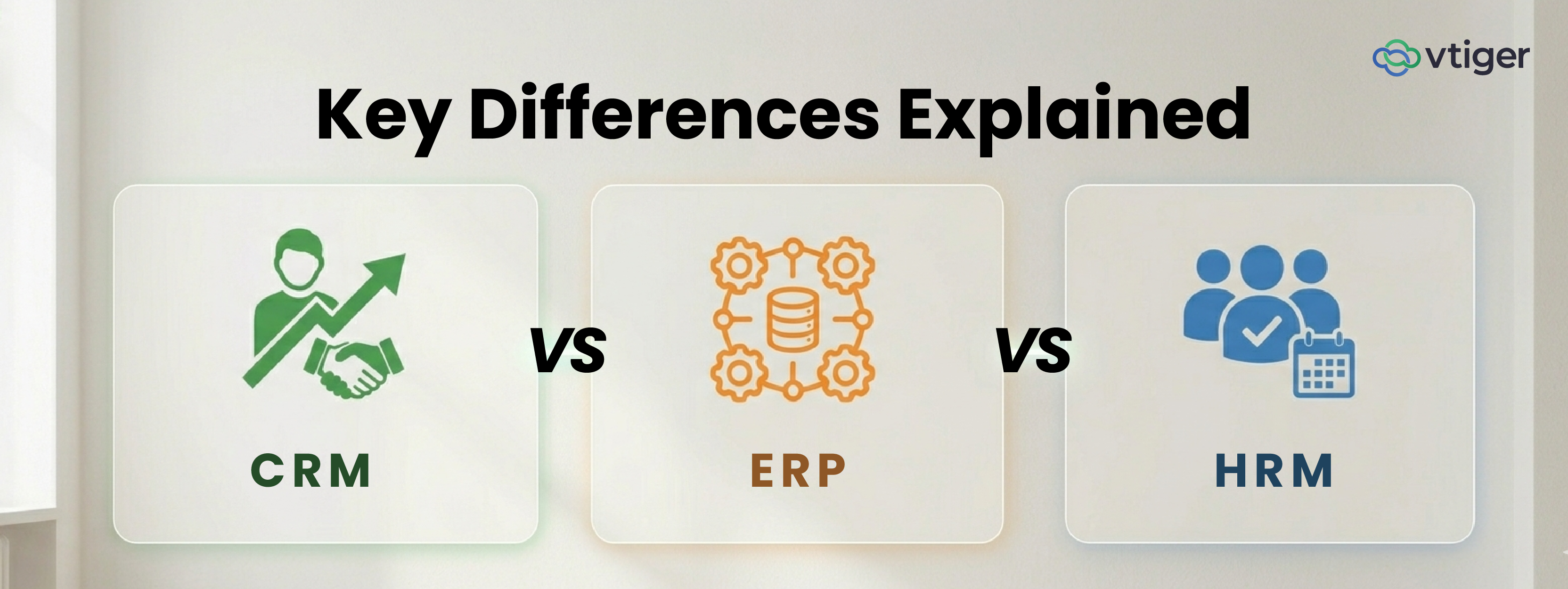
CRM, ERP, and HRM are three different categories of business software designed for distinct functions. CRM manages customer relationships, sales pipelines, and marketing engagement. ERP handles core operational processes such as finance, inventory, and supply chain. HRM manages employees, payroll, and workforce activities. Understanding the differences helps businesses pick the right system, integrate them where useful, and avoid the cost of buying the wrong category.
Introduction
Buyers evaluating business software often confuse CRM, ERP, and HRM because vendor marketing copy in each category overlaps. The reality is that the three systems solve different problems for different teams, and treating them as substitutes leads to expensive mistakes. A CRM is not a substitute for an ERP, and an HRM is not an extension of either.
The cost of choosing the wrong system shows up months after implementation, when missing functionality forces the team to bolt on a second tool or run shadow workflows in spreadsheets. Gartner Digital Markets research found that midsize businesses experience the highest percentage of software purchase regret, mostly due to problematic vendor handoff between sales and implementation and higher-than-expected costs.
This guide covers what each system does, the specific differences between them, when to choose one over the other, how they integrate, and the practices that produce good selection decisions.
What Are CRM, ERP, and HRM Systems
The three systems share an outward similarity (each is a database with workflows on top), but their internal logic and primary users diverge sharply. The sub-sections below define each in operational terms.
What Is CRM
CRM (Customer Relationship Management) is software that stores customer records and runs workflows that move prospects through marketing, sales, and support. It tracks leads, contacts, accounts, deals, and support cases in a single database and powers the campaigns, follow-ups, and pipeline management that drive revenue. The CRM is the system of record for everything that happens between the business and its customers.
Modern CRM platforms encompass sales pipeline management, marketing automation, support ticketing, and reporting within a single, connected system. All-in-one platforms consolidate sales, marketing, and help desk into a single customer database. This consolidation fits SMBs and mid-sized businesses that need CRM depth without enterprise pricing.
| Example: When a customer submits a website inquiry, the CRM captures the lead, assigns it to sales, tracks follow-ups, and stores all interactions in one place, enabling teams to manage the entire customer journey more efficiently. |
What Is ERP
ERP (Enterprise Resource Planning) is software that manages the core operations of a business: accounting, inventory, supply chain, manufacturing, procurement, and finance. The ERP is the system of record for everything that happens inside the business, from purchase orders to general ledger postings. Major platforms include SAP, Oracle NetSuite, Microsoft Dynamics 365, and Sage Intacct.
ERP systems are heavier and more expensive than CRMs because they touch finance, audit trails, and regulatory compliance in ways CRM does not. The data they hold is operational rather than relational, and the users are operations, finance, and supply chain teams. Most modern ERPs include APIs that let them sync data with CRMs and HRMs, but they remain distinct categories of software.
| Example: When a business receives a customer order, the ERP can automatically update inventory levels, generate invoices, track procurement, and record the transaction in the accounting system without manual data entry. |
What Is HRM
HRM (Human Resource Management) is software that manages the employee lifecycle from recruitment through offboarding. It holds employee records, runs payroll, tracks attendance, processes leave, manages performance reviews, and handles onboarding workflows. HRM platforms include Workday, BambooHR, ADP Workforce Now, and SAP SuccessFactors, with pricing and feature depth varying by company size.
HRM and HCM (Human Capital Management) overlap heavily; HCM is the broader term covering strategic talent management, while HRM focuses on the operational side of HR. Both connect to ERPs for payroll and benefits accounting, and to CRMs indirectly through reporting and headcount planning.
| Example: When a new employee joins the company, the HRM system can automate onboarding tasks, store employee records, manage payroll setup, track attendance, and schedule performance reviews from one central system. |
10+ Key Differences Between CRM, ERP, and HRM
The key differences below outline the operational distinctions buyers should understand before evaluating any product across the three categories. They are written so the reader can map each difference to their own situation and decide which system addresses their primary problem.
The eleven differences in detail:
- Core functions: CRM manages customer-facing relationships; ERP manages internal operations, such as finance and supply chain; and HRM manages employees and the workforce lifecycle.
- Primary users: CRM is used by sales, marketing, and support; ERP by operations, finance, and supply chain; HRM by HR, payroll, and people operations.
- Focus area: CRM faces outward toward customers; ERP faces inward toward processes and resources; HRM faces inward toward employees and workforce planning.
- Key features: CRM offers lead tracking, pipeline management, and support ticketing; ERP offers accounting, inventory, and procurement; HRM offers payroll, attendance, and performance.
- Data managed: CRM stores customer and prospect data; ERP stores financial and operational transaction data; HRM stores employee records and compensation data.
- Business goal: CRM aims to increase revenue and retention; ERP aims to improve operational efficiency and financial accuracy; HRM aims to manage the workforce and improve productivity.
- Implementation complexity: CRM takes 30 to 90 days for SMBs; ERP takes 6 to 24 months due to finance and compliance touchpoints; HRM takes 60 to 180 days, depending on payroll complexity.
- Cost structure: CRM pricing is per-user, per-month; ERP combines per-user fees with module licensing and implementation costs; HRM is usually per-employee, per-month, plus payroll-processing fees.
- Integration capabilities: CRM integrates with marketing tools and email systems; ERP integrates across nearly every business system through APIs; HRM integrates with payroll providers and accounting systems.
- Common use cases: CRM covers lead management and sales tracking; ERP covers inventory control, financial close, and supply chain; HRM covers hiring, onboarding, and payroll processing.
- Business impact: CRM impact shows in revenue growth and retention; ERP shows in operational efficiency and audit-ready financials; HRM shows in employee productivity and reduced administrative overhead.
CRM vs ERP vs HRM: Feature Comparison Table
The table below summarises the core differences across the three system categories. Use it to map a specific business problem to the system most likely to solve it before evaluating individual products.
| Dimension | CRM | ERP | HRM |
| Primary purpose | Manage customer relationships and revenue | Manage operations, finance, and supply chain | Manage employees and the workforce |
| Primary users | Sales, marketing, support | Finance, operations, supply chain | HR, payroll, people ops |
| Core data | Leads, contacts, deals, cases | Transactions, inventory, GL | Employee records, payroll, performance |
| Key modules | Pipeline, marketing automation, helpdesk | Accounting, inventory, procurement | Payroll, attendance, performance reviews |
| Typical implementation | 30 to 90 days (SMB) | 6 to 24 months | 60 to 180 days |
| Typical pricing model | Per user per month | Per user + modules + implementation | Per employee per month + payroll fees |
| Business impact | Revenue and retention | Operational efficiency | Workforce productivity |
| Common platforms | Vtiger One, and other platforms built around pipeline management, inbound marketing, or enterprise-scale sales operations | Platforms ranging from cloud-native mid-market ERPs to large enterprise suites covering manufacturing, supply chain, and global finance | Platforms spanning SMB-focused HR tools to enterprise systems handling multi-geography payroll and talent management |
When Should You Use CRM, ERP, or HRM
The right choice depends on which operational problem is the highest priority and which team carries the cost of leaving it unsolved.
When to Choose CRM
Choose a CRM when revenue, customer retention, or sales process visibility is the primary problem. Signals include leads falling through email threads, pipeline forecasting based on rep memory rather than data, marketing campaigns running disconnected from sales, and support tickets opening without customer history.
Specific situations where CRM is the right answer:
- A growing sales team needs a pipeline structure and lead management routing that scales beyond spreadsheets
- Marketing needs attribution from campaigns through to closed revenue
- Support needs case routing connected to customer history to deliver consistent service
- The business needs marketing automation workflows that move qualified leads to sales automatically
When to Choose ERP
Choose an ERP when financial reporting, inventory accuracy, supply chain coordination, or compliance is the primary problem. Signals include a monthly close that takes longer than 3 weeks, inventory discrepancies, manual data entry between accounting and other tools, or audit findings related to data integrity.
Specific situations where ERP is the right answer:
- A manufacturing or distribution business needs unified financial, inventory, and supply chain data
- Compliance requirements (SOX, IFRS, regulated industries) demand a single source of financial truth
- Multi-entity or multi-currency operations require consolidated financial reporting
- Procurement, accounts payable, and accounts receivable workflows need to run on a connected ledger
When to Choose HRM
Choose an HRM when payroll accuracy, hiring volume, or workforce administration is the primary problem. Signals include payroll errors, manual onboarding workflows, scattered employee records, missed performance review cycles, or the inability to report on headcount by team or geography.
Specific situations where HRM is the right answer:
- The company is hiring fast enough that manual onboarding cannot keep up.
- Payroll processing across multiple states or countries needs structured tax and compliance handling.
- Performance management cycles run on consistent templates and timelines across the organization.
- Benefits administration and time-off tracking need a system of record integrated with payroll.
When Businesses Need All Three
Most mid-sized and larger businesses end up running all three systems. The trigger is usually crossing a size threshold at which running these workflows in spreadsheets no longer scales. For businesses above a certain scale, separate CRM, ERP, and HRM systems are the norm rather than the exception. The integration between them becomes the operational bottleneck that determines how well the business actually runs.
Can CRM, ERP, and HRM Work Together
Yes, and integration is what most companies underestimate at the time of purchase. Each system stores data that the others can use, and connecting them turns three separate sources of truth into a single, connected operational picture. The integration work usually pays back within a year through fewer manual handovers, cleaner reporting, and faster month-end close.
Integration Patterns That Work
The most common integration patterns connect specific data flows rather than every record. CRM-to-ERP integration usually syncs closed-won deals to invoices. ERP-to-HRM integration syncs payroll posting to the general ledger. HRM-to-CRM integration is less common but useful when commission calculations depend on closed-deal data.
The integration patterns most companies build first:
- Closed-won deals from CRM into ERP as invoices and revenue forecasts
- Inventory and product data from ERP into CRM for accurate quoting and order tracking
- New hires from HRM into CRM as user accounts with role-based access
- Payroll postings from HRM into ERP for accurate financial close
- Customer master data synchronized across CRM and ERP to avoid duplicate records
Benefits of Connected Systems
Connecting the three categories produces operational benefits that compound over time. Sales teams quote and close faster because product and inventory data are up to date. Finance closes the books faster because revenue and payroll data flow automatically. The combined effect is that the business runs on a single operational picture rather than three reports that nobody trusts equally.
Common Mistakes to Avoid When Choosing Business Systems
The mistakes below are the ones that most often show up in software selection post-mortems. Each has a specific fix, and recognizing them up front prevents the rework costs that would otherwise land in the second year of ownership.
Buying the Wrong Category
Buying a CRM and expecting it to handle accounting, or buying an ERP and expecting it to manage marketing campaigns, is the most common selection mistake. CRM platforms are not ERP replacements, and most ERPs have weak customer-facing workflows. Define the primary problem before evaluating products, and check that the category actually solves it.
Ignoring Integration Requirements
Selecting any of the three systems without checking how it integrates with the other two creates data silos that cost more to fix later than they would to plan upfront. According to Forrester, technical integration issues are the leading business process risk in CRM deployments, cited in 48% of process-related project failures, making integration capability the most important technical factor to validate before purchase.
Overcomplicating Implementation
Picking the most-featured product often produces longer implementations and lower adoption than picking the right-sized product. Match the complexity of the system to the maturity of the team that will run it. A growing business without a large finance team is better off with a smaller accounting platform plus a strong CRM until operational complexity demands the upgrade.
Failing to Define Business Goals
Software selection without documented business goals results in buying decisions driven by feature count rather than business outcomes. Document the three to five outcomes the system is supposed to produce (faster month-end close, higher pipeline conversion, lower payroll error rate) before evaluating products, and weight vendor demos against those outcomes.
Best Practices for Choosing the Right Business System
The practices below outline what high-performing teams consistently apply when evaluating CRM, ERP, or HRM products. They look obvious in isolation, but most selection processes skip three of them, producing buying decisions that the team has to defend at the next budget review.
The practices that consistently produce good selection decisions:
- Define the operational problem and the success metric in writing, agreed by the business sponsor, before evaluating any product
- Evaluate scalability against where the business will be in 24 to 36 months, not where it is today
- Confirm integration capabilities with the existing tech stack, including specific connectors and rate-limit constraints
- Compare the total cost of ownership, including implementation, training, and ongoing admin time
- Choose user-friendly platforms that end users can adopt without months of training, since adoption matters more than feature breadth
- Run a structured pilot with two or three real workflows before signing, including workflow automation tests on representative use cases
Tools Across CRM, ERP, and HRM Categories
The tool landscape across all three categories spans hundreds of vendors, with meaningful overlap in adjacent areas and no shortage of platforms claiming to do it all. In practice, most growing businesses shortlist three to five candidates per category, evaluate them against their specific operational problem, and build toward a connected stack rather than a single platform. The categories below cover the tools that come up most consistently during that process.
CRM Platforms
CRM platforms vary considerably in depth, price point, and the balance they strike between sales, marketing, and support functionality. The right fit depends on whether the business needs a lightweight pipeline tool or a full customer engagement platform covering all three functions.
Vtiger One consolidates sales, marketing, and support into a single customer database at mid-market pricing, a strong fit for teams that need CRM depth without enterprise overhead. Beyond Vtiger, the category includes platforms built around different priorities and buyer profiles:
- Inbound marketing-first platforms that layer sales functionality on top, suited to businesses where content and lead generation drive most pipeline
- Enterprise-grade systems with deep customization, built for large sales organizations running complex, multi-stage deals across global teams
- Lightweight pipeline tools designed for smaller teams with straightforward sales cycles that do not need full marketing or support functionality
- All-in-one customer engagement platforms that consolidate sales, marketing, and helpdesk into a single record for mid-sized businesses scaling across functions
ERP Platforms
ERP platforms carry more implementation weight than CRMs because they touch finance, compliance, and supply chain simultaneously. The choice narrows quickly once company size, industry, and regulatory requirements enter the picture.
The category spans a wide range of deployment models and operational depth. Most growing businesses evaluate along a few consistent dimensions:
- Large enterprise platforms with deep module libraries covering manufacturing, procurement, and global supply chain, built for organizations with complex multi-entity operations
- Cloud-native mid-market ERPs designed for businesses managing multi-currency or multi-entity financials without the cost and timeline of a full enterprise deployment
- Ecosystem-aligned ERPs from vendors whose productivity or infrastructure tools the business already runs, chosen primarily to reduce integration friction across the stack
- Accounting-depth platforms built around the general ledger and financial close, suited to finance-led organizations that need strong reporting without broad operational modules
HRM Platforms
HRM platforms split along company size and payroll complexity more sharply than CRM or ERP. A platform that handles a 50-person team smoothly can struggle when headcount crosses 500, and operating across multiple geographies adds compliance requirements that not every platform handles equally well.
Evaluation tends to centre on four distinct buyer profiles, each pulling toward a different kind of platform:
- Enterprise HR suites built for unified payroll, talent management, and workforce planning across multiple regions and legal entities.
- Mid-market platforms that prioritize ease of use and are structured onboarding workflows, designed for HR teams without large technical resources.
- Payroll-specialist platforms with deep multi-state and multi-country tax compliance automation, suited to operations where payroll accuracy and speed are the primary requirements.
- Ecosystem-extension HRM modules from vendors whose ERP or finance platform the business already runs, chosen to keep employee and financial data on a single connected ledger.
Integration Platforms
No CRM, ERP, or HRM operates in complete isolation. Integration platforms sit between the three systems, managing the data flows that keep customer records, financial data, and employee information consistent across the stack without manual entry at each handoff.
The right integration tool depends on technical capacity and workflow complexity. The category breaks into three tiers that most businesses move through as their stack matures:
- No-code integration tools for teams without dedicated technical resources, handling straightforward point-to-point connections between common platforms through pre-built connectors
- Middleware platforms built for multi-step workflow logic, conditional routing, and error handling, suited to businesses whose integration needs have outgrown simple triggers and actions
- Enterprise integration layers designed for high-volume data flows between legacy and modern systems, with the governance controls, monitoring, and throughput large organizations require
- Embedded native connectors within the CRM, ERP, or HRM platform itself, which handle the most common integration patterns without a separate tool and reduce the number of systems the team has to maintain
Why CRM, ERP, and HRM Matter for Business Growth
Running a business without these systems does not mean the functions disappear, it means customer data ends up in inboxes, financial data in spreadsheets, and employee records scattered across drives, with no team able to answer basic operational questions with confidence. CRM, ERP, and HRM matter because they make the business legible: they turn operational activity into data that revenue, finance, and HR leaders can actually use to plan, forecast, and act.
The Measurable Business Case
The impact of each system shows up in the metrics each function tracks. CRM raises revenue and retention by giving sales, marketing, and support a shared customer view that eliminates duplicate outreach and missed follow-ups. ERP improves financial accuracy and operational efficiency by eliminating manual reconciliation, which slows the monthly close and creates audit risk. HRM reduces administrative overhead and sharpens workforce visibility so people operations can report on headcount, performance, and payroll without assembling data from three different places.
What a Connected Stack Actually Produces
The difference between a connected stack and three separate systems is not just cleaner data, it is a fundamentally different operating model. A connected stack means every function works with the same numbers: sales sees accurate inventory when quoting, finance sees closed revenue without waiting for manual handovers, and HR sees headcount changes reflected in payroll without a separate data-entry step.
Modern businesses require more than separate systems for sales, operations, and workforce management, they need connected visibility that assists every team make faster and more informed decisions.
| Discover how Vtiger’s One View unifies customer interactions and business insights across teams. Explore One View! |
Frequently Asked Questions (FAQs)
1. What is the difference between CRM, ERP, and HRM?
CRM manages customer relationships, sales pipelines, and marketing engagement. ERP handles internal operations such as finance, inventory, and supply chain. HRM manages employees, payroll, and the workforce lifecycle. The three serve different teams and solve different problems, although many businesses end up running all three as their operations mature.
2. Which is better, CRM or ERP?
Neither is universally better, they solve fundamentally different problems. Choose a CRM when revenue, retention, or sales process visibility is the primary issue. Choose an ERP when financial reporting, inventory accuracy, or compliance is the priority. Most growing businesses need both, with the quality of their integration often determining how much value each system delivers.
3. Do businesses need all three systems?
Most mid-sized and larger businesses run all three. Smaller businesses typically start with a CRM, add an accounting or ERP tool as financial complexity grows, and bring in an HRM platform when hiring volume outgrows manual onboarding and spreadsheet-based HR. The trigger is operational complexity, not company size alone.
4. Can CRM integrate with ERP and HRM?
Yes. Modern CRM platforms integrate with ERP and HRM systems through native connectors or middleware integration tools. Common integrations sync closed-won deals into the ERP for invoicing, pull inventory and product data from the ERP into the CRM for accurate quoting, and pass headcount or user account data between the HRM and CRM when employees join or leave.
5. What are the benefits of CRM software?
CRM software centralizes customer data, automates sales and marketing workflows, and gives revenue teams clear pipeline visibility. The measurable benefits include higher lead-to-customer conversion rates, stronger retention through consistent follow-up, cleaner attribution from marketing spend to closed revenue, and faster sales cycles because reps work from accurate customer history rather than fragmented notes and email threads.
6. What does HRM software do?
HRM software manages the employee lifecycle from hiring through offboarding. It runs payroll, tracks attendance, processes leave requests, manages performance review cycles, handles benefits administration, and maintains employee records in a single system. Most modern platforms also include employee self-service portals for accessing pay stubs, updating personal information, and submitting time-off requests without routing through HR.