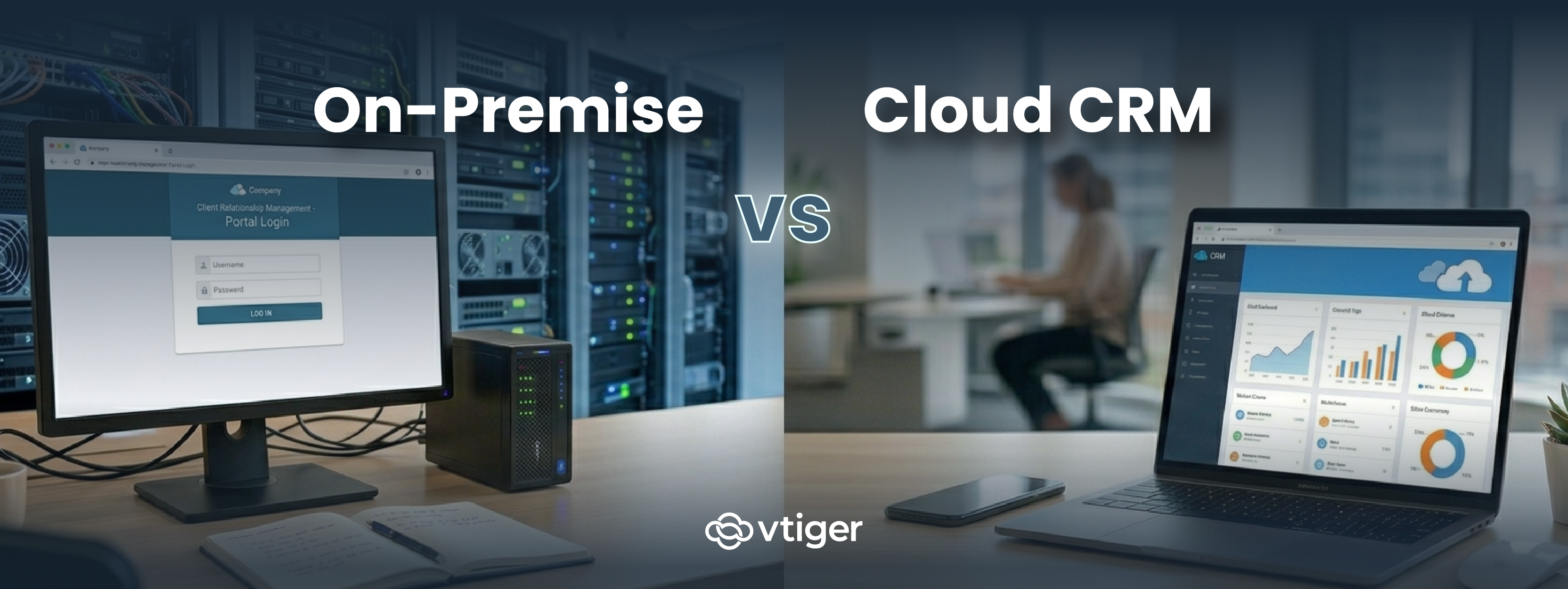
On-premise CRM is software installed on a company’s own servers, with the business handling infrastructure, security, and updates. Cloud CRM is software hosted on the vendor’s infrastructure and accessed through the internet on a subscription basis. The right choice depends on data sensitivity, compliance requirements, customization depth, available IT resources, and total cost of ownership over a five- to ten-year horizon.
Most CRM buyers default to cloud and only consider on-premise when something forces them to. The default is correct for most businesses, but the cases where on-premises wins are specific enough to warrant explicit evaluation rather than dismissal by reflex. Cloud is faster to deploy, easier to scale, and lower in upfront cost. On-premise is harder, slower, and more expensive to set up, but it solves a class of compliance, customization, and data sovereignty problems that cloud cannot. The decision matters because it shapes infrastructure investments, hiring plans, and integration architecture for years.
What Is On-Premise CRM and Cloud CRM
The two deployment models share the same purpose (running CRM workflows for sales, marketing, and support) but differ sharply in who runs the underlying infrastructure. The sections below define each in operational terms.
What Is On-Premise CRM
On-premise CRM is CRM software installed on servers that the business owns or leases, with the IT team handling installation, configuration, security, backups, and ongoing operations. The data resides within the business’s own infrastructure, which provides full control over residency, encryption, access policies, and audit trails.
On-premise deployments take weeks to months to reach a production-ready state. The business handles every layer of the stack, from the operating system to the application, which gives meaningful control but also significant operational responsibility. The model fits businesses with capable IT teams, regulated industries that cannot use multi-tenant cloud infrastructure, and organizations with deep customization requirements that exceed cloud API limits.
What Is Cloud CRM
Cloud CRM is CRM software hosted on the vendor’s infrastructure and accessed through a web browser or mobile app on a subscription basis. The vendor handles everything below the application layer: hardware, networking, security patching, backups, and platform updates.
Cloud CRM deployments take hours to days to set up. Configuration is done through a web interface; integrations use vendor-supported APIs; users access the system from any device with internet connectivity. The model fits SMBs and mid-sized businesses that prioritize speed of deployment, predictable subscription costs, and minimal IT overhead, with the trade-off of less control over infrastructure and customization.
10+ Key Differences Between On-Premise and Cloud CRM
The differences below cover the operational and strategic distinctions between the two models. They are written so the reader can map each difference to their own situation and decide which model matches their priorities.
The eleven differences in detail:
- Deployment: On-premise is installed locally on the business’s servers; cloud runs on vendor infrastructure accessed through the browser.
- Cost structure: On-premises incurs high upfront capital costs (hardware, licenses, implementation); cloud uses per-user subscription pricing.
- Maintenance: On-premise is maintained internally by the IT team; cloud is maintained by the vendor with no business involvement.
- Scalability: On-premises scales by manually adding hardware capacity; cloud scales transparently as users and data grow.
- Accessibility: On-premises typically requires VPN access for remote use; cloud access is available from any browser with credentials.
- Data security: On-premise security is fully controlled by the business; cloud security is vendor-managed with documented compliance certifications.
- Customization: On-premises allows codebase-level changes; cloud customization is limited to vendor APIs and configuration options.
- Implementation time: On-premise takes weeks to months for production rollout; cloud takes hours to days.
- Updates and upgrades: On-premise updates are manual and scheduled by the IT team; cloud updates are automatic and applied by the vendor.
- Integration: On-premises often requires custom integration code; cloud platforms use pre-built connectors and standard REST APIs.
- IT dependency: On-premise depends heavily on internal IT capacity; cloud requires minimal IT involvement after initial setup.
Pros and Cons of On-Premise and Cloud CRM
Both models have meaningful trade-offs. The sections below cover the strengths and weaknesses of each, with the items that most often shape buying decisions.
On-Premise CRM Pros and Cons
On-premise CRM gives the business control in exchange for operational complexity. The model fits organizations with the technical depth to run production infrastructure and the compliance requirements that justify the effort.
The advantages of on-premise CRM:
- Full control over data, including residency, encryption, retention, and access policies
- Deep customization capability, including codebase-level changes when the platform is open source
- Stronger fit for strict compliance contexts (HIPAA, GDPR data residency, government, defence)
- Predictable performance on dedicated infrastructure rather than shared multi-tenant resources
The disadvantages of on-premise CRM:
- High upfront capital cost for hardware, licences, and implementation services.
- Ongoing maintenance burden, including patching, backups, monitoring, and disaster recovery.
- Requires technical expertise (DevOps, database, application), the team must already have or hire.
- Slower to deploy and slower to scale than equivalent cloud products.
Cloud CRM Pros and Cons
Cloud CRM trades infrastructure control for speed and convenience. The model fits most SMB and mid-market businesses, which is why cloud has become the default category for new CRM purchases.
The advantages of cloud CRM:
- Lower upfront cost with predictable per-user subscription pricing.
- Faster deployment, often hours to days from sign-up to first production use.
- Automatic updates handled by the vendor without business involvement.
- Accessible from anywhere with internet connectivity, which fits distributed and remote teams.
The disadvantages of cloud CRM:
- Ongoing subscription costs that grow with user count and feature tier.
- Less control over infrastructure, including upgrade timing and downtime windows.
- Customization is bound by vendor APIs rather than codebase-level changes.
- Dependence on internet connectivity and vendor uptime for daily operation.
Which CRM Is Right for Your Business
The right choice depends on which trade-offs match the business’s actual operating profile.
When On-Premise CRM Is the Right Choice
Choose on-premise when compliance, data residency, or deep customization is a non-negotiable requirement. The signals that on-premises is the right model include data sovereignty rules requiring data to remain within specific borders, regulated workloads that cloud certifications cannot meet, customization requirements that exceed cloud API limits, or established IT operations that already run production applications at scale.
According to TRG international, for very large organizations with the economies of scale to efficiently run their own data centres, on-premises solutions may offer a lower TCO.
When Cloud CRM Is the Right Choice
Choose cloud when speed, scalability, or low IT overhead matter more than infrastructure control. The signals that cloud is the right model include rapid growth that makes manual capacity planning impractical, distributed teams that need browser-based access from anywhere, limited internal IT capacity, or a desire to avoid the upfront capital cost of on-premise infrastructure.
Cloud also wins on integration breadth. According to Gartner, the average mid-market business runs 87 SaaS applications, and cloud CRMs integrate with these other tools through pre-built connectors and standard APIs in ways that on-premise CRMs typically do not. The integration ecosystem is meaningfully larger for cloud, and this gap compounds over time as the rest of the SaaS stack grows.
Business Size and Industry Considerations
- Small businesses almost always choose the cloud because they lack the IT capacity for on-premise operations.
- Mid-sized businesses split by industry: financial services, healthcare, and government tend toward on-premises or private cloud; technology, retail, and professional services tend toward cloud.
- Large enterprises often run both, with on-premise for sensitive workloads and cloud for general-purpose CRM. Match the deployment model to the business’s actual constraints rather than to industry trends or vendor marketing.
Can You Use a Hybrid CRM Approach
A hybrid CRM deployment combines cloud and self-hosted elements rather than committing fully to either. It is not a distinct product category but an architectural choice: some workloads run in the cloud, others run on-premise or in a private cloud, and both connect through a shared customer record. When the split is intentional and well-managed, a hybrid gives businesses more flexibility than either pure model. When it happens by default, it tends to produce the operational complexity of both without the benefits of either.
How Hybrid CRM Deployments Work
The most common setup keeps sensitive data and compliance-heavy workflows on-premise or in a private cloud, while the cloud CRM handles everyday sales, marketing, and support activity. The two environments stay in sync through structured integration, with the boundary between them drawn wherever data sensitivity or regulatory obligation changes.
Some vendors offer a managed private cloud option that sits between the two models. The CRM runs on dedicated infrastructure that the vendor operates, so the business gets the convenience of a cloud product without sharing infrastructure with other customers. It is a practical middle ground for teams that need stronger data isolation than the public cloud provides but do not have the internal resources to run and maintain a fully self-hosted environment.
When Hybrid Makes Sense
Hybrid works best at specific inflection points rather than as a starting position. The businesses that get the most out of it tend to share a recognizable profile:
- Companies crossing into regulated industries or acquiring entities with stricter data obligations, where some workloads suddenly require tighter controls than the existing cloud CRM can provide.
- Businesses expanding into multiple geographies with different data residency rules, where a single cloud deployment cannot satisfy all jurisdictions at once.
- Teams transitioning gradually from a legacy on-premise system to the cloud, running both in parallel during the migration rather than cutting over all at once
- Organizations with genuinely different data sensitivity levels across business units, where separating workloads by deployment model is cleaner than applying the highest compliance standard to everything.
The Trade-Offs to Understand Before Committing
A hybrid adds complexity that a single deployment model does not carry. Before choosing it, the business needs to be honest about whether that complexity is manageable or whether a simpler approach would serve better. The operational demands hybrid places on the team include:
- Integration discipline to keep customer data consistent across two environments, with clear rules about which system holds the master record at each stage.
- Monitoring capability across both stacks, since issues in either environment affect the shared customer record that the whole team works from.
- A governance model that defines which workloads sit where and who owns the decision when new use cases do not fit neatly into either bucket.
- Internal maturity to maintain two deployment patterns simultaneously, including separate upgrade cycles, security patching, and incident response processes.
Common Mistakes to Avoid in CRM Deployment Selection
The mistakes below are the ones that most often arise in deployment model selection. Each has a specific fix, and recognizing them up front prevents the second-year rework that otherwise ends up in budget conversations.
Choosing Based on Cost Alone
Selecting cloud because the per-user subscription looks cheap, or selecting on-premises because the team wants to avoid recurring fees, both lead to decisions disconnected from operational reality. Calculate the total cost of ownership over a realistic five-year horizon, including infrastructure, licences, implementation, training, ongoing operations, and the value of staff time.
Ignoring Scalability Requirements
Picking on-premise without modelling capacity needs leaves the business with infrastructure that becomes a bottleneck mid-quarter. Picking a cloud without checking the vendor’s enterprise-tier limits creates ceiling problems for businesses that grow past mid-market scale. Model expected growth in users, data volume, and integration count before committing.
Overlooking Security and Compliance Needs
Assuming cloud CRMs cannot meet security requirements (most can, with the right certifications) or assuming on-premise is automatically more secure (it depends entirely on the team running it), both produce wrong decisions. Verify the actual compliance requirements with legal and security teams, then evaluate vendors against those specific requirements rather than against general security perceptions.
Not Considering Long-Term Needs
Deployment-model decisions are difficult to reverse. Migrating from on-premises to the cloud (or vice versa) is a multi-year project that disrupts every team that uses the CRM. Build the decision around where the business will be in three to five years, not just where it is today. Account for likely changes in compliance requirements, customer geography, and integration complexity.
Best Practices for Choosing a CRM Deployment Model
The practices below cover what high-performing teams apply consistently when evaluating deployment options. They look obvious, but most selection processes skip three of them and produce buying decisions that the team has to defend at the next budget review.
The practices that produce good deployment-model decisions:
- Assess business needs against documented criteria, agreed by sponsors before any vendor demo.
- Calculate the total cost of ownership over a five-year window, including infrastructure, staff time, and integration work.
- Model scalability against projected user counts, data volume, and integration count three to five years out.
- Verify data security requirements with legal and security teams, then map them to specific vendor certifications.
- Check integration capabilities with the existing stack, including pre-built connectors and API rate limits, with workflow automation tests on representative use cases.
- Run a structured pilot before committing to a full deployment, using two or three real workflows rather than vendor-led demos.
Why Choosing the Right CRM Deployment Matters
The deployment-model decision shapes the next five to ten years of CRM operations. Getting it right produces a system the business runs without thinking; getting it wrong produces a constant source of budget pressure, integration friction, and compliance risk that distracts the team from the work the CRM is supposed to support.
Operational Impact
The right deployment model lets the team focus on revenue work rather than infrastructure work. Cloud removes the operational burden of running production applications, freeing IT capacity for higher-value projects. On-premise gives the control required for specific compliance and customization contexts that the cloud cannot match. The wrong choice in either direction creates ongoing friction that compounds over the years.
The operational benefits include:
- Faster time to value when the deployment model matches the team’s existing capabilities.
- Lower total cost of ownership when subscription versus infrastructure economics match the user-count profile.
- Stronger compliance posture when the deployment model satisfies the actual regulatory requirements.
- Better integration outcomes when the connector ecosystem matches the rest of the tech stack.
Strategic Impact
Deployment choices also shape strategic flexibility. Cloud lock-in is real, but so is on-premise inertia; both create switching costs that constrain future options. Forrester found that nearly 20% of all problems with CRM initiatives are tied directly to strategy and deployment decisions; with inadequate deployment methodology cited as the single biggest threat, affecting 40% of at-risk projects. The deployment decision is therefore a long-term commitment that should be made deliberately rather than by default.
The strategic benefits of getting the choice right:
- Preserved flexibility to adapt as compliance, integration, and growth requirements change
- Predictable infrastructure economics that match the business’s financial planning model
- A stack that scales with the business rather than constraining it during high-growth periods
- Reduced risk of disruptive migration projects in the next five to ten years
Choosing between on-premise and cloud CRM defines how your system is deployed.
Understanding the differences between open-source and cloud CRM determines the level of control, customization, and operational flexibility your business can maintain as it scales.
Compare Open-Source vs Cloud CRM!
FAQs
1. What is the difference between on-premise and cloud CRM?
On-premise CRM runs on the business’s own servers with internal IT handling maintenance. Cloud CRM runs on the vendor’s infrastructure and is accessed through the internet on a subscription basis. On-premise offers more control; cloud offers faster deployment and lower upfront cost.
2. Which is better, cloud CRM or on-premise CRM?
Neither is universally better; the right choice depends on data sensitivity, compliance, customization needs, IT capacity, and total cost of ownership over five years. Cloud is the default for SMB and mid-market businesses; on-premise is preferred in regulated industries and for deep customization requirements.
3. Is cloud CRM secure?
Yes, when the vendor has appropriate certifications. Major cloud CRMs hold SOC 2, ISO 27001, GDPR, and industry-specific compliance certifications that meet most security requirements. Cloud CRM is often more secure than on-premise for businesses without dedicated security teams, since the vendor handles patching and monitoring at scale.
4. Who should use on-premise CRM?
On-premise CRM fits large enterprises, regulated industries (financial services, healthcare, government), businesses with strict data residency requirements, organizations demanding deep customization beyond cloud API limits, and teams with established IT operations. Most SMBs are better served by cloud CRM unless specific compliance or customization requirements rule it out.
5. Can I switch from on-premise to cloud CRM?
Yes, but the migration is a multi-month project that requires careful data migration, integration rebuilding, and user training. The reverse (cloud-to-on-premises) is also possible but less common. Plan the switch around a defined business trigger rather than as a casual project, and budget for the disruption to all teams using the CRM during the transition.
6. What is a hybrid CRM?
Hybrid CRM combines on-premise and cloud deployment models, with sensitive workloads on internal infrastructure and general-purpose workflows on the vendor’s cloud. It works for businesses crossing compliance thresholds or transitioning gradually between models, but adds complexity that requires strong integration discipline and operational maturity to manage successfully.