Search Vtiger.com

The best CRM for startups - Simple, scalable and affordable

Streamline sales and customer management with the best CRM made for startups. Simple, scalable, and affordable. Close more deals with the #1 CRM for startups. Fast, flexible and cost-effective.

GET STARTED FOR FREE

What is a CRM for startups?

A CRM for startups is a system that helps teams manage customers, track tasks, and stay on the same page. It brings all customer information together so that sales, marketing, and service teams can work smoothly without confusion and any scope of error. For a startup that is growing, it helps save time, follow up better, and keep every lead and deal in check.

Startups usually use a CRM to • Find the right audience and send targeted marketing campaigns • Keep track of leads, deals, and payments in one place • Reply to customer queries quickly on any channel • Help sales, marketing, and service teams to share updates easily • Review progress and plan the next steps using clear reports

Do startups need a CRM system?

Things can be more than a bit hectic at startups - to put it mildly. When you are busy juggling a whole range of tasks, while building out your core business and driving growth all at the same time, focusing on the right technology to manage your sales process might get challenging. Customer relationship management (CRM) is rarely a priority for a new business, but this could be a costly mistake. 

Often startups end up with an assortment of sales and marketing applications that don’t integrate seamlessly. Managing this cluttered set of tools eats into precious time and resources that are better spent on fine tuning the offerings and focusing on actual selling. 

A CRM software can go a long way in alleviating the pain of managing so many tools. It centralizes your customer data in a secure and easy to access manner and lets you focus on your customers rather than waste time trying to track down customer data from multiple data sources.

startup business

What can startups do with a CRM?

A CRM provides the essential capabilities for startups to manage their challenges, scale efficiently, and build strong, lasting customer relationships.

1. Establish Centralized, Data-Driven Operations

A common organizational issue for growing businesses is having critical information scattered across separate applications or systems. When data is isolated, teams cannot see the full customer history, which leads to duplicated effort and inefficient resource allocation.

A CRM solves this by centralizing all customer data into a single, shared location. This provides every team member with complete visibility into all customer information.

With the CRM's built-in analytics, you can quickly analyze this unified data to improve performance and make informed decisions. For instance, if your reports show increasing revenue but decreasing acquisition of new customers, it signals that the marketing strategy needs adjustment to focus on reaching new potential prospects.

2. Cultivate Customer Loyalty and Retention

By implementing a CRM early, startups establish the foundation for retaining customers for the long term. Companies that effectively use their CRM often report higher customer satisfaction and increased customer retention rates.

Achieving these results requires actively monitoring customer needs and proactively addressing potential issues before they become problems. A CRM supports this through features such as:

  • Seamless self-service portals for quick issue resolution.
  • Detailed timelines of all customer interactions across every communication channel.
  • Personalized, automated follow-up processes based on customer data.

3. Boost Efficiency Through Automation and AI

Many CRM platforms designed for startups include automated workflows and Artificial Intelligence (AI) capabilities. These tools perform routine and time-intensive tasks automatically, allowing your team to minimize manual data entry and dedicate more effort to complex, high-value activities.

For instance, you can use AI to automatically log and transcribe sales calls. The system can also automatically synchronize contacts, scheduled events, and emails to the corresponding customer record in the CRM.

4. Refine Product and Service Design

A CRM helps you understand customer behavior and their experiences with your products and services. By analyzing the collected data, you gain the insights necessary to improve your product offerings, distinguish your company in competitive markets, and discover valuable market patterns and trends.

The types of customer feedback you can analyze include:

  • Specific elements customers like or dislike.
  • Suggestions for product improvements that customers want.
  • Factors that might cause customers to switch brands or stop buying.

5. Increase Sales Conversion and Revenue

A CRM provides the necessary features for companies of any size to significantly increase revenue and boost conversion rates. It facilitates engaging buyers effectively, improving productivity, closing deals faster, and generating consistent revenue on one platform. This is achieved by:

  • Focusing team efforts on high-value activities and the most promising opportunities.
  • Developing a comprehensive understanding of specific customer requirements.
  • Maintaining complete visibility over the sales pipeline and team performance metrics.
  • Tracking results to ensure business goals are met consistently.

6. Prepare the Business for AI Integration

Combining AI with a CRM is a significant strategic advantage for startups. AI functionality can quickly identify trends in customer data, suggest new ways to connect with prospects, generate marketing content, and customize marketing experiences. Companies using AI within their CRM report improvements in forecasting accuracy and competitive insights.

Generative AI, specifically, helps teams operate more efficiently and serve customers better by automating content creation and freeing up time.

The CRM's role as a centralized data platform also supports strong data governance. It ensures data integrity and security by providing access controls that define user permissions and maintaining audit trails. This structured environment prepares the business to comply with data protection regulations in regulated markets and is crucial for using trusted, AI-powered tools.

What to look for when choosing a CRM for your startup?

When you are just starting out, your contacts and lead pipeline are arguably the most important data that you have. A CRM software will help you organize your contacts, identify opportunities, keep your communication organized, give you the reports you need, and most importantly save you time and money. 

While choosing a CRM solution for your business, look for simplicity. It can be enticing to go for a tool that gives you access to a wide range of features and capabilities but it is unlikely that you will use most of them. Investing in a tool that has an intuitive user interface, requires zero or minimal training and works well with other applications you already have is the smart thing to do. 

Here is a quick list of filters you can use to identify the right CRM for your startup: 

  • Fast setup and configuration: Look for an application that can be easily setup and configured to meet your business process flows and requirements. As a startup it is unlikely that you will have a dedicated IT team. A cloud CRM that can be configured intuitively will save you precious resources. 
  • Easy to use and administer: Go for a CRM that offers you an intuitive interface and is easy to for sales representatives and managers to use. When the team cannot quickly achieve the tasks they need to in the tool, it becomes more of an irritant than an asset. 
  • Has the right capabilities and features: More is not necessarily better when it comes to selecting a critical tool like a CRM for your startup. The solution you select should have the relevant capabilities that you need, and should be flexible enough for you to add or remove features you need to get the work done. 
  • Offers great customer support: Choose a vendor with an established track record for outstanding customer support. You do not want to be in the unenviable situation of discovering how critical this is, when you are unable to access essential customer data and there is nobody to offer you assistance. 
  • Can scale with you as you grow: As your business grows, your requirements will change and will become more complex. Sales teams will grow, lead and customer data will increase exponentially and your business processes will mature and possibly become more complex. Your CRM solution should be able to adapt and scale. 
  • Should be affordable: Check the pricing details for the CRM with care. Watch out for hidden charges and ballooning costs that increase suddenly when you cross usage or subscription slabs. Don’t just step in blindly because the vendor has a free offering, think ahead about how the next tiers will impact your budget. 

Features you need to look for in a CRM for Startups

Contact Management

Does the CRM let you easily import and manage your business contacts? Tracking contacts across all stages of the lifecycle is critical to success. 

Opportunity Management

Can you track leads and opportunities easily as they transition through various stages of the buying process?

Email Marketing

Email marketing is the mainstay of most small businesses. Does the CRM make it convenient to configure and execute campaigns?

SMS Campaigns 

Opt-in SMS marketing campaigns can be a great way to get your business noticed and to stay connected with customers. Does your CRM offer integrations to support these? 

Built-in telephony

Does the CRM support an integrated no-hardware telephony solution? This is critical for sales teams to stay connected with their customers.

Reporting, Analytics, and Insights

Does the CRM make it easy for you to get insights into your customers and sales pipeline? A good CRM will have robust reporting capabilities with insightful analytics dashboards. 

Automation workflows

How easy is it to automate repetitive tasks in the CRM? Automation capabilities free you up from time consuming tasks and let you focus on customers.

Task management and Collaboration

As your business grows and processes become more complex, it is essential for multiple teams to collaborate around customer requirements. Does the CRM should make this seamless?

Mobile app

Customers and prospects need to reach you round the clock. Does your CRM have a comprehensive mobile app that your teams can use to be on top of their tasks?

Challenges and Solutions When Using CRM Systems

Implementing a CRM system can transform how a startup manages its relationships, but the road to success isn’t always straightforward. Many early-stage businesses face similar challenges when integrating new systems into their daily workflow. Recognizing these issues early can make all the difference in how effectively a CRM delivers value.

Common CRM Challenges for Startups

User Adoption

Getting everyone on board is often harder than choosing the CRM itself. Team members accustomed to spreadsheets or manual tracking may hesitate to switch, fearing a steep learning curve or unnecessary complexity. 

What works better than forceful enforcement is inclusion. When employees are part of the setup process, understand how the system benefits them personally, and receive adequate training, they begin to view the CRM as an enabler rather than an extra burden. Open communication and visible management support help establish the tool as a shared solution, not an imposed system.

Data Management

Startups thrive on agility, but that same agility can create chaos in data handling. Without consistent practices, information becomes scattered across platforms, leading to gaps in customer visibility. A CRM’s effectiveness depends on clean, accurate, and updated data. 

To achieve that, startups need clear protocols for input, routine checks for quality, and a culture that treats data as a collective responsibility. Integrating the CRM with other business tools ensures a unified customer view, while automation can quietly manage updates and reduce manual errors.

Cost Management

Every penny counts in a startup’s early phase, making CRM investments feel like a tough call. Overspending on unnecessary features can strain finances, while choosing a basic plan may limit future growth. 

The smart approach is progressive investment. Start with essential modules that address immediate needs, and scale features as revenue and user maturity increase. Strategic budgeting, rather than cost-cutting, keeps the CRM sustainable without sacrificing capability.

Customization Complexity

A CRM’s flexibility can tempt startups to mold it excessively around their operations. While tailoring workflows and dashboards sounds appealing, too much customization can turn the system cumbersome and difficult to maintain. 

Simplicity wins in the long run. A clear understanding of which configurations genuinely improve performance helps preserve usability. The goal is not to create the most customized CRM but the most functional one: intuitive, efficient, and easy for everyone to adopt.

CRM software implementation guide for startups

Setting up a CRM system is a turning point for any startup. The process works best when approached as a business transformation rather than a simple software installation.

Preparation and Planning

Before bringing in a CRM, the leadership team must outline what success looks like. Whether the focus is on improving data accuracy or building better visibility across sales activities, clarity of goals is essential. Conversations with the people who uses the system daily help define realistic expectations. Their inputs often reveal what features matter most and what processes need refinement. When everyone feels part of the decision, the system begins to feel like a shared tool rather than a management directive.

Choosing the Right System

Selecting a CRM is not about choosing the most popular brand but the one that fits your stage of growth and the way your teams operate. Some startups need strong automation and reporting, while others simply need better contact management. Reviewing multiple options and understanding each vendor’s support capabilities can prevent frustration later. A provider that stays responsive after the sale often proves more valuable than one that only promises advanced features.

Customization and Integration

Once the system is chosen, it must be tailored carefully to match existing workflows. This involves setting up stages that mirror the sales process, creating fields relevant to your customer data, and linking the CRM with other tools already in use such as email or accounting platforms. A quick pilot run with a smaller group of users helps uncover gaps or unnecessary complexities. Adjustments at this stage save time when the system is deployed across the organization.

Training and Adoption

Even the most advanced CRM will fail without confident users. Training sessions should feel practical rather than theoretical, showing how each function connects to real tasks. Early feedback from users can guide refinements and encourage a sense of ownership. A culture of patience and openness helps people adapt faster and ensures consistent use.

Evaluation and Scaling

After launch, it is vital to track whether the CRM is meeting its intended goals. Periodic reviews reveal where improvements are needed and where additional tools can enhance productivity. As the business grows, the CRM should scale naturally, supporting more users and evolving features to meet the changing needs of the startup.

Why is Vtiger the ideal CRM for your startup?

Easy to set up and use

You need to focus on things that matter to your business. Learning a complex tool isn’t one among them. Vtiger CRM is designed to have you up and running in a matter of hours. The intuitive interface is easy to use and administer without requiring an IT expert. 

Simple to configure and customize

Every business is different and you have unique workflows. Vtiger CRM makes it incredibly easy to setup custom pipelines and workflows that meet your requirements. You can automate and streamline your processes easily so all teams are working efficiently from a single view of the customer.

Exceptional support all the way

Vtiger’s award winning customer support and client success teams are available at every step to help you get the most out of your CRM investment.  From migrating your data from spreadsheets or legacy systems to architecting a custom solution to meet your very specific business needs, we will be your support system all along the way when you need us. 

Vtiger CRM has everything you need to get started

Effortless Lead Management

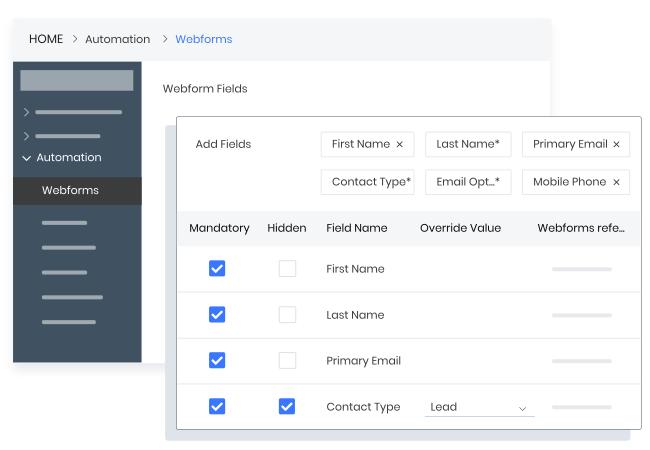
Vtiger CRM gives your team the power of built-in webforms, social media & telephony integrations to capture leads from a variety of sources - website, social media, emails, and phone calls. With effective lead scoring and workflows, your sales team can focus on leads that matter the most to your business without wasting resources.

Powerful Campaign Management

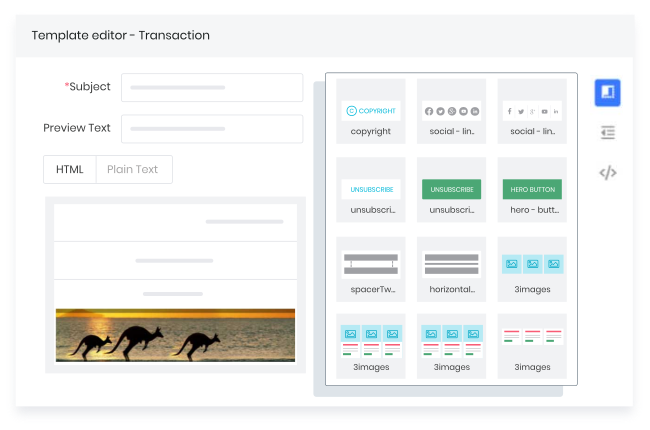
Connect with and nurture leads with personalized campaigns across a variety of touch points. From email, telephony, SMS to social media channels - Vtiger CRM provides a breadth of integrations and capabilities for you to reach out to and engage with your prospects. 

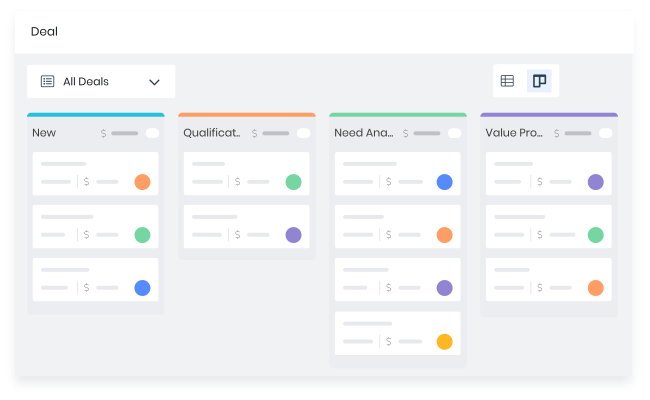
Intuitive Pipeline Management

Visualize, organize, & manage deals with customized views & filters. Kanban, List, Calendar and more views available at the click of a button.

Smart alerts keep you updated on deal activity and progress - proactively notifying you when a deal has stalled, so that you can swoop in and save the day.

Resolve customer issues instantly, improve support efficiency, and maximize customer satisfaction.

Impactful Automation

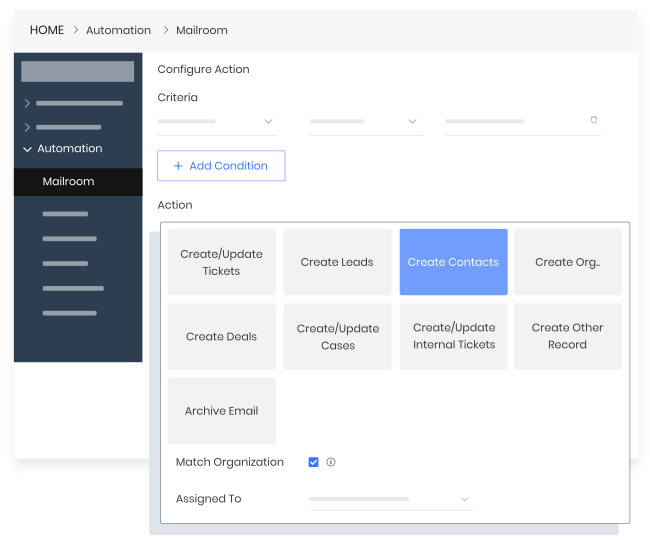
Using a manual process for repetitive tasks is inefficient and error prone. With Vtiger CRM you can create workflows for repeatable tasks. Automate repetitive tasks across your organisation from collecting leads, winning deals, providing support, and more based on specific criteria, triggers, and actions that need to be taken.

True One View of your customer

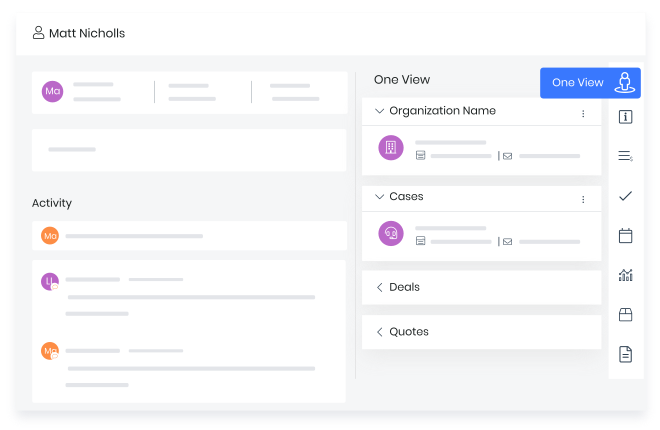
Customers want brands that can deliver exceptional experience across all touch points. Vtiger CRM captures all customer data and interactions in a single place, giving everyone on your team a complete, 360 degree view of the customer in real time. This ensures that your customers get the same awesome experience irrespective of whom they are talking to in your organization.

Exciting new mobile app

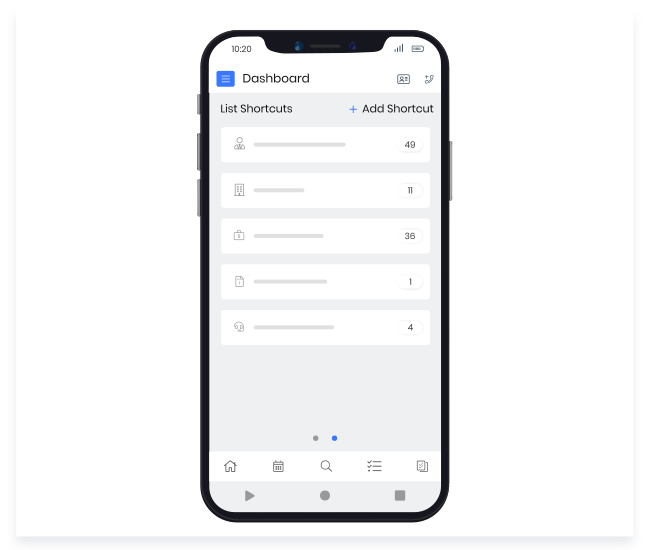
Our new mobile app brings the CRM with you even when you are on the move. Vtiger CRM's native mobile apps for Android and iOS are designed to be true companions to the web app. Capabilities that sales and support teams need to stay connected with and respond to customers are available in our apps so you are in touch.

Integrations with popular tools

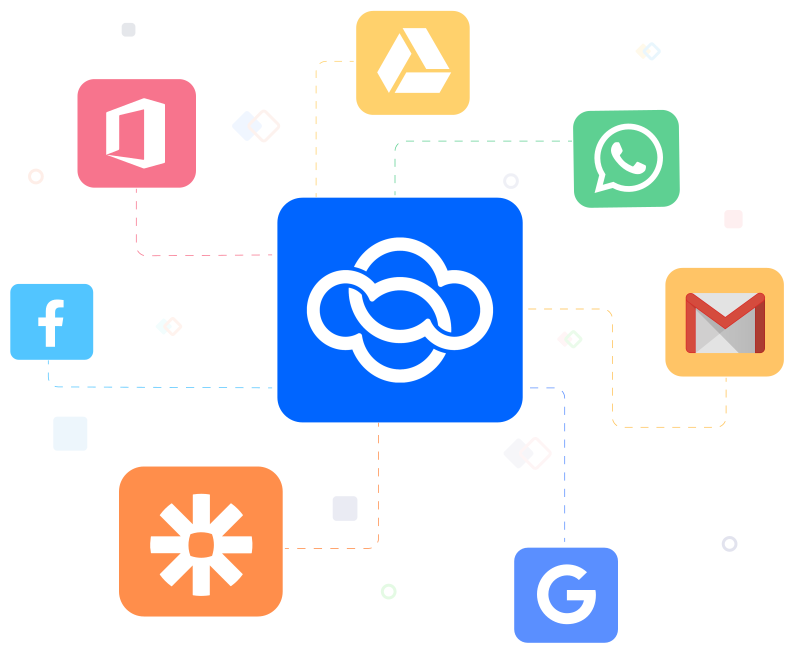
How can you amplify the capability of your CRM? Integrating your CRM with other tools that you use helps to centralize all your customer data in a single location. Vtiger CRM integrates seamlessly with a huge range of popular tools ranging from marketing, social media to collaboration and beyond.

Increases sales productivity by 25%

"With Vtiger our sales manager, sales representatives, customers service and CEO have accurate and up to date information regardless of their location."

Boosts sales by 20%

"We now have a better handle on the business and are poised for easier continued growth through further exploitation of the rich feature set. I can always trust that when we need it there's great support on hand."

Contracting part of the sales process reduced from 2-3 months to less than 30 days

"We are using Workflows to handle a lot of our post-sales activities. This saves reps valuable time, allowing them to focus on the more important tasks."

Sign up for the best CRM for startups today

*no credit card required*

FAQs

A CRM in a startup is a single platform that organizes sales, marketing, and customer service teams interactions. It centralizes customer data, automates routine tasks, and improves team collaboration. By providing a clear view of all customer touchpoints, it helps startups manage growth efficiently and strengthen relationships.

For startups, Vtiger is an ideal choice. It provides essential CRM features such as lead management, sales pipeline tracking, and case/ticket management. Its intuitive interface and cloud-based platform make it easy to implement quickly, helping startups manage operations efficiently without overwhelming small teams.

Vtiger offers flexible pricing to suit startups. Its free edition provides robust features for sales marketing, and customer service at no cost. Paid plans start at affordable prices per user each month, with advanced features available as the business grows, making it scalable without placing unnecessary strain on the budget.

A CRM becomes essential when manual methods like spreadsheets fail to manage customer interactions effectively. Vtiger helps startups organize leads, track sales activities, and generate insights. Implementing a CRM early ensures the team builds structured processes and avoids lost opportunities as the business expands.

Start by identifying features your startup needs, such as lead management or sales automation. Count the number of users who will access the system and evaluate Vtiger’s free and paid plans. Consider potential costs for training or customization, and test features using free trials before committing to a subscription.

Yes, Vtiger offers a fully-featured free CRM edition. It includes essential features for managing leads, sales, and customer support. The platform also provides cloud storage and integration capabilities, allowing startups to access powerful CRM features without any upfront cost while preparing for future growth.

Even small businesses benefit from a CRM. Vtiger provides insights such as sales forecasts, customer trends, and marketing analytics. By organizing data and automating routine tasks, it helps small teams make informed decisions, focus on high-priority activities, and improve customer retention without increasing manual workload.

The right time is before customer management becomes chaotic. Startups benefit from implementing Vtiger early, even with a basic plan. It encourages structured processes, improves team collaboration, and ensures a system is in place to handle growth smoothly, preventing missed opportunities and operational bottlenecks.

Yes, Vtiger supports growth by organizing leads, tracking the sales pipeline, and automating follow-ups. The insights it provides help identify target customers, improve conversion rates, and increase retention. Vtiger CRM allows startups to make data-driven decisions that accelerate growth and streamline operations.

Startups need core features like contact and lead management, sales pipeline tracking, and reporting. Vtiger provides these essentials while avoiding unnecessary complexity. Additional features, such as email automation and analytics, can be adopted gradually, ensuring the system remains user-friendly and focused on immediate business needs.

Vtiger is designed for startups, with a simple setup process and intuitive interface. Teams can quickly access leads, track sales, and generate reports. Minimal training is required, allowing the CRM to be adopted efficiently. This ensures the platform becomes a practical tool rather than a complicated addition.

A recognized leader and top-rated CRM for years