Why CRM is Important?
Modern-day businesses are built with Customer Relationship Management (CRM) as the foundation, and hence it is not even a question of whether such a technology is required. CRMs help achieve goals at a faster rate with quality results. Now, based on the CRMs you choose and the editions, the benefits can vary. So, of course, a CRM is mandatory to run a business at best, and let's understand the various reasons for it.
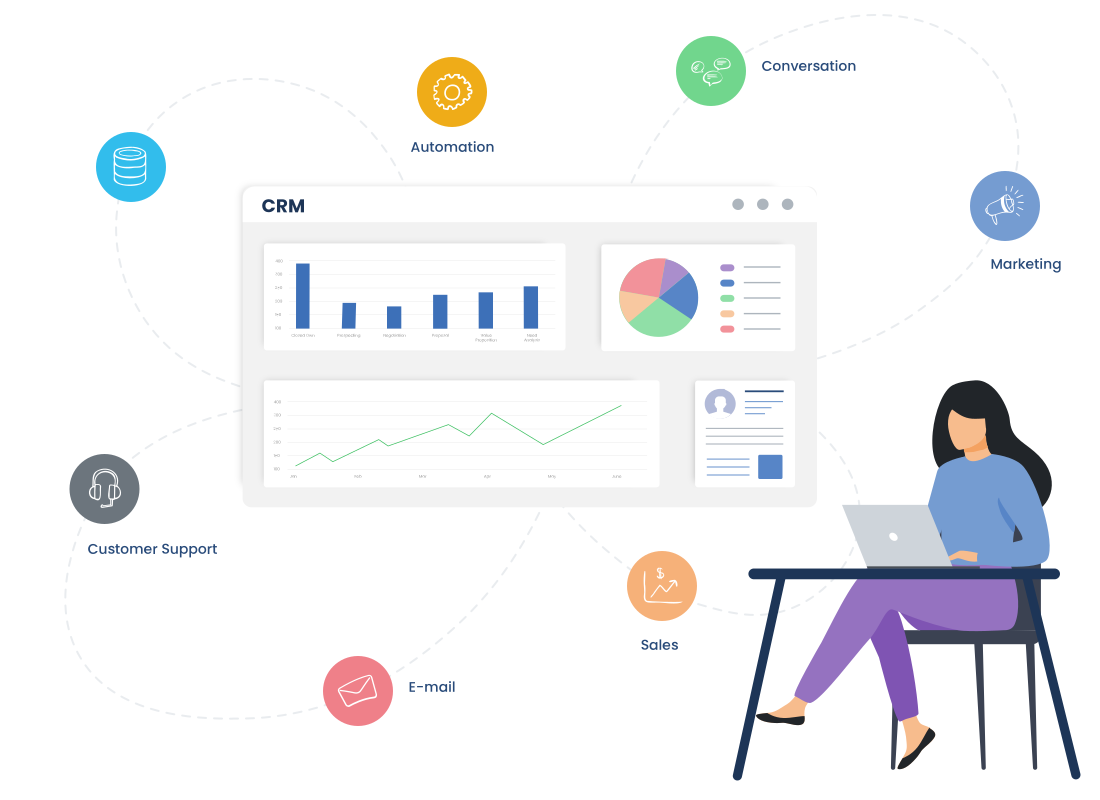
Imagine a world where CRM technology doesn’t exist. This thought itself is more than enough to understand the importance of CRM. The competitive business landscape has emerged mainly due to CRMs with its wide array of components.
The CRM application is suitable for businesses of all sizes and types. Rest assured, it promotes work efficiency and maximum customer satisfaction, both of which ultimately leads to business growth.
CRMs automate most manual tasks so that employees can direct their complete attention toward other important business tasks. It tracks, stores, and analyzes customer data to generate key insights and accurate forecasts. These make it easier to be proactive and deliver the best customer experience.
Signs You Need a CRM
Once CRM technology is implemented, the results are clearly visible across teams. But the real question is when does a business actually need one? The answer usually shows up in daily operational struggles.
- Scattered customer data: If the customer data is disorganized, accessibility gets difficult, which impacts customer experience and productivity.
- Poor customer support: Missed follow-ups are a massive turn-off for customers, no doubt. And within no time, down goes the profitability!
- Difficulty tracking: Tracking high volumes of data, be it any type, is hectic and hinders timely response and work efficiency.
- Repetitive tasks: Manually doing the same every day may not result in 100% quality deliverables each time.
- Sales is a struggle: When pipelines lack clarity, and high-value accounts are hard to identify, sales teams end up chasing the wrong opportunities and missing revenue potential.
- Customer profiles are difficult to build: When customer data is spread across spreadsheets, emails, and tools that results in incomplete or inaccurate profiles, making personalization and relationship-building more challenging .
- Customer service is not good: When missed follow-ups, delayed responses, and lack of interaction history negatively impact customer experience and satisfaction.
- Marketing and sales are not collaborating: Disconnected systems prevent teams from sharing insights, leading to leads falling through the cracks and campaigns underperforming
- High-value accounts are unknown: When identifying profitable customers and priority accounts becomes guesswork.
- Contacts within an account cannot be identified: When decision-makers and stakeholders slow down deal progress and weakens account management.
- Customer data is incomplete or inaccurate: When fragmented data sources reduce trust in customer information and lead to poor decision-making.
- Forecasting and reporting is difficult: Lack of real-time data makes it challenging to predict sales outcomes, measure performance, and plan growth effectively.
The centralized platform of CRM and its components solves all these issues easily. Employees can access data across departments on a single screen, collaborate and stay updated. CRM application tracks, records, and analyzes all data pertaining to the company and provides key insights to take the right measures. These help respond to customers with the right solution on time, which elevates service quality. CRM application automates repetitive tasks and contributes to team productivity. There is increased coordination, performance quality, customer retention, and of course, the best part, brand loyalty.
Who uses a CRM System?
From small businesses to multinational corporations, anyone who is in need of CRM technology can implement it. CRMs help improve work efficiency and build solid customer relationships.
- Small businesses: CRM app implementation in small businesses helps streamline processes, enhance customer experience, and grow business at less expense.
- Mid-Size enterprises: CRMs help employees collaborate across departments and increase customer retention.
- Large businesses/corporations: CRMs help in integration, customer segmentation, personalized services, advanced analysis, and reporting.
Now, let's look into how CRM tool works for sales, marketing, and customer support teams.
- Sales team: Lead management and sales process automation are amongst the top benefits that CRM app implementation can facilitate for a sales team. It helps monitor deal status, track opportunities, and so on for effective sales management.
- Marketing team: CRM tool optimizes marketing processes on the whole. It generates data-driven insights to help create targeted marketing campaigns. It integrates with marketing tools to enhance workflow.
- Custom Support team: Everything from customer profiles, preferences, interactions, patterns, and trends is tracked, recorded, and analyzed by CRM. This helps provide timely responses, improve service quality, and maintain customer relationships.
When is the right time to invest in CRM?
There is rarely a single moment when a business decides - why is crm important. It usually shows up as friction. More customers to manage, more conversations to track, and more pressure on teams to deliver consistent results with the same or fewer resources. What once felt manageable starts to feel messy.
Sales teams spend more time figuring out deal status than moving deals forward. Customer support relies on memory instead of context. Growth continues, but control starts slipping.
That is when a CRM becomes necessary, not as a tool to “manage data,” but as a system to restore clarity. Choosing the right CRM then becomes less about features and more about fit. It should align with current workflows, solve existing bottlenecks, and scale without forcing teams to change how they work overnight.