View all your client's activities in one place, from calls, meetings, emails, and SMSes to shared documents.
Get your case conversation history and updates directly from the Activity section. Search for the activities just by filtering them.
Vtiger is a customizable CRM for Law firms to build long-lasting relationships with their clients.
It is affordable and easy to maintain, and perfect for customer-centric business.
Schedule 1-1 Demo today!
A Legal CRM (Customer Relationship Management) is a specific type of software designed for law firms to manage their business relationships and client interactions.
It serves as a centralized repository for all information regarding potential and current clients, as well as their respective cases. Law firms use it to organize their client intake process, track communication, schedule appointments, and manage leads.
The main purpose of a Legal CRM is to help law firms operate more efficiently and grow their practice. It automates administrative tasks such as scheduling and invoicing, ensuring that no client inquiries are missed, and helps lawyers maintain strong, positive relationships with their clients right from the initial contact through the completion of a case.
Vtiger is an open-core CRM powering 400,000 businesses across the globe, ranging from startups and SMBs to global financial institutions and government firms. Vtiger has been listed on Gartner's Magic Quadrant for Sales Force Automation for the 7th time in a row.
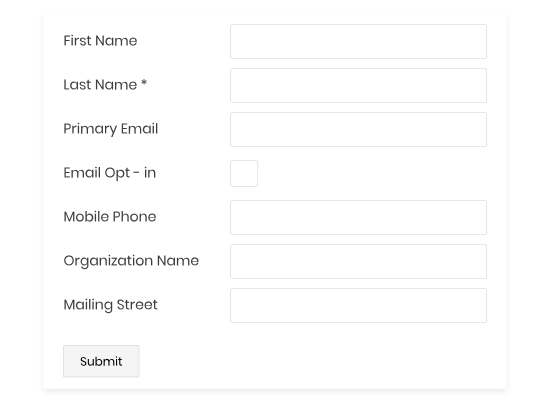
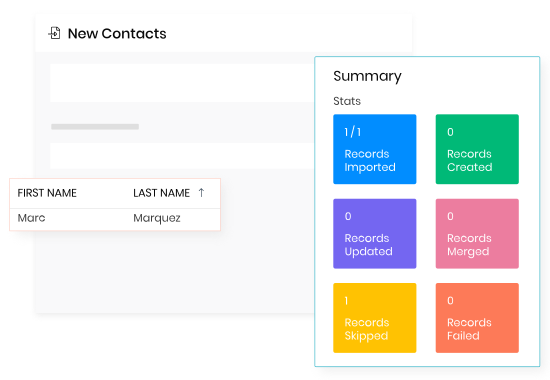
Embed webforms to capture website visitors as leads effortlessly.
Pin down prospects from social media with just a few clicks.
Import Contacts/Leads quickly from external sources like Google Contacts, CSV files, .vcf, or emails. Automatically capture leads from inquiries via email, chat, or phone.
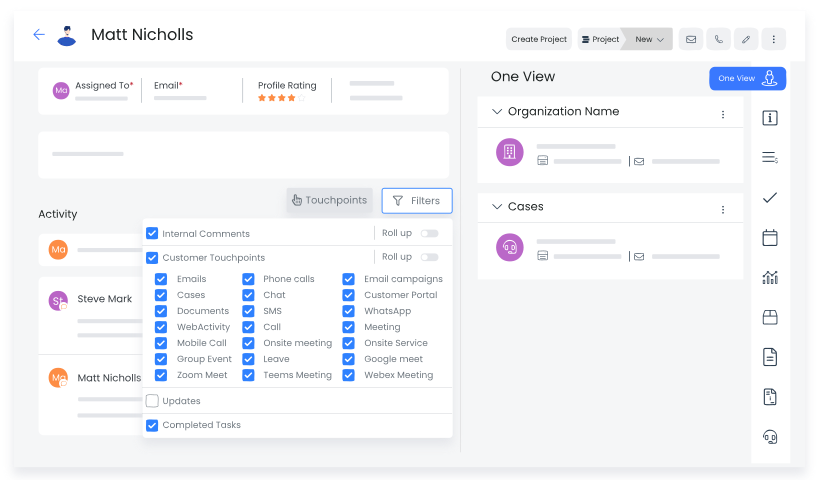
View all your client's activities in one place, from calls, meetings, emails, and SMSes to shared documents.
Get your case conversation history and updates directly from the Activity section. Search for the activities just by filtering them.
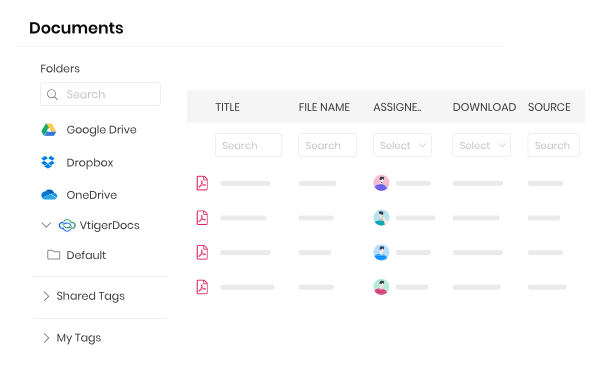
Upload all your legal documents and share them with your clients easily. See how your prospects engage with every document you share at the page level.
Collaborate with your clients privately on sensitive documents right from the document viewer.
Vtiger integrates with common third-party applications like Google Drive, Dropbox, and OneDrive.
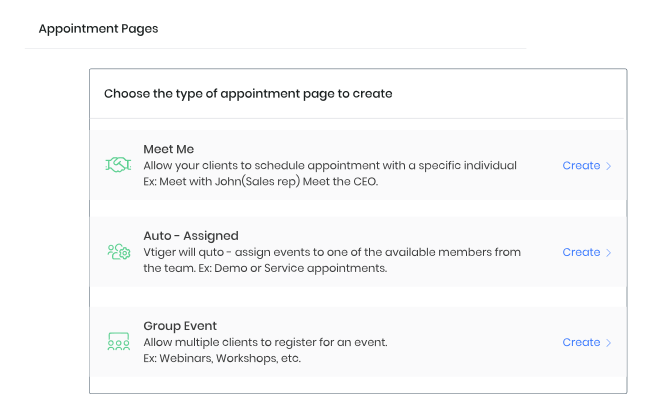
Create appointment pages for your clients to schedule meetings in a few clicks. Vtiger CRM sends reminder email notifications to invitees so that you never get into an empty meeting.
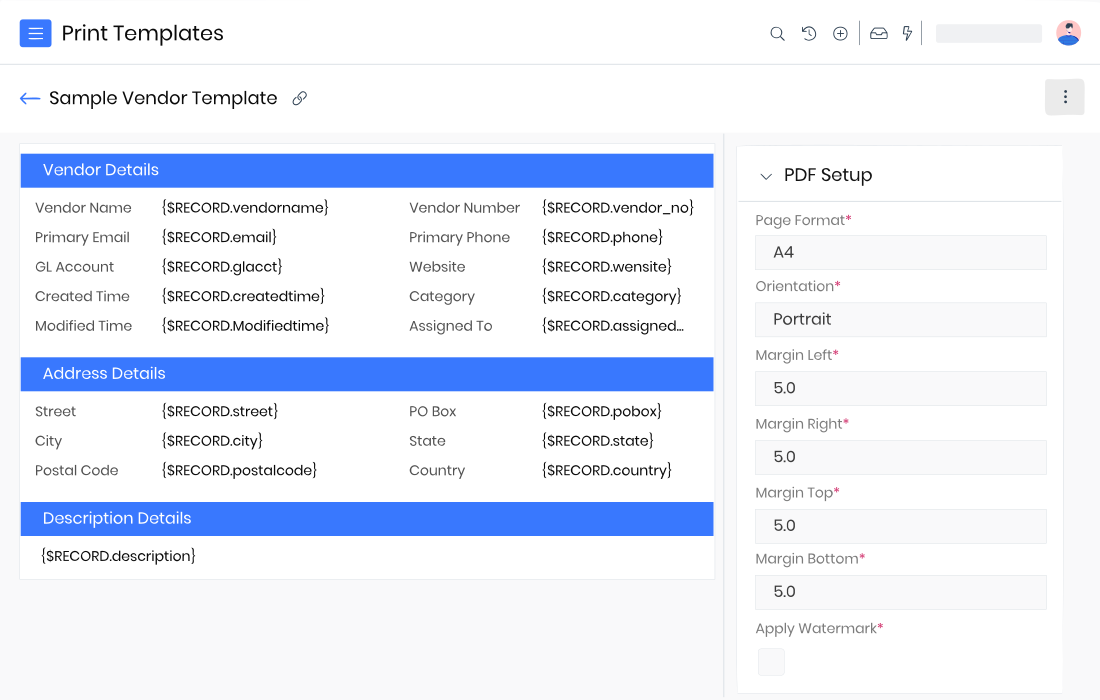
Use Print Templates to create custom PDFs to send documents for review and signatures.
You can specify your preferred currency, number system, decimal separator, and digit grouping separator.
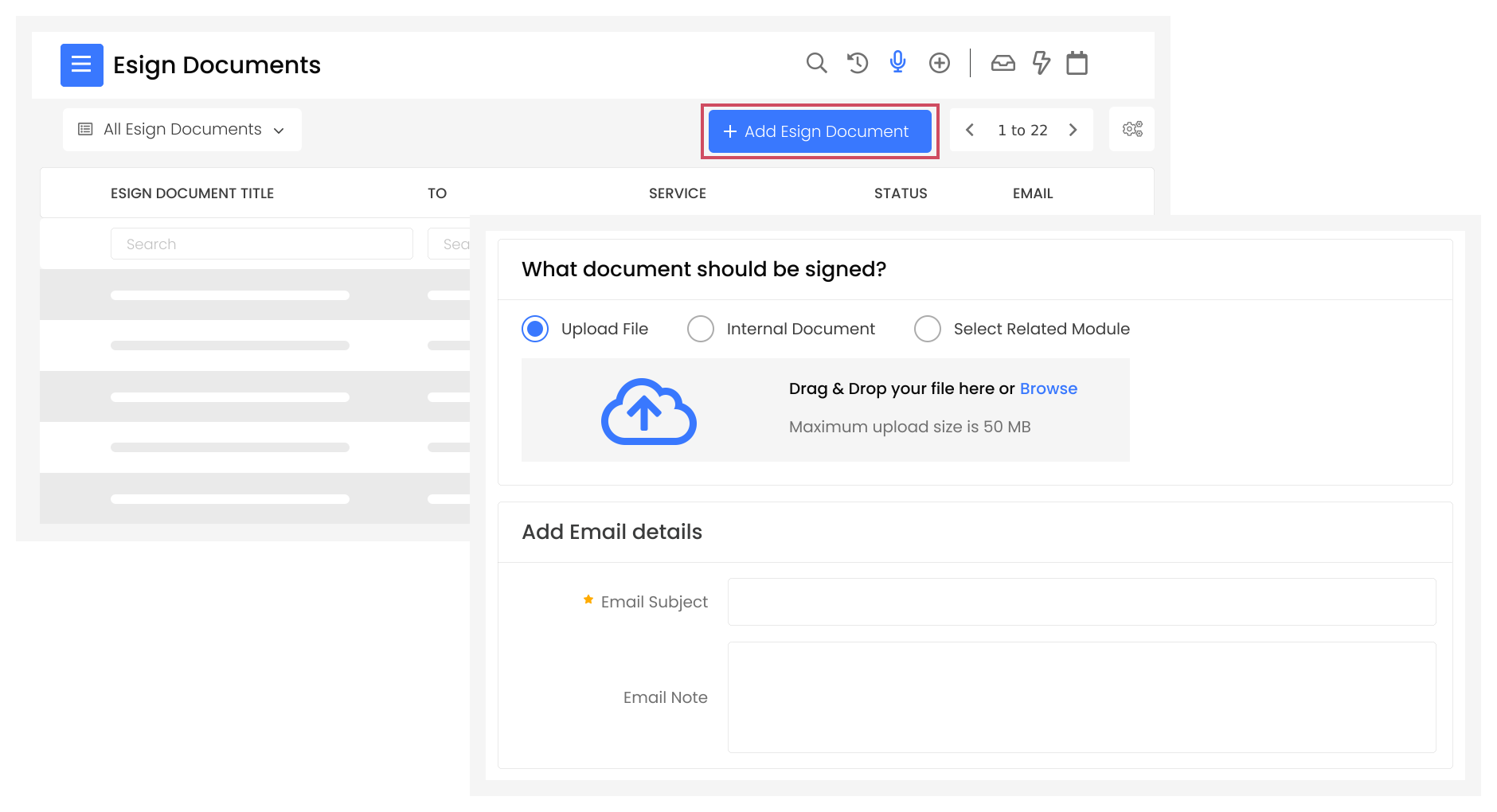
Send PDF files to your clients and get your documents digitally signed.
You can decide the order when sending the documents to multiple signatories.
Vtiger integrates with popular eSign apps like DocuSign and Zoho Sign.
A Legal CRM software with AI was primarily built for law firms and legal professionals seeking to streamline operations and enhance client service using advanced technology.
The main target users are:
Selecting a CRM for a law firm requires more than just comparing features. It involves understanding your firm’s workflow, client management requirements, and regulatory responsibilities. The right system should streamline legal processes, maintain compliance, and support both client service and internal collaboration.
The size and structure of your practice largely determine the type of CRM you need. Solo practitioners and small firms benefit from straightforward platforms that focus on core client tracking, lead management, and task reminders without unnecessary complexity. Mid-sized or enterprise firms with multiple offices require systems capable of handling complex workflows, document management, billing, and cross-departmental collaboration . Evaluating current caseloads, growth projections, and operational complexity helps avoid investing in a system that is either underpowered or unnecessarily complicated.
Legal CRMs vary in functionality depending on whether the firm prioritizes client acquisition, case management, or both. For firms focused on marketing and lead generation, features like automated email campaigns, online inquiry forms, and lead scoring are essential to attract and track potential clients. For firms prioritizing case management, robust tools for time tracking, billing, document management, court deadlines, and client communication are crucial.
A CRM must integrate seamlessly with your firm’s existing technology stack. Email, calendar applications, document management systems, and accounting software should synchronize to avoid duplicate entries and maintain efficiency. Security is paramount due to the confidential nature of client information. The platform should include strong data encryption, access controls, audit trails, and compliance with privacy regulations or local bar requirements, ensuring client data is protected at every stage.
Even the most feature-rich CRM fails if staff cannot or will not use it. Law firm workflows are often complex, so the interface must be intuitive and accommodate multiple user roles. Free trials or demos allow lawyers and support staff to assess usability. Prioritizing ease of use and adopting a platform that fits naturally into daily routines ensures consistent data entry, accurate reporting, and maximum return on investment.
A Legal CRM (Customer Relationship Management) is specialized software designed for law firms to manage their client interactions and business processes. Its main purpose is to serve as a central digital system for all client and potential client data, communication history, and business development activities. It automates repetitive administrative tasks, such as initial client intake and follow-up emails, and helps organize leads. By centralizing this information, a Legal CRM allows attorneys and staff to maintain strong client relationships, improve efficiency, and support the firm's overall growth strategies.
A Legal CRM is highly specialized to handle the unique demands of a law practice, while a general CRM is designed for any sales-focused business. The key difference lies in the legal-specific features: a Legal CRM includes integrated tools for case and matter management, secure document management with version control, and accurate time tracking for billable hours. Most importantly, it is built with security and compliance in mind, helping firms adhere to regulations like attorney-client privilege and data protection rules, that a generic system cannot manage.
Yes, a Legal CRM significantly improves the client intake process by automating and streamlining the initial engagement. It allows law firms to use customizable online forms that potential clients can complete directly on the firm's website. The data from these forms is automatically captured and used to create new client and matter files within the system. This eliminates manual data entry, reduces errors, ensures no leads are missed, and allows your firm to deliver a quick, professional first impression, setting a positive tone for the entire client relationship.
Setting up a Legal CRM involves three main steps: data migration, configuration, and staff training. Implementation starts with migrating your existing client and case data from old systems (like spreadsheets or legacy software) into the new CRM. Next, you configure workflows and customize settings to align with your firm's specific processes. Finally, staff training ensures proper user adoption. The total timeline varies significantly, depending on the firm's size, the complexity of data to be transferred, and the level of customization required, but vendors often provide support to smooth the process.
Yes, most reputable Legal CRMs offer significant customization to fit different practice areas. You can tailor the software to the specific needs of your firm, whether you practice personal injury, real estate, or corporate law. This typically includes the ability to customize fields within a client or matter file, design unique case pipelines to track progress, and create specific reporting dashboards that display metrics relevant to your area of law. Some enterprise solutions are even built on platforms like Salesforce, allowing for deep, practice-specific customization.
Yes, integration with existing software is a primary function of a good Legal CRM. These systems are designed to connect seamlessly with other common business tools to prevent data silos and ensure efficient workflows. Crucial integrations often include your email client (like Microsoft Outlook or Gmail), your calendar for scheduling and deadline tracking, and accounting software such as QuickBooks. This connectivity ensures that information flows automatically between platforms, making tasks like invoicing and communication consistent and accurate across your firm.
Reputable Legal CRMs prioritize strong security and compliance because they handle highly sensitive client data. They use robust measures like data encryption (both in transit and at rest), role-based access controls to limit data visibility, and undergo regular security audits. Compliance is also built in, helping firms adhere to critical legal and data privacy regulations like the GDPR (General Data Protection Regulation) and, for certain areas of practice, HIPAA in the United States. Always confirm the specific security certifications and compliance standards of any vendor you consider.
Legal CRM vendors typically offer a range of support and training resources to ensure successful implementation and user adoption. Look for options that include dedicated onboarding assistance to help with initial setup and data migration. Ongoing support is often provided through multiple channels, such as live technical support (via phone, email, or chat), a comprehensive online help center with articles and video tutorials, and some cases an active user community. Adequate and continuous training is critical for maximizing the software's benefits.
The typical pricing structure for Legal CRM software is a per-user, per-month or per-year subscription model. This means the cost scales with the number of staff members who need access. When evaluating pricing, you must clearly clarify what constitutes a "user" and always ask about potential hidden costs. These may include extra fees for exceeding data storage limits, accessing premium features (like advanced analytics or AI tools), specific integrations, or dedicated onboarding/setup services that are not included in the basic subscription price.
Try Vtiger CRM for Law firms for free!