Most AI advice assumes someone has time to implement it.
Someone has to connect the tools, prepare the data, test the output, review mistakes, and keep the system working when the business changes. In a small company, that person is often the owner, sales manager, or customer service lead.
That changes the economics of AI.
A feature that saves an enterprise team hundreds of hours may not make sense for a six-person business if it requires one person to spend hours every week maintaining it. The subscription price may be affordable, but the operational cost may not.
The practical question, then, is not “What can AI do?”
It is “What can AI do reliably enough to give a small team time back?”
This guide looks at where AI already fits, what it costs beyond the subscription, how to choose tools, and how to start without hiring a data team.
What AI Means for Small Businesses
Traditional business software follows rules that people define. AI can instead identify patterns in examples and use those patterns to generate content, classify messages, recommend actions, or predict outcomes.
For a small business, AI works best for repetitive tasks that cannot be handled by simple rules.
- AI can handle pattern-heavy work: It can summarize a customer conversation, classify an inquiry, draft an email, or identify which deals resemble previously successful ones.
- Output quality depends on the input: Predictive AI needs useful historical records. Generative AI still needs accurate context if its output is going to represent your business.
- AI can be wrong without sounding wrong: A polished answer is not proof of accuracy. For customer-facing or financially important work, someone still needs to review the result.
That last point matters most for small teams. Reviewing AI output is a real operating cost, even though it does not appear on a software pricing page.
AI adoption is not the same as autonomy
AI is already widespread in business. Stanford’s 2026 AI Index reports that 88% of surveyed organizations used AI in at least one business function in 2025, while AI agent deployment remained in the single digits across nearly all business functions.
Using AI to draft an email is very different from giving an AI agent permission to send that email, update a customer record, and trigger a workflow without approval. For most small businesses, assisted work is the more practical starting point.
Where AI Already Works on a Small Team
The best starting point is work that is frequent, reasonably predictable, and inexpensive to correct.
| Job | What AI does | Setup | Ongoing work |
| Drafting replies and content | Creates a first version | Very low | Review |
| Summarizing calls and threads | Extracts key points | Very low | Review |
| Sorting inquiries | Classifies by topic or urgency | Low | Occasional review |
| Lead scoring | Ranks opportunities using historical signals | Low–medium | Periodic review |
| Forecasting | Estimates outcomes from historical data | Medium | Ongoing review |
| Cross-tool automation | Moves information and triggers actions | High | Ongoing maintenance |
| Autonomous agents | Takes actions with limited approval | High | Continuous oversight |
The first two categories are usually the safest entry point. They produce an immediate output and are easy for a person to check.
Lead scoring and forecasting become more useful when a business has enough reliable historical information to make the underlying patterns meaningful. Vtiger’s own documentation, for example, describes predictive AI as using historical CRM data and machine-learning models to forecast outcomes such as deal closures and conversions.
The more an AI system moves from assisting to acting, the more important setup, monitoring, and exception handling become.
The Hidden Cost of AI Tools
The subscription is only one part of the cost. Before buying an AI tool, account for four things: setup, correction, integration, and unused capacity.
Setup is only the beginning
A four-hour implementation has a clear cost. Once it is finished, that cost is gone.
If an AI tool produces twenty customer emails every week but half need substantial rewriting, the business has not eliminated the work. It has moved part of the work from writing to editing.
That can still be valuable. Editing is often faster than starting from a blank page. But you need to measure the savings rather than assume them.
A useful test is simple: does the amount of correction decrease as the team uses the system?
If it does, the tool may be learning your workflows or benefiting from better data and context. If it does not, the business may simply be paying for another step in the process.
Watch for subscription creep
AI features are increasingly built into CRM, email, productivity, support, and marketing software. That creates another problem: paying for similar capabilities in several places.
Review these areas before adding another subscription:
- Overlapping features: Several products may now generate emails, summaries, or content.
- Unused seats: Per-user pricing can make experimentation expensive after the initial trial.
- Duplicate capabilities: An AI feature may already exist in software the business pays for.
- Annual commitments: An inexpensive monthly tool becomes harder to ignore when multiple subscriptions accumulate.
A quarterly AI review should ask one question for every tool: what measurable work did this replace?
If the answer is unclear, the tool needs another test or a cancellation date.
How to Choose AI for a Small Team
The most useful AI tool is not necessarily the one with the most features. It is the one the team can actually use without creating another administrative burden.
Use these criteria, in this order:
- Useful immediately – The tool should produce a meaningful result before a long implementation project begins.
- Easy to verify – A person should be able to see whether the output is useful or needs correction.
- Inside an existing workflow – AI embedded in a system employees already use has a better chance of becoming part of daily work.
- Human approval where it matters – Customer communication, pricing, hiring, financial decisions, and other high-impact actions should not be delegated blindly.
- Portable data – Make sure you can retrieve your business information if you eventually change providers.
That is why model benchmarks and feature counts shouldn’t dominate a small-business buying decision. A technically impressive system that nobody uses creates less value than a modest feature that removes thirty minutes of repetitive work every day.
Test the tool on your own data
Vendor demonstrations help you understand a product. They are not proof that it will work for your business.
Before committing, test the tool against real examples wherever possible. Include incomplete records, unusual customer questions, old conversations, and the terminology your team actually uses.
How to Start Without a Data Team
Start with one operational problem that already has a measurable cost. Examples include slow response times, unanswered inquiries, repetitive customer questions, or salespeople spending too much time reviewing their pipeline.
Then follow a simple sequence.
1. Check the data first
AI cannot compensate for customer records that are incomplete, duplicated, or inconsistently maintained. If the same customer appears several times or important fields are routinely empty, fix that problem first. Better records will improve reporting even if you abandon the AI project.
2. Choose one job
Start with drafting, summarizing, sorting, or another low-risk task. Do not launch four AI projects simultaneously. If the results improve, you will not know which project created the benefit.
3. Run a four-week test
Track how often the team accepts the output, edits it lightly, rewrites it substantially, or ignores it altogether.
4. Measure the business result
Look beyond AI accuracy. Depending on the use case, measure response time, hours saved, conversion rate, resolution time, or another operational metric that matters to the business.
5. Decide whether to expand or stop
Stopping an AI experiment is not failure. If the tool does not save meaningful time or improve an important outcome, canceling it protects the team’s attention and budget.
Using AI in a Small Business CRM
For a small team, the CRM is one of the more practical places to use AI because customer information, sales activity, and conversations can already centeralized in one system.
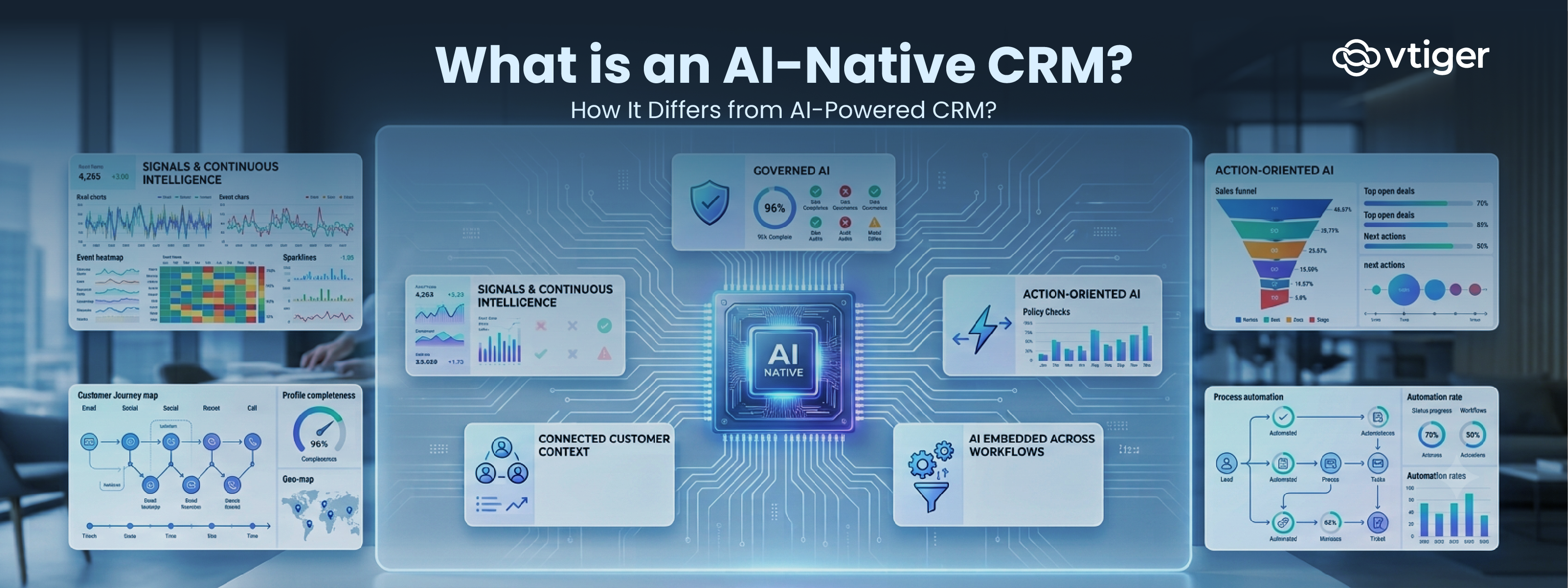
Vtiger’s Calculus AI, for example, uses CRM inputs to provide recommendations, predictions, conversation analysis, and generative assistance for sales, marketing, and customer service teams.
What Calculus AI can handle
Calculus AI includes deal scoring, next-action recommendations, best-time-to-contact suggestions, email assistance, conversation analysis, and sales forecasting. Its deal scoring uses signals such as engagement, sentiment, fit, and authority to assess a deal’s health and likelihood of closing.
That creates several practical use cases for a small sales team:
- Prioritizing opportunities: identify deals that need attention rather than reviewing every opportunity manually.
- Summarizing customer history: give the next person context without requiring them to read every interaction.
- Assisting customer communication: generate or refine replies while leaving the final decision with the employee.
- Improving forecasting: use historical CRM information and deal signals to support pipeline predictions.
For businesses that need deeper prediction models, Vtiger also provides a Predictive AI Designer that works with existing CRM data and supports prediction use cases through a no-code interface.
Why an integrated CRM can reduce AI overhead
The advantage of integrating AI inside the CRM is not simply that it has AI features.
It means AI can work with information the team is already expected to maintain.
That can reduce the need to move customer information between several separate AI applications. It also gives the team one place to review recommendations, customer history, and sales activity.
Vtiger’s AI CRM capabilities combine predictive, generative, and workflow-oriented AI within the CRM environment. Its all-in-one CRM approach also brings sales, marketing, and customer service workflows into the same platform.
The important caveat is data quality. AI-powered CRM features are only as useful as the customer and deal history they can work from. Vtiger notes that complete, consistently maintained CRM data is important for effective AI predictions.
The Practical Rule for AI in 2026
Small businesses do not need to automate everything.
They need to identify work where:
- The task happens frequently;
- The pattern is reasonably consistent;
- The cost of an error is manageable;
- The output can be reviewed quickly; and
- The time saved is greater than the time spent operating the tool.
That usually means starting with assistance, not autonomy.
Draft the email before a system sends it. Summarize the conversation before someone acts. Rank the sales opportunities before a salesperson decides where to spend their afternoon.
It gives a small team more useful hours without adding a new system to oversee.
Frequently Asked Questions
What is AI for a small business?
AI for small business is the use of artificial intelligence to assist with repetitive or pattern-based work such as drafting messages, summarizing conversations, classifying inquiries, scoring leads, and forecasting outcomes.
Which AI tools work best for small teams?
Tools that deliver useful output quickly, require limited setup, fit into existing workflows, and let employees review the results are usually the best starting point.
How much does AI cost a small business?
The subscription is only part of the cost. Businesses should also account for setup, data preparation, employee review, corrections, integrations, maintenance, and unused seats.
Can a small business use AI without technical skills?
Yes. Drafting, summarization, basic classification, and many AI features built into business software can be used without technical expertise. More complex integrations and autonomous workflows require greater oversight.
Where should a small business start with AI?
Start with one measurable problem and one low-risk use case. Run it for several weeks, measure the time or business outcome affected, and decide whether the result justifies expansion.
Will AI replace employees in a small business?
AI is currently more commonly deployed as an assistive technology than as fully autonomous software. Stanford’s 2026 AI Index reports high organizational AI adoption but says AI-agent deployment remains in the single digits across nearly all business functions.
For a small business, the immediate opportunity is therefore more likely to be removing repetitive work from existing roles than eliminating an entire role.
How do I know if an AI tool is worth keeping?
Track the amount of human correction and compare it with a business outcome such as time saved, faster response, improved conversion, or reduced manual work. If the tool does not produce a measurable benefit after a reasonable trial, stop paying for it.
Does AI need a lot of data to be useful?
Not always. Generative tasks such as drafting and summarizing can work with the information provided in the task. Predictive use cases such as lead scoring and forecasting depend more heavily on relevant historical business data and its quality. Vtiger’s predictive AI documentation similarly identifies existing CRM data as a prerequisite for predictive use cases.