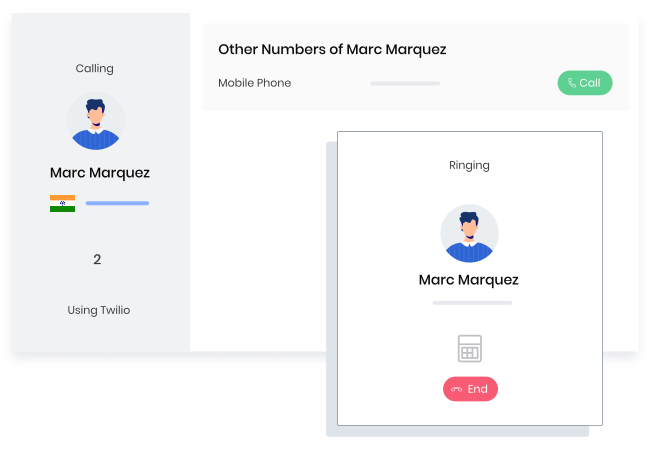
With integrated telephony, you can connect with your contacts from right within Vtiger CRM. You can record the conversations and even have the Calculus AI engine analyze the effectiveness of those conversations.
Choose a CRM that enables you to focus on customers and frees you up from the overhead of setting up and managing the tool. Vtiger CRM is incredibly easy to set up, administer and use which makes it the ideal choice for small businesses.
A CRM for small businesses is a tool for recording inquiries, tracking follow-ups, and managing customers in one place. It helps owners and small teams keep control over sales activity without relying on spreadsheets or personal messages.
In most small businesses, one team handles sales, operations, and customer communication. A CRM provides a single view of all leads and customers, showing contact details, last interaction, next action, and current deal status. This allows anyone in the team to pick up a conversation without confusion.
CRM software for small businesses supports day-to-day sales execution. Leads can be assigned, follow-ups scheduled, and deal progress updated as work happens. Business owners can review sales activity and pipeline status without asking for separate reports.
As inquiry volume increases, manual tracking becomes unreliable. A CRM helps small businesses manage higher sales activity with the same team size by introducing basic structure, visibility, and consistency into the sales process.
Sales activity in small businesses is rarely sequential. Enquiries arrive at different times, through different channels, and are handled by whoever is available. A CRM brings these parallel conversations into one view, so nothing depends on memory or personal tracking.
An enquiry may start with a call, a message, or a form submission. The CRM records it and keeps it accessible. Notes are added after conversations. Follow ups are marked when required. Responsibility is visible, even when roles overlap.
Progress is not forced into rigid stages. Instead, the CRM reflects the current status of each enquiry based on updates made during daily work. Some leads move quickly, others pause, and some return later. The system adapts to this uneven flow.
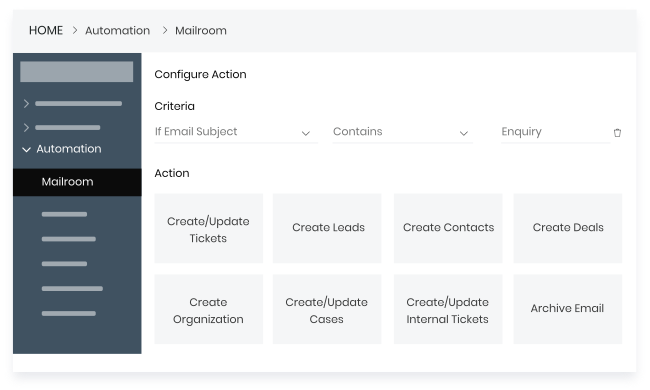
Routine actions happen in the background. Enquiry assignment, reminder creation, and activity logging are handled automatically. Manual effort is reduced without changing how teams work on a daily basis.
For business owners, visibility comes without reporting cycles. Active enquiries, pending follow ups, and expected closures can be reviewed at any time. This supports faster decisions without formal sales analysis.
A small business CRM should support daily execution with limited teams while remaining practical as operations grow. The right features help maintain visibility, reduce manual coordination, and ensure consistency without adding unnecessary process overhead.
Customer information should be stored in a single system and remain easy to update. A CRM must support clean data maintenance and basic classification so teams always work with current and reliable records.
Small teams need clear insight into active enquiries and pending actions. A CRM should reflect the current status of sales conversations and highlight where attention is required.
Customer interactions should be captured in one place. A CRM must ensure that past conversations and commitments are visible, even when multiple team members engage with the same customer.
Routine sales actions should not require constant manual input. A CRM should handle reminders and updates automatically, helping teams stay consistent without increasing workload.
Business owners need a clear snapshot of sales activity. A CRM should present key indicators in a simple format that supports quick review and decision making.
Sales and customer engagement often happen outside the office. A CRM should remain fully usable on mobile devices so teams can respond and update information without delays.
Spreadsheets and free versions of most CRMs offer very basic capabilities to manage a sales pipeline and processes. People often turn to one of these as the go to solution to build out their first contact database for leads and clients. But as you scale, things start to become more complicated. Several team members now get involved in managing a relationship at various stages of the sales funnel and all of them need to be on the same page to drive customer delight. You need a Customer Relationship Management (CRM) system to be effective.
Investing in a small business CRM can give your growing business visibility and deliver a better customer experience. Startups and growing business firms can build a loyal customer base by providing personalized service. CRM software is a must-have tool for small businesses as it will increase sales figures, enhance team collaboration, and get crucial tasks done on time.
Read 9 Reasons why you need to move from spreadsheets to Vtiger CRM v9
When small companies rely on spreadsheets and email to maintain the contact and customer information things can be pretty chaotic. Sales teams end up spending a disproportionate amount of time keeping the spreadsheets updated.
It is very difficult to collaborate with other teams using spreadsheets. Multiple copies are created, important information gets edited inadvertently and sometimes the entire sheet gets deleted. All of these just become unnecessary distractions from focussing on the customer.
A CRM helps small businesses be on top of their sales pipeline and associated operational challenges. The data is tracked in one place and it is secure. Your teams are able to collaborate well and businesses are able to generate more leads, close deals faster and support customers better to reach their business goals.
The CRM also helps to integrate data across multiple systems that a business uses - like your business emails, calendar, social media channels, and billing and invoicing system. Having a unified customer view puts all teams on the same page and empowers them to drive customer delight.
CRM software is not just useful for large organizations. Having a disorganized and fragmented sales tracking system can hurt small businesses badly. Implementing a CRM system gives your deeper insights into your pipeline, and helps small businesses to focus on their customer relationship strategy. When set up properly a CRM can be a valuable tool that enables you to automate time-consuming tasks, develop new customer acquisition tactics and provide valuable intelligence on sales trends.
Some of the core advantages of a CRM solution are as follows:
Does the CRM let you easily import and manage your business contacts? Tracking contacts across all stages of the lifecycle is critical to success.
Can you track leads and opportunities easily as they transition through various stages of the buying process?
Email marketing is the mainstay of most small businesses. Does the CRM make it convenient to configure and execute campaigns?
Opt-in SMS marketing campaigns can be a great way to get your business noticed and to stay connected with customers. Does your CRM offer integrations to support these?
Does the CRM support an integrated no-hardware telephony solution? This is critical for sales teams to stay connected with their customers.
Does the CRM make it easy for you to get insights into your customers and sales pipeline? A good CRM will have robust reporting capabilities with insightful analytics dashboards.
How easy is it to automate repetitive tasks in the CRM? Automation capabilities free you up from time consuming tasks and let you focus on customers.
As your business grows and processes become more complex, it is essential for multiple teams to collaborate around customer requirements. Does the CRM should make this seamless?
Customers and prospects need to reach you round the clock. Does your CRM have a comprehensive mobile app that your teams can use to be on top of their tasks?
Small businesses often start with spreadsheets because they are simple and familiar. Over time, as leads, customers, and follow-ups increase, spreadsheets begin to slow teams down. CRM software for small business is designed to handle this growth in a structured and reliable way. Below is a clear comparison that shows where spreadsheets fall short and how a CRM fills those gaps.
Spreadsheets rely completely on manual data entry. Every call, email, or follow-up must be updated by the sales team, which often gets delayed or missed. As lead volume increases, accuracy drops. CRM software for small business updates records automatically, keeping customer data current and reliable without extra effort.
Using spreadsheets across teams often leads to duplicate entries, overwritten data, and confusion around responsibility. There is no clear ownership of leads or tasks. A CRM for small business provides shared access with defined lead ownership, activity tracking, and real-time updates, helping teams work together smoothly and stay accountable.
Spreadsheets do not clearly show where deals stand or which opportunities need attention. Understanding revenue potential requires manual checks. A CRM organizes deals into stages, showing active opportunities, expected closures, and stalled leads. This structured visibility helps small businesses focus efforts on deals that matter most.
Daily sales activities like reminders, follow-ups, and lead assignments cannot be automated in spreadsheets. These tasks depend on memory and manual tracking. CRM software for small business automates routine actions, ensuring follow-ups happen on time, leads move correctly, and processes remain consistent across the team.
Spreadsheets offer limited reporting and no real-time insights. Tracking performance often requires manual calculations and updates. CRM software for small business provides built-in dashboards and reports that track conversions, sales trends, and team productivity, helping business owners make faster, data-driven decisions.
Running a small business means handling leads, follow-ups, and customers every day. When these activities are managed in one place, teams work with more clarity and less confusion. A CRM for small businesses supports steady growth by helping teams stay organized, respond on time, and understand what is working.
A CRM for small businesses gathers leads from websites, emails, phone calls, and campaigns into one system. This keeps all inquiries in one place and makes it easy to track. Teams can see lead status clearly and ensure every inquiry is handled without being missed.
CRM tools provide reminders for calls, emails, and meetings. Sales teams always know the next action to take. This helps maintain regular communication with prospects, improves response times, and increases the likelihood of converting leads into customers.
CRM software clearly shows each deal’s progress. Teams can identify delays early and take action faster. With fewer manual steps and greater visibility, sales processes move more smoothly, helping deals close faster.
All customer interactions are stored in one place. This helps teams understand past conversations and respond more accurately. Clear context leads to better communication, stronger relationships, and higher customer retention over time.
CRM reports give a clear view of sales activities. Business owners can track progress, spot trends, and plan next steps with confidence. Decisions are based on actual performance, making growth more predictable and controlled.
Choosing a CRM is not just about features. It should support daily work without adding complexity. The right CRM for a small business fits the teams, grows with the company, and works well with existing tools, helping businesses stay organized and consistent as they scale.
A CRM for a small business should be easy to learn and use. Sales and support teams must create or update leads, add notes, and schedule follow-ups without technical support. When the system feels simple, teams use it regularly, keeping data accurate and processes running smoothly.
Small businesses need pricing that grows with them. Free plans may work early on, but often limit automation and reporting. A scalable CRM pricing model lets businesses start with basic features and upgrade gradually as teams and sales volume increase, avoiding the need to switch systems later.
Every business follows its own sales process. A CRM for a small business should allow changes to pipelines, stages, fields, and workflows. This helps teams work the way they already do, instead of adjusting operations to fit the tool, improving efficiency and process consistency.
Most small businesses use multiple tools for email, calls, marketing, and billing. CRM software for small businesses should connect easily with these systems. Proper integrations reduce manual data entry, keep information up to date across platforms, and give teams a complete view of each customer.
Good support makes CRM adoption easier. Small businesses often depend on vendor guidance during setup. A reliable CRM provider offers onboarding help, training resources, and quick customer support, helping teams use the system correctly and gain value from it early on.
Managing customers and sales without a central system creates gaps in daily operations. Important tasks rely on manual tracking, and information stays scattered across tools. This leads to missed opportunities, unclear progress, and difficulty making informed decisions.
Without a CRM, follow-ups depend on notes or manual reminders. This often results in delayed responses or missed leads. Small businesses lose opportunities simply because there is no clear system to track who needs a follow-up and when.
Tracking sales activity without CRM software is difficult. Deal stages, pipeline value, and conversion rates are not easy to monitor. Business owners struggle to see which deals are moving forward and which need attention, making it harder to manage sales effectively.
Customer data stored in emails, spreadsheets, and chats creates confusion. Teams work with different versions of the same information, and updates get lost. A lack of shared data reduces coordination among sales, marketing, and support, slowing day-to-day work.
When customer history is not shared, teams communicate without full context. Different messages may be sent to the same customer, or outreach may be repeated. This inconsistency affects customer trust and weakens the overall experience.
Without reliable data, planning is based on assumptions. Businesses cannot clearly see sales trends, customer behavior, or future revenue. This limits their ability to plan growth, set targets, and make business decisions.
For small businesses, CRM is primarily used to reduce dependence on scattered tools and to improve information tracking. It brings discipline to how leads are handled, deals are moved forward, customers are supported, and revenue is protected. These use cases reflect how CRM fits into day-to-day operations, not just planning.
CRM automatically captures every inquiry and stores it with its source, date, and activity history. Leads are filtered based on actions taken, response level, or basic criteria. This prevents random follow-ups and helps sales teams focus on leads that show real intent.
CRM forces deals to move through defined stages. Each stage reflects a real step in the sales process, making progress measurable. Teams can quickly see stalled deals, pending actions, and expected closures, allowing managers to intervene early rather than reviewing outcomes after losses.
CRM keeps support requests linked to customer records. Teams see past complaints, resolutions, and response timelines before replying. This avoids repeated questions and reduces handling time. Support becomes structured instead of reactive, even when handled by small or rotating teams.
CRM automatically tracks renewal dates, contract details, and past engagement. Follow-ups are scheduled before deadlines, not after churn. This ensures renewals are planned activities, not last-minute recovery attempts, helping businesses retain revenue without adding manual tracking work.
CRM highlights usage patterns, past purchases, and service gaps. Sales teams can identify logical next offers based on customer behavior. This makes upselling relevant and timed properly, reducing resistance and improving acceptance rates.
CRM connects lead sources with deal outcomes. Marketing teams see which campaigns bring sales-ready leads, while sales teams know what content or offers prospects interacted with. This helps both teams adjust actions based on shared data.

You need to focus on things that matter to your business. Learning a complex tool isn’t one among them. Vtiger CRM is designed to have you up and running in a matter of hours. The intuitive interface is easy to use and administer without requiring an IT expert.
Every business is different and you have unique workflows. Vtiger CRM makes it incredibly easy to setup custom pipelines and workflows that meet your requirements. You can automate and streamline your processes easily so all teams are working efficiently from a single view of the customer.
Vtiger’s award winning customer support and client success teams are available at every step to help you get the most out of your CRM investment. From migrating your data from spreadsheets or legacy systems to architecting a custom solution to meet your very specific business needs, we will be your support system all along the way when you need us.
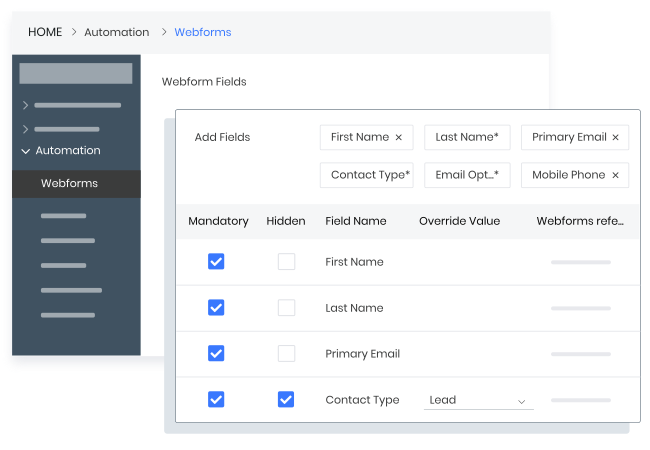
Vtiger CRM gives your team the power of built-in webforms, social media & telephony integrations to capture leads from a variety of sources - website, social media, emails, and phone calls. With effective lead scoring and workflows, your sales team can focus on leads that matter the most to your business without wasting resources.
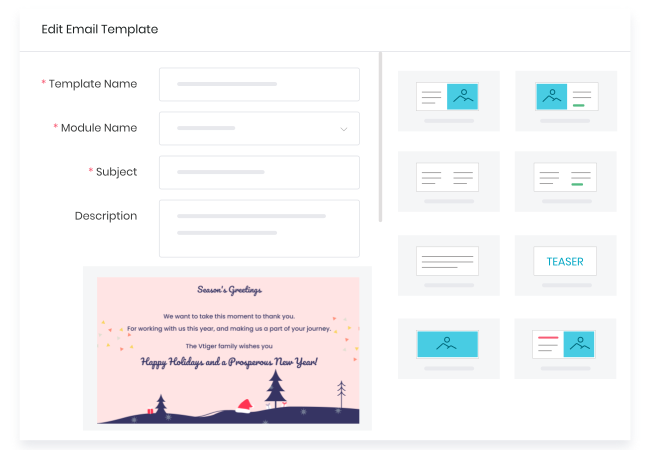
Connect with and nurture leads with personalized campaigns across a variety of touch points. From email, telephony, SMS to social media channels - Vtiger CRM provides a breadth of integrations and capabilities for you to reach out to and engage with your prospects.
With integrated telephony, you can connect with your contacts from right within Vtiger CRM. You can record the conversations and even have the Calculus AI engine analyze the effectiveness of those conversations.
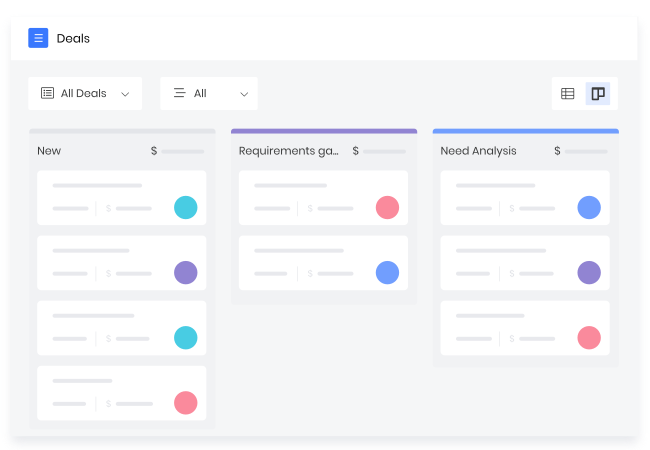
Visualize, organize, & manage deals with customized views & filters. Kanban, List, Calendar and more views available at the click of a button.
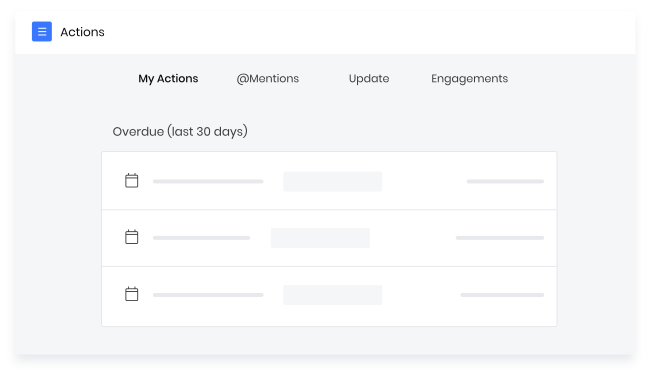
Smart alerts keep you updated on deal activity and progress - proactively notifying you when a deal has stalled, so that you can swoop in and save the day.
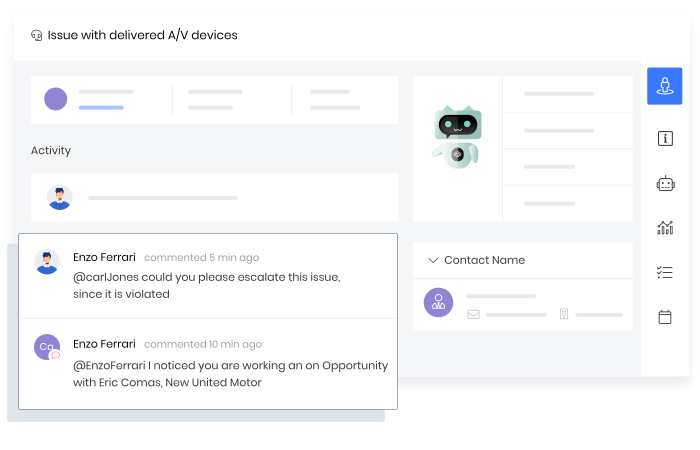
Resolve customer issues instantly, improve support efficiency, and maximize customer satisfaction.
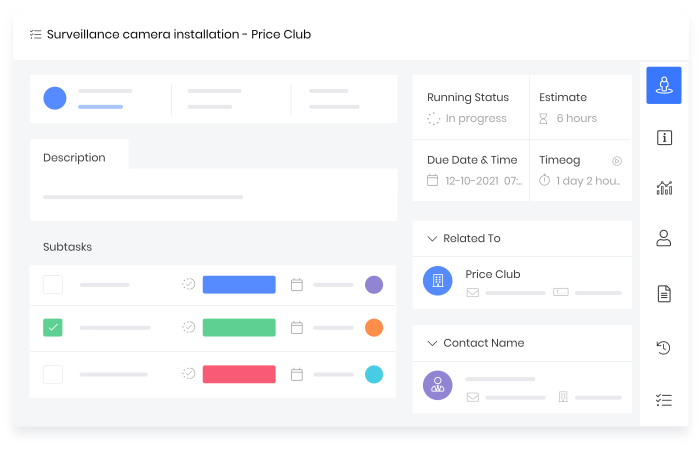
Leverage Vtiger built-in project management capabilities to collaborate with your teammates on winning deals, solving customer problems, and ultimately providing the best experience.
Automate repetitive tasks across your organization from collecting leads, winning deals, providing support, and more.
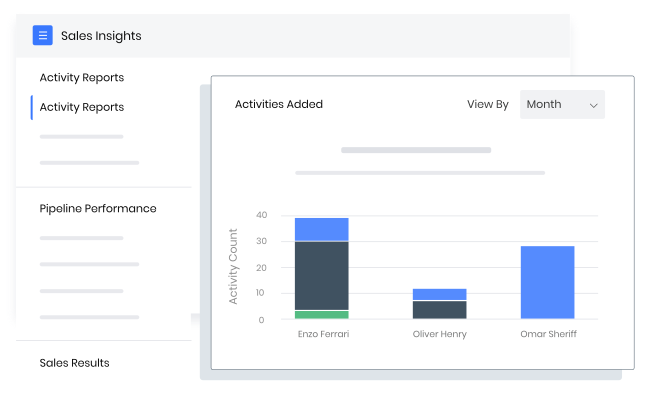
Gain deeper insights into your marketing, sales, customer support activities with insight and reports. Schedule reports to get them delivered right into your email inbox.
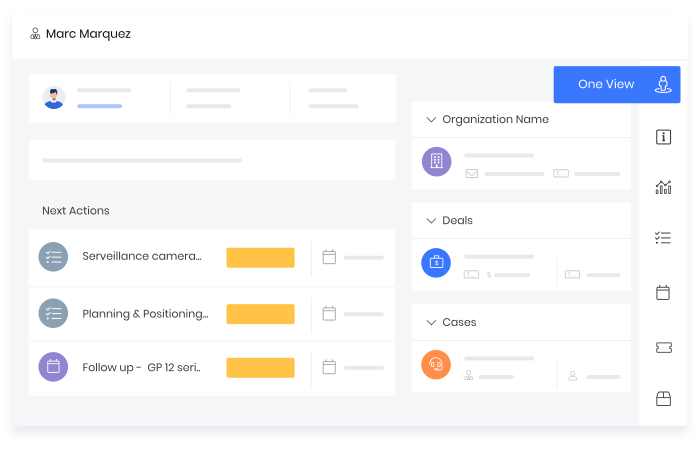
Vtiger captures all customer data and interactions in a single place, giving everyone on your team a complete, 360 degree view of the customer.
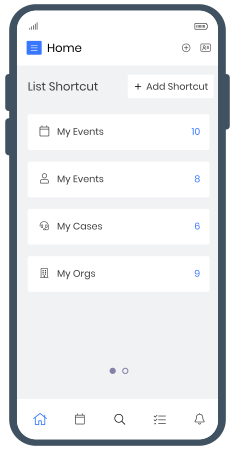
Vtiger’s mobile app brings the CRM into your palms - enabling you to perform at your best even on the go.
A CRM for small businesses helps businesses store contact details, track interactions, manage leads, and monitor deal progress. By keeping all customer data organized in one place, it improves visibility, reduces manual work, and ensures teams can respond to customers quickly and consistently.
Small businesses need a CRM to manage growing customer data and sales activities. Managing leads through spreadsheets or emails often leads to missed follow-ups and unclear ownership. A CRM helps create structured processes, improves team collaboration, and ensures every lead is tracked properly. It also enables consistent communication, better customer experience, and stronger control over the sales pipeline.
A small business CRM should include contact and lead management, sales pipeline tracking, email integration, and workflow automation. It should also provide reporting and analytics to measure performance and identify gaps. Mobile access is important for teams working remotely or in the field. Together, these features help businesses stay organized, respond faster to customers, and manage daily operations more efficiently.
Yes, CRM software is affordable for small businesses because most platforms offer flexible and scalable pricing models. Businesses can start with basic plans and upgrade as their needs grow. Solutions like Vtiger CRM offer robust functionality at low upfront costs, making them suitable for startups and small teams. This allows businesses to invest gradually while still benefiting from structured sales and customer management.
A CRM helps small businesses grow sales by organizing leads, tracking deal stages, and ensuring timely follow-ups. Sales teams can focus on high-potential deals instead of manual tracking. CRM insights also help identify customer behavior, conversion trends, and performance gaps. With better visibility and automation, businesses can close deals faster, improve customer engagement, and build long-term relationships.
Yes, small businesses can use CRM systems without technical expertise. Modern CRM platforms like Vtiger are designed with simple interfaces and guided setup processes. Users can manage leads, contacts, and deals without coding or IT support. Built-in tutorials, onboarding assistance, and customer support make it easy for teams to start using the CRM confidently and adopt it as part of daily operations.