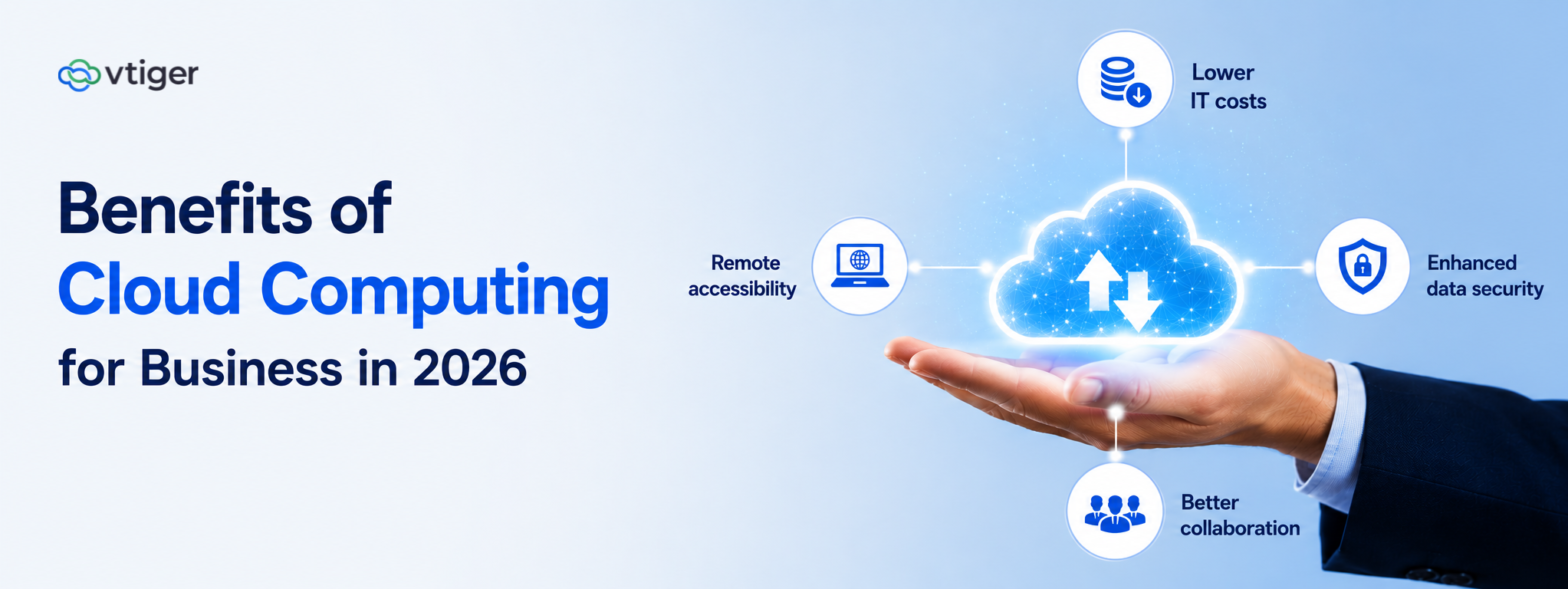
Cloud computing lets businesses access computing power, applications, and data over the internet instead of running their own on-premises hardware. The benefits are practical: lower IT costs, elastic scalability, stronger security, remote access, faster deployment, and dependable business continuity. Cloud platforms also provide the foundation for AI, automation, analytics, and wider digital transformation.
Cheaper, faster, more scalable: the benefits of cloud computing are usually listed as technical properties. But a business does not buy scalability or elasticity. It buys the outcomes those properties make possible.
Each benefit lands as a business outcome once you look past the label. Lower cost is really cash freed for other bets, and scalability is really the ability to say yes to growth without a procurement cycle. The cloud is the enabler; the outcome is what the business gets.
The fifteen benefits ahead resolve into four outcomes a business actually feels: spending smarter, moving faster, staying resilient, and working from anywhere.
What is Cloud Computing?
Cloud computing is the delivery of computing resources, storage, applications, and processing over the internet on demand. Instead of buying and maintaining physical servers, a business rents capacity from a provider and pays for what it uses. The model rests on shared infrastructure, on-demand provisioning, and pay-as-you-go pricing.
On-premises computing means buying servers, staffing their upkeep, and sizing for a peak you rarely hit. The cloud turns each of those fixed commitments into a variable one you can dial up or down.
| Factor | Cloud | On-premises |
| Upfront cost | Low, pay-as-you-go | High capital outlay |
| Scaling | On demand | Bought ahead of need |
| Maintenance | Provider-managed | In-house team |
| Access | Anywhere | Mostly on-site |
As Paul Maritz, then CEO of VMware, put it, cloud “is about how you do computing, not where you do computing,” a distinction that still holds. The location of the server matters far less than the operating model it unlocks, and that model is what delivers the outcomes businesses actually care about.
Why Businesses are Moving To The Cloud
Adoption continues to accelerate because the pressures pushing businesses away from owned infrastructure are structural, not seasonal. According to Gartner’s forecast, worldwide end-user spending on public cloud services was set to reach $723.4 billion in 2025, up 21.5% in a single year. That growth reflects a set of consistent drivers:
- Rising infrastructure costs make owning and refreshing hardware harder to justify.
- Hybrid and remote work require access to systems from anywhere, not just the office.
- Faster innovation depends on spinning up resources in minutes rather than quarters.
- Growing data volumes strain on-premises storage and processing capacity.
- Demand for business agility rewards models that scale up and down without penalty.
- Digital transformation initiatives need a flexible foundation that the cloud provides.
None of these drivers is really about technology. Companies move to the cloud to move faster, spend smarter, and stay resilient, and the infrastructure is simply how they get there.
15 Benefits of Cloud Computing for Business
Cloud computing turns fixed costs into variable ones and puts enterprise-grade tools within reach of a small team. Every benefit here pairs a technical property with the business result it actually delivers.
1. Lower IT costs
Instead of buying servers that are obsolete in three years, a business rents the same capacity by the month. The cash that would sit depreciating in a server room funds hiring or product instead.
2. Scalability
When Black Friday triples traffic, the business raises a limit and the servers follow within minutes, then scales back Monday. Growth becomes a setting to change, not a three-month procurement project.
3. Flexibility
A team spins up a test environment in an afternoon and shuts it down Friday, paying only for the days it ran. No fixed hardware is bought just to find out if an idea works.
4. Better collaboration
Three people edit the same document at once and see each other’s cursors, so nobody emails a file named final_v4 around anymore. The version everyone opens is always the current one.
5. Remote accessibility
A sales rep pulls the full customer history from a client’s lobby on their phone, the same view as at their desk. No VPN scramble and no office network to recreate.
6. Enhanced data security
A ten-person company gets the same encryption and round-the-clock threat monitoring a bank runs, because the provider spreads that cost across millions of users. Matching it in-house would need a security team most firms cannot afford.
7. Business continuity
When one data centre loses power, traffic reroutes to another and customers never notice. The outage that once cost a day of sales shrinks to minutes nobody sees.
8. Disaster recovery
After a ransomware hit, the team rolls back to a clean backup from that morning and is trading again by lunch. On-premises, restoring from tape backups could have meant days offline.
9. Faster software updates
A security patch reaches every user overnight, so nobody is left running the vulnerable version IT forgot to update. The team logs in to current software without scheduling a maintenance weekend.
10. Improved productivity
The lead, once typed into three systems, now flows into one and updates all of them. Combined with business process automation, staff spend the day on judgement, not data entry.
11. Better performance
A report that crawled for two minutes on the old server now returns in seconds on infrastructure sized for it. Users stop waiting on hardware bought a decade ago.
12. Easier integration
A new invoicing tool connects to the CRM through an API in an afternoon, and records update in both without anyone copying them. A capable CRM integration platform keeps data flowing instead of stranded in silos.
13. Data analytics capabilities
Yesterday’s sales show up on a live dashboard this morning, not in a report the analyst hand-builds next Friday. Strong CRM analytics tools put those numbers where decisions are actually made.
14. AI and automation enablement
Running a churn-prediction model needs compute no small business would buy outright, and the cloud rents it by the hour. Capable low-code app platforms let teams wire up the automation without deep engineering.
15. Environmental sustainability
A shared data centre runs its servers near full capacity, while an in-house room often idles most of the day, still drawing power. Consolidating those workloads cuts both the energy bill and the carbon behind it.
Types of Cloud Computing
Cloud deployments come in four models, and the right one depends on how a business weighs control, cost, and flexibility. A regulated bank and a fast-scaling startup will rarely land on the same answer.
| Type | Best for | Trade-off |
| Public cloud | Speed, low cost | Less direct control |
| Private cloud | Control, compliance | Higher cost |
| Hybrid cloud | Flexibility, balance | More to manage |
| Multi-cloud | Best-of-breed, no lock-in | Added complexity |
The trend is toward combining models rather than choosing just one. The IBM Institute for Business Value found that the value derived from a full hybrid, multicloud platform at scale is 2.5 times the value of a single-platform, single-cloud approach. The advantage comes from portability and choice, not from any one provider.
Cloud Computing Service Models
Beyond deployment, cloud services are delivered in three layers that differ in how much the provider manages versus the customer. Choosing the right layer is a decision about how much control and responsibility a business wants to keep.
Infrastructure as a service (IaaS)
IaaS hands over raw servers, storage, and networking, and the customer installs everything above that. A team moving a custom app it needs full control over rents the machines and keeps the operating environment its own.
Platform as a service (PaaS)
PaaS layers a managed operating system and developer tools on top, so a developer pushes code and the platform runs it. Nobody on the team patches servers or configures the runtime by hand.
Software as a service (SaaS)
SaaS delivers a finished application in the browser, with the provider running every layer beneath it. A cloud CRM is a common example: the business logs in, and nobody installs, updates, or hosts anything.
Cloud Computing Use Cases Across Industries
A retailer bracing for a holiday traffic spike and a hospital protecting patient records want very different things from the cloud. What they share is the move from fixed infrastructure to capacity they can switch on the moment demand calls for it.
Small businesses
A five-person firm runs the same CRM, analytics, and security a large competitor uses, paying a monthly fee, not hiring an IT team. It competes on capability, not on infrastructure budget.
Healthcare
A clinic pulls a patient’s full history at any of its sites, and the same record covers the compliance audit, no filing-cabinet search. No physical file gets couriered between locations.
Financial services
A bank runs overnight fraud checks across millions of transactions on compute it rents for those hours and releases by morning. Payday spikes are absorbed without owning servers that idle the rest of the month.
Manufacturing
Sensors on the line stream to the cloud, so a manager sees a machine trending toward failure before it halts the shift. The same feed flags a supply gap while there is still time to reorder.
Retail and e-commerce
A festive-season rush that would crash a fixed server is absorbed as the cloud adds capacity for the week. The same platform links online carts and in-store purchases into one view of each shopper.
Education
A college streams lectures and hosts assignments for students in a dozen cities without building a server room for each. A laptop and a connection replace the campus hardware that once set the limit.
SaaS companies
A SaaS startup serves customers on three continents from rented infrastructure that scales with its user count, with no data centre of its own. It ships an update once, and every customer has it the same day.
Whatever the sector, cloud adoption pays off when it is pinned to a specific business outcome rather than adopted for its own sake. A quick test of fit before committing a workload:
- Start where the cloud removes a real constraint, such as capacity, access, or cost.
- Prioritize workloads where scaling or resilience directly protects revenue.
- Connect cloud systems to existing data rather than running them in isolation.
Common challenges of cloud adoption
Cloud adoption comes with real obstacles, and each one has a known fix rather than a reason to turn back. The six that derail projects most often, and how to handle them:
- Data privacy concerns require clear policies on where data lives and who can access it, addressed through governance rather than avoidance.
- Compliance requirements vary by region and industry, so choosing providers with the right certifications matters from the start.
- Vendor lock-in narrows future options, which a multi-cloud or portability-minded architecture helps prevent.
- Internet dependency means connectivity becomes critical, mitigated with redundancy and offline fallbacks for essential functions.
- Migration complexity can stall projects, so a phased CRM implementation guide and careful data planning reduce the risk.
- Cost management gets harder as usage grows, which disciplined monitoring and FinOps practices keep in check.
None of the six is a reason to stay on-premises; each is a reason to move with a plan. Settle governance, providers, and portability before migrating, not after the first surprise bill or breach.
How cloud CRM supports business growth
A cloud CRM is where many businesses first feel the compounding benefit of the cloud, because it puts the customer record in the same accessible, scalable place as everything else. Sales, marketing, and support work from one view, reachable from anywhere, without a server to maintain.
The growth impact is direct. A cloud CRM platform centralizes customer data, automates sales and marketing, and keeps teams aligned as the business scales. Because it is delivered as a service, it also becomes the natural anchor for a wider digital transformation strategy, connecting cleanly to the other systems a company runs.
Vtiger One’s Calculus AI, part of an AI CRM software layer, predicts which customers are likely to churn or convert and recommends the next best actions based on the unified record. Calculus AI predicts and recommends. The team makes the call and acts on it.
Best practices for cloud adoption
A successful cloud adoption depends less on the provider chosen and more on the discipline of the approach. The practices below keep a migration aligned to outcomes rather than driven by hype:
- Define the business objective before selecting any cloud service or provider.
- Choose the deployment model that matches your control, cost, and compliance needs.
- Prioritize security and governance from the design stage, not after launch.
- Plan data migration carefully and move in stages rather than all at once.
- Train employees so the new tools are adopted rather than worked around.
- Monitor cloud costs actively, since usage-based pricing rewards attention.
- Review and optimize usage continuously as needs and workloads change.
The organizations that adopt the cloud well treat it as an ongoing capability, not a one-time move. The provider handles the infrastructure; the business keeps responsibility for tying it to outcomes.
Future of cloud computing
The next phase of cloud computing is defined by intelligence layered onto the infrastructure, and each trend raises the value of a well-run cloud foundation. Several developments are converging:
- AI-powered cloud platforms embed prediction and automation directly into services.
- Edge computing processes data closer to where it is generated, cutting latency.
- Serverless computing lets teams run code without managing servers at all.
- Hybrid cloud strategies become the default for balancing control and flexibility.
- Multi-cloud environments spread workloads across providers to avoid lock-in.
- Intelligent automation coordinates complex workflows across cloud services.
- Cloud-native applications are built to exploit elasticity from the first line of code.
Frequently Asked Questions (FAQs)
Q1. What are the benefits of cloud computing for businesses?
The main benefits are lower IT costs, elastic scalability, flexibility, better collaboration, remote access, stronger security, business continuity, disaster recovery, automatic updates, and support for analytics and AI. Read together, they translate into concrete business outcomes: freeing cash for growth, scaling without procurement delays, staying resilient through disruption, and working from anywhere. The cloud is the enabler, and these outcomes are what a business actually gains.
Q2. How does cloud computing reduce business costs?
Cloud computing reduces costs by replacing large upfront hardware purchases with pay-as-you-go pricing, so a business only pays for the capacity it uses. It also cuts maintenance, energy, and staffing costs tied to running physical servers, and automatic updates reduce IT workload. The freed capital can be redirected toward growth initiatives rather than sitting in depreciating infrastructure, which is often the largest financial benefit of the shift.
Q3. Is cloud computing secure?
Cloud computing can be highly secure, often more so than on-premises setups, because leading providers invest heavily in encryption, identity management, and compliance certifications that most individual businesses cannot match. Security is a shared responsibility: the provider secures the infrastructure, while the customer must configure access, manage data governance, and follow best practices.
Q4. What are the different types of cloud computing?
There are four deployment models: public cloud, which is fast and low-cost but offers less direct control; private cloud, which gives control and compliance at higher cost; hybrid cloud, which balances both; and multi-cloud, which uses several providers to avoid lock-in. Separately, services are delivered as IaaS, PaaS, or SaaS, differing in how much the provider manages. Most businesses now combine models rather than choosing just one.
Q5. How does cloud computing support remote work?
Cloud computing supports remote work by making applications and data accessible securely from any location with an internet connection. Teams collaborate on shared files in real time, reach the same systems whether in an office or at home, and rely on the provider to keep those services available. This removes the need to replicate an office network everywhere and lets a distributed workforce operate as though it shared one location.
Q6. What is cloud CRM?
A cloud CRM is customer relationship management software delivered as a service over the internet, rather than installed on a company’s own servers. The provider handles hosting, security, and updates, while the business simply logs in and uses it from anywhere. It centralizes customer data across sales, marketing, and support, scales with the company, and integrates with other cloud tools, making it a common starting point for wider cloud adoption.
Q7. How does cloud computing enable digital transformation?
Cloud computing enables digital transformation by providing the flexible, scalable foundation that modern initiatives depend on. It gives businesses on-demand access to the compute, storage, and data services that AI, automation, and analytics require, and it lets them integrate systems around a shared view of the customer.