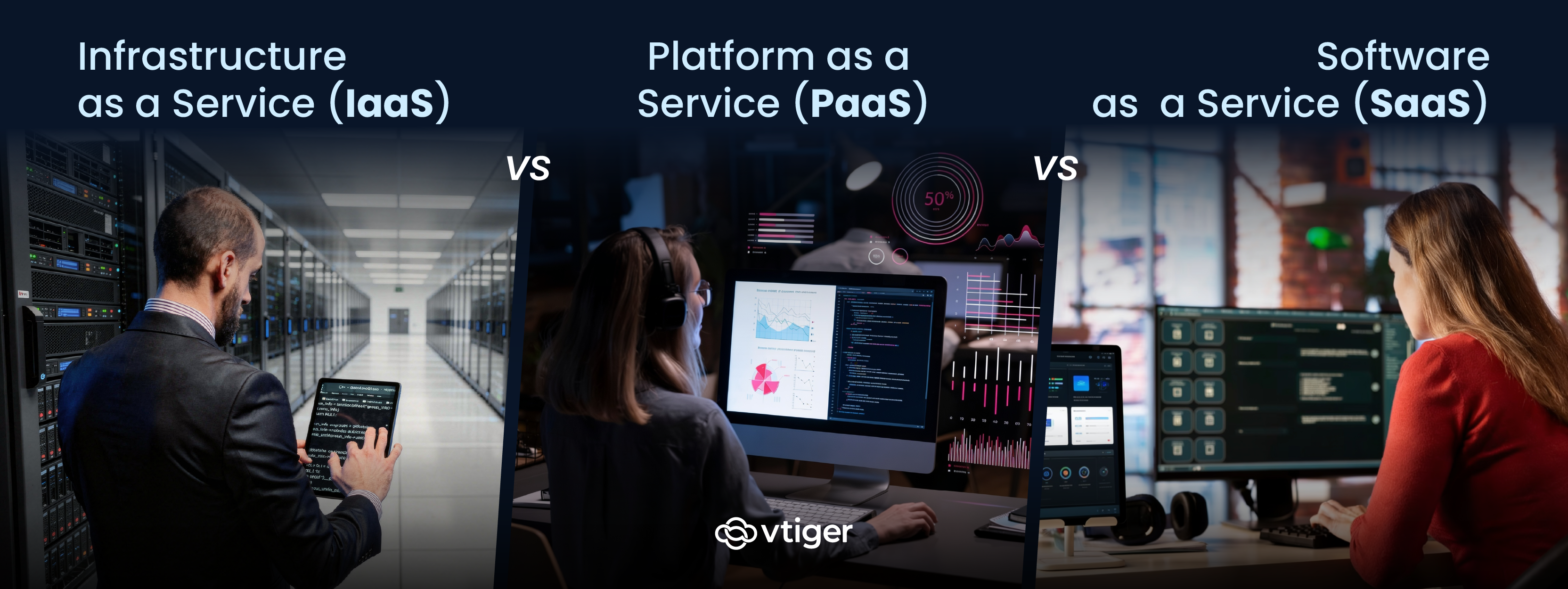
IaaS, PaaS, and SaaS are the three core cloud service models. IaaS delivers virtualized infrastructure such as servers, storage, and networking. PaaS provides a managed environment for building and deploying applications. SaaS delivers ready to use software accessed through a browser. The difference between IaaS vs PaaS vs SaaS comes down to how much the customer manages versus how much the cloud provider manages.
Most business stakeholders encounter cloud computing through a buying decision rather than a technical specification. A sales leader picks a CRM, a finance team selects an accounting platform, and an engineering lead rents compute capacity to handle a product launch. Each of these decisions sits inside one of three cloud service models.
Understanding the differences between IaaS, PaaS, and SaaS clarifies what you are paying for, what your team manages, and what the vendor controls. The choice has direct implications for cost, security, time to deploy, and the technical skills your business needs in-house.
What Is IaaS, PaaS, and SaaS in Cloud Computing
The three cloud service models represent different layers of the computing stack delivered as managed services. Each model shifts a different portion of the operational burden from the customer to the cloud provider. The model you adopt depends on whether your team needs raw infrastructure, a development environment, or a finished application that users can log into immediately.
Infrastructure as a Service (IaaS)
IaaS provides virtualized computing resources over the internet, including servers, storage, networking, and the virtualization layer. The provider owns and maintains the physical hardware and data centres. The customer manages operating systems, middleware, applications, and data on top of that infrastructure. Amazon Web Services EC2, Microsoft Azure Virtual Machines, IBM Cloud, and Google Compute Engine are the most widely used IaaS examples.
Platform as a Service (PaaS)
PaaS provides a managed application development environment built on top of the infrastructure layer. The provider handles servers, operating systems, runtimes, middleware, databases, and developer tooling, while the customer writes code and controls data and user access. Google App Engine, AWS Elastic Beanstalk, Heroku, and Microsoft Azure App Service are common PaaS examples.
Software as a Service (SaaS)
SaaS delivers a complete, ready-to-use application over the internet. The provider manages everything below the application layer, including infrastructure, the platform, updates, and security patches. The customer accesses the software through a browser or mobile app and manages users, permissions, and the business data stored inside it. Salesforce, Slack, Dropbox, and Zoom are SaaS examples that most business stakeholders use daily.
IaaS Examples and Common Use Cases
IaaS gives organizations the ability to provision compute, storage, and networking on demand without owning the underlying hardware. Consumption based pricing means infrastructure spend scales with actual usage rather than with capacity forecasts that may never materialize.
According to Gartner (2025), the worldwide IaaS market grew 22.5% in 2024 to reach $171.8 billion, with Amazon, Microsoft, Google, Alibaba, and Huawei leading the segment. The growth pattern reflects unpredictable, computationally heavy, or geographically distributed workloads where owning hardware would be wasteful or operationally impractical. The most common IaaS use cases include:
- Backup and disaster recovery infrastructure: IaaS lets businesses replicate critical systems across geographically separate data centres, so an outage in one region does not interrupt service continuity.
- High traffic website and application hosting: Retailers and media sites use IaaS to absorb traffic spikes during sales events without paying for idle capacity during normal demand periods.
- Big data analytics: IaaS provides parallel compute and GPU access for processing large datasets without investing in on-premises clusters.
- Development and test environments: Engineering teams spin up isolated environments for new feature work and tear them down when shipped, paying only for hours used.
PaaS Use Cases and Benefits for Development Teams
PaaS sits between IaaS and SaaS by abstracting infrastructure management while leaving application logic in the customer’s hands. A development team using PaaS writes code, defines deployment configurations, and ships releases through built-in pipelines. The platform handles servers, runtime libraries, and database scaling as part of the subscription.
The mechanism behind PaaS productivity is the removal of repetitive provisioning and operational tasks .A 2025 Forrester Total Economic Impact study of Heroku found that the managed PaaS environment improved developer productivity by 40% and reduced DevOps toil by 35% through lower operational complexity. PaaS providers package version control, continuous integration and deployment pipelines, monitoring, and logging into a single environment.
The trade off of PaaS is reduced control over the underlying platform configuration. Teams accept the runtime versions, database engines, and configuration options the provider supports, which makes highly specialized performance tuning rarely possible. For workloads with strict performance, compliance, or hardware-level requirements, IaaS gives more room to configure the environment to exact specifications.
SaaS Examples Across Business Functions
SaaS is the dominant cloud service model for business applications because it removes the technical setup burden from the customer. Teams sign up, log in, and start working within minutes while the provider handles availability, security, infrastructure, and updates. The operating model requires no expertise beyond the business process itself.
According to Gartner (2024), worldwide SaaS spending grew 20% in 2024 to reach $247.2 billion, making it the largest segment of the public cloud market by end user spending. Most business functions today are supported by specialized SaaS tools that integrate with adjacent systems across the business.
Sales and Customer Relationship Management
Sales teams use SaaS CRM software to track leads, manage deals through pipeline stages, and forecast revenue against quota. The CRM is often the system of record for customer information, sitting downstream of marketing lead capture and upstream of post sale support. Modern SaaS CRMs include workflow automation, reporting dashboards, and integrations with email and communication tools. Common SaaS CRM tools include:
- Vtiger One for full platform CRM coverage across sales, marketing, and support
- Specialized SaaS tools for sales engagement, conversation intelligence, and revenue operations
Marketing Automation and Engagement
Marketing teams use SaaS platforms for campaign management, email automation, landing page creation, and attribution reporting. These platforms capture leads at the top of the funnel and pass qualified ones into the CRM for sales follow up. Modern marketing SaaS increasingly includes AI CRM features such as predictive lead scoring and recommended next actions. Common marketing SaaS functions include:
- Email campaign sequencing with behavioural triggers and segmentation logic
- Landing page and form builders that route captured leads into the CRM
- Attribution reporting that connects campaign spend to pipeline and closed revenue
Customer Support and Service
Support teams use SaaS customer service software to route tickets, manage Service Level Agreement targets, and resolve cases through shared queues. These platforms unify multiple channels into a single ticket workflow, so agents stop switching tools to handle the same customer. Common support SaaS functions include:
- Multi-channel ticket capture across email, chat, phone, and web forms with automatic categorization
- SLA tracking with escalation workflows when response or resolution targets are at risk
- Knowledge base publishing and self-service portals for deflecting common queries
Key Differences Between IaaS, PaaS, and SaaS
The simplest way to understand the difference between IaaS vs PaaS vs SaaS is to look at which party manages each layer of the computing stack. The further up the stack you move, the more the provider manages and the less the customer is responsible for. This explains most of the practical differences between the three models. The five differences that most affect a buying decision are:
- Level of customer control: IaaS gives the highest control over the environment, PaaS limits it to the application layer, and SaaS limits the customer to configuration and data inside a finished product.
- Management responsibility split: IaaS customers manage operating systems, middleware, and applications; PaaS customers manage applications and data; SaaS customers manage only data, users, and access permissions.
- Technical expertise required: IaaS requires systems administration skills in-house, PaaS requires application development skills, and SaaS requires only business process knowledge and basic admin of the tool.
- Speed of deployment: SaaS is fastest because the product is ready on signup, PaaS is faster than IaaS because the application environment is preconfigured, and IaaS is slowest because the customer assembles the stack from components.
- Pricing structure: IaaS and PaaS typically use consumption-based pricing tied to resources used, while SaaS typically uses per-user or per seat subscription pricing tied to the number of people accessing the product.
How to Choose Between IaaS, PaaS, and SaaS for Your Business
The right cloud service model depends on what your business is building, who will operate it, and how much of the stack you want to own. Most organizations end up using all three models for different functions rather than standardizing on one. The decision is rarely about choosing a single model and more about matching each business need to the model that fits it best.
When to Choose IaaS
IaaS makes sense when your business needs control over the environment and has the technical resources to manage it. Teams with systems administrators or DevOps engineers in place get the most value because they can configure infrastructure to exact requirements. The model also fits unpredictable workloads where consumption-based pricing beats fixed capacity. Choose IaaS when:
- Your workload has unpredictable spikes that would waste money on fixed on-premises capacity
- You need to retain control over the operating system and middleware for performance or compliance reasons
- Your team has the in house technical expertise to configure and maintain virtualized infrastructure
When to Choose PaaS
PaaS makes sense when your business is building applications and wants the development environment provided as a managed service. The model removes the work of running databases, runtimes, and deployment pipelines so the team focuses on the application itself. PaaS is particularly useful for distributed development teams who benefit from a consistent environment. Choose PaaS when:
- Your team is building custom applications rather than buying off the shelf software
- You want to ship code without managing the underlying servers, databases, or middleware
- Your developers should focus on application logic rather than infrastructure operations
When to Choose SaaS
SaaS makes sense when your business needs a working application for a defined function and does not need to build it. Most business functions including cloud CRM, accounting, email, and human resources are well served by SaaS products built for those domains. The model gives fast time to value with minimal technical commitment. Choose SaaS when:
- The function you need is a standard business capability that vendors already build for
- You want fast deployment with no infrastructure setup or development work required
- Your priority is operational reliability and product updates handled by the vendor
Challenges of Adopting Cloud Service Models
Cloud adoption brings real challenges that buyers should plan for rather than discover after migration. The three most common ones cut across all three service models and shape long-term outcomes more than the initial vendor choice.
Vendor Lock In
Vendor lock in is the most cited concern across IaaS, PaaS, and SaaS. Once an application is built on a specific PaaS, a workload runs on a specific IaaS provider, or business data accumulates inside a SaaS tool, switching becomes costly. Each provider uses proprietary APIs and data models that do not transfer cleanly to a competitor, so buyers should evaluate exit options and data portability before committing.
Security Responsibility
Security responsibility is shared, and the boundary shifts across models in ways that are often misunderstood. The provider secures the infrastructure layer in all three models, but the customer remains responsible for identity, access controls, and data security. Workflow automation and disciplined access controls within each platform substantially reduce this risk.
Cost Optimization
Cost optimization is the third major challenge. Cloud spending grows quickly because consumption-based pricing makes provisioning feel cheap at the moment of decision, teams spin up environments and forget to shut them down, and SaaS subscriptions proliferate across departments without central oversight. Effective cloud governance requires regular usage audits, automated shutdown rules for unused resources, and a centralized view of subscriptions across the business.
Conclusion
The difference between IaaS vs PaaS vs SaaS is ultimately a question of what your business wants to own and what it wants the provider to handle. IaaS gives the most control and demands the most technical capability. PaaS removes platform management and lets developers focus on shipping applications. SaaS delivers a finished product that business teams can use immediately, which is why it dominates the business application market.
Most growing companies use all three for different parts of their operations. Platforms like Vtiger One sit firmly in the SaaS category to support sales, marketing, and support teams without infrastructure overhead, and they often coexist with IaaS or PaaS systems running elsewhere in the business.
Frequently Asked Questions (FAQs)
Q1. What is the difference between IaaS, PaaS, and SaaS?
IaaS delivers infrastructure such as servers and storage while the customer manages the operating system and applications. PaaS adds the application environment so developers manage only code and data. SaaS delivers a complete application, leaving only data, users, and configuration to the customer.
Q2. Which cloud model offers the most control?
IaaS offers the most control. The customer manages the operating system, middleware, runtimes, applications, and data, while the provider handles only the physical infrastructure and virtualization layer. This control requires technical expertise in-house, which is why businesses with deep performance or compliance needs typically choose IaaS.
Q3. Is SaaS cheaper than IaaS?
SaaS is often cheaper to start because it requires no infrastructure spend or technical hires. However, SaaS costs scale per user and can become expensive at high seat counts. IaaS uses consumption based pricing on compute and storage, which can be cheaper for predictable workloads at scale.
Q4. What are examples of PaaS platforms?
Common PaaS examples include Google App Engine, AWS Elastic Beanstalk, Heroku, Microsoft Azure App Service, and Red Hat OpenShift. These platforms provide preconfigured runtimes, databases, and deployment pipelines so teams can ship applications without provisioning servers. The right PaaS usually follows the team’s existing technology stack.
Q5. Which cloud model is best for startups?
SaaS is usually the best starting point because it delivers business functions such as small business CRM and accounting immediately without setup. Startups building their own product often combine SaaS for internal operations with PaaS or IaaS for application infrastructure. This mix reserves engineering effort for differentiating product work.
Q6. Can businesses use multiple cloud models together?
Yes, most businesses use IaaS, PaaS, and SaaS together rather than choosing one. A typical setup uses SaaS for CRM and help desk, PaaS for custom application development, and IaaS for workloads needing infrastructure level control. The three models are designed to complement each other through standard integrations.
Q7. How secure are cloud service models?
Cloud service models are generally secure when configured correctly, with providers handling infrastructure security and customers handling identity, access, and data security. The shared responsibility split shifts across models, with SaaS placing the least burden on the customer and IaaS the most. Most incidents stem from customer side misconfigurations rather than provider failures.