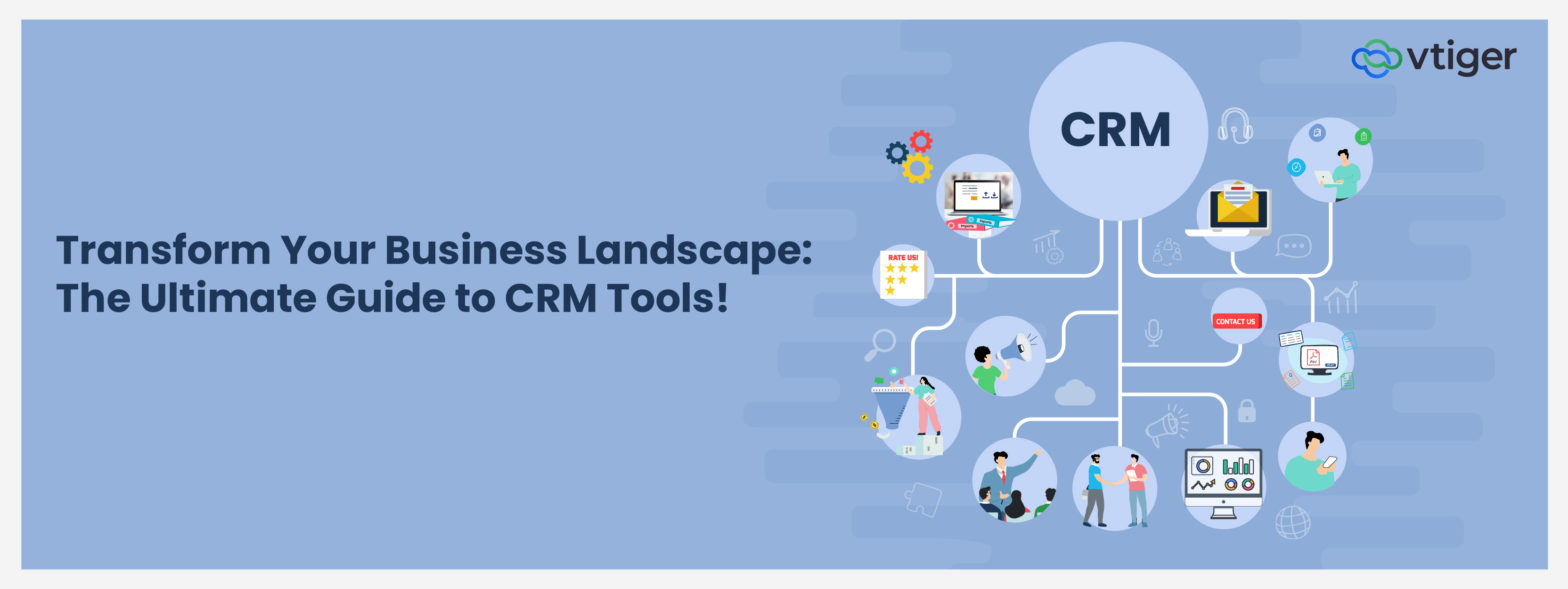
Customer Relationship Management (CRM) tools are essential software solutions designed to help businesses manage interactions with current and potential customers effectively. At the root, CRM systems aim to improve business relationships, streamline processes, and enhance customer satisfaction. By incorporating various features such as lead management, sales tracking, marketing automation, and customer support, these tools help centralize all customer data.
What Are CRM Tools?
CRM tools (Customer Relationship Management systems) are software applications that centralize and analyze customer data and interactions across business functions. They help streamline how sales, marketing, and support teams operate, making processes more structured and measurable.
They bring visibility into lead movement, customer behavior, and performance trends, allowing teams to act with context instead of assumptions. Routine actions like follow-ups or campaign triggers can run with minimal manual effort, reducing delays and missed opportunities.
Different CRM types support different goals: execution, insights, and cross-team alignment. Together, they ensure customer data isn’t just stored, but actively used to improve decisions and outcomes.
How CRM tools work?
The CRM working process runs in four steps, shown here with one website enquiry:
1. Collect Customer Data
A prospect submits a demo form, and the CRM tool creates a lead record.
2. Organize Customer Information
The tool links the lead to any existing account, so past purchases sit alongside it.
3. Track Interactions and Activities
Every call, email and meeting with the prospect logs to that one record.
4. Automate Workflows and Generate Insights
Rules assign the lead and schedule follow-ups, while reports show which sources convert.
What can CRM tools do?
CRM tools offer a wide range of functionalities that enhance business operations. Teams use them to:
- Manage contacts and customer information in one shared record.
- Capture and qualify leads from forms, emails and calls.
- Track sales opportunities and pipelines, so stalled deals stand out.
- Automate sales and marketing activities such as reminders and campaign emails.
- Manage customer support interactions as tickets, from first contact to resolution.
- Generate reports and analytics on pipeline, campaigns and service.
- Integrate with other business applications to avoid unnecessary transfer from on e system to another
- Support personalized customer engagement with past purchases on screen.
Types of CRM Tools
Different CRM tools support different operational needs across an organization. While the core data remains shared, the way CRM management tools are used varies by function and workflow.
Sales CRM Tools
CRM sales tools focus specifically on enhancing the sales process by providing features tailored for sales teams. These tools facilitate lead scoring, opportunity tracking, and automated follow-ups to ensure timely engagement with prospects. Additionally, they offer insights into sales performance metrics that help teams identify areas for improvement and optimize their strategies for closing deals.
Marketing CRM Tools
CRM marketing tools are specialized features within CRM systems designed to optimize marketing efforts. They enable businesses to segment their audience based on various criteria, allowing for targeted campaigns that resonate with specific customer groups. Automation then triggers the next email when a contact opens, clicks or submits a form.
Additionally, these tools provide analytics capabilities to measure campaign performance, track engagement metrics, and refine strategies based on real-time feedback to maximize return on investment
Customer Service CRM Tools
CRM customer service tools are designed to enhance the support experience for customers by centralizing communication channels. These tools facilitate ticket management systems that track customer inquiries from initial contact through resolution. Each ticket shows the customer’s full history, and automation routes it by priority.
Additionally, they provide knowledge bases and self-service options that empower customers to find solutions independently while enabling support teams to resolve issues more efficiently.
Field Service CRM Tools
CRM field service tools are specialized applications designed to manage service operations in industries requiring on-site support. These tools help organizations schedule appointments, dispatch technicians by availability or proximity and track technician assignments in real time.
Additionally, they provide mobile access for field agents to update job statuses or access client information directly from the field.
CRM Tools for Small Businesses vs. Large Enterprises
CRM tools are adopted at different scales depending on business size, process complexity, and growth stage. The same system often supports both, but usage patterns differ.
Small Businesses
For smaller teams, CRM tools focus on visibility and control.
- Centralized contact and deal tracking
- Basic automation for follow-ups
- Simple reporting for sales and activity
- Faster onboarding with minimal configuration
Large Enterprises
At scale, CRM management tools support governance and coordination.
- Multi-team pipeline and territory management
- Role-based access and approvals
- Advanced reporting and forecasting
- Integration with ERP and marketing platforms
Cloud-Based vs On-Premise CRM Tools
CRM deployment models affect access, control, and maintenance. Choosing between them depends on operational priorities rather than feature differences.
| Factor | Cloud-Based CRM Tools | On-Premise CRM Tools |
| Deployment | Hosted by the vendor | Hosted on internal servers |
| Access | Available from any location | Limited to internal networks |
| Maintenance | Vendor managed updates | In-house IT responsibility |
| Scalability | Easy to scale users and data | Requires infrastructure planning |
| Cost Structure | Subscription based | Higher upfront investment |
What Are the Benefits of CRM Tools
CRM tools deliver the core benefits of CRM in three practical ways.They enhance collaboration among teams by centralizing customer information and streamlining communication processes. Moreover, CRM tools improve customer insights through data analysis, enabling personalized marketing efforts that increase engagement. By automating routine tasks, these tools save time and reduce human error, ultimately leading to higher efficiency and productivity in managing customer relationships.
What to Look for in CRM Tools
When selecting a CRM solution, test nine criteria in a trial with your own records:
- Ease of Use: A rep can log a call and move a deal without training.
- Scalability: Check the user, storage and feature limits at each plan.
- Integrations: Email, calendar and accounting data sync both ways.
- Automation: You can build a real workflow, such as lead assignment, without code.
- Reporting and Analytics: Managers can build a pipeline report and schedule it themselves.
- Customization: Fields, stages and layouts can match your process, not the reverse.
- Security: Role-based access limits each user to the records their job needs.
- AI Capabilities: Predictions and suggested next steps show their reasoning, while people decide.
- Pricing and Total Cost: Add onboarding, support, add-ons and integration work to the per-user price.
Common Challenges When Using CRM Tools
Many challenges with CRM adoption show up during day-to-day usage, not during purchase or setup.
Low User Adoption
One of the most common issues with CRM tools is low adoption by sales, marketing, or service teams. When CRM management tools are not aligned with daily workflows, users fall back to emails, spreadsheets, or personal notes. Over time, this breaks the system’s reliability and limits the value of CRM tools and software.
Poor Data Quality
CRM software tools depend on consistent and accurate data. Missing fields, duplicate records, or outdated information reduce reporting accuracy and weaken decision-making. Without clear data standards, even advanced CRM tools become unreliable as a system of record.
Process Misalignment
CRM failures often occur when the tool is implemented without mapping real business processes. When stages, fields, or automation do not reflect how work actually happens, teams struggle to use the system correctly. This disconnect explains why businesses question a CRM tool’s value after implementation.
Integration Challenges
When email, calendar, billing or support tools do not sync, teams re-key data or work outside the CRM. Records then disagree, and nobody knows which status to trust.
Best Practices for Using CRM Tools Effectively
CRM tools work best when they are embedded into daily operating routines. These practices focus on how CRM tools and software are structured, used, and maintained so data stays consistent, processes remain reliable, and decision-making is based on accurate records.
Define Clear Processes
CRM management tools depend on clear process design. When stages, ownership, and required inputs are undefined, teams use the system differently, leading to inconsistent records and unreliable reporting across CRM software tools.
- Standardize pipeline stages: Define clear stages so every opportunity progresses using the same sales logic and evaluation criteria.
- Define mandatory data fields: Ensure key fields are completed at each stage to maintain data consistency and reporting accuracy.
- Assign record ownership: Every lead, deal, and account must have a clear owner responsible for updates and follow-through.
- Document process rules: Written process rules reduce interpretation gaps and help new users follow the same system logic.
Enforce Consistent Usage
CRM tools lose value when activity happens outside the system. Consistent usage ensures CRM tools and software function as the single source of truth for sales, service, and customer interactions.
- Log all customer interactions: Calls, emails, and meetings should be recorded to preserve full interaction history.
- Track activities inside CRM: Tasks and follow-ups must be managed within the CRM to reflect real execution status.
- Avoid parallel tracking systems: Using spreadsheets or personal tools creates data gaps and weakens CRM reliability.
- Review usage compliance: Regular checks help ensure teams are using CRM management tools as intended.
Maintain Data Quality
CRM software tools rely on clean data to support reporting, forecasting, and decision-making. Poor data hygiene reduces trust in the system and limits its operational value.
- Remove duplicate records: Duplicates distort pipeline metrics and create confusion across teams.
- Validate critical fields: Key fields such as deal value, stage, and owner should be regularly verified.
- Archive inactive records: Closing or archiving outdated records keeps active pipelines accurate.
- Schedule data audits: Periodic audits help maintain long-term data accuracy as volume grows.
Train With Context
Training should explain how CRM tools support reviews, forecasting, and accountability. When users understand why data matters, adoption improves and the system stays reliable.
- Explain downstream impact: Show how CRM data feeds reports, forecasts, and leadership decisions.
- Train by workflow: Training should follow real sales or service workflows, not feature lists.
- Reinforce usage standards: Clear standards reduce variation in how CRM software tools are used.
- Support ongoing learning: Refresher training helps teams adapt as processes evolve.
Conclusion
In conclusion, Customer Relationship Management (CRM) tools play a pivotal role in enhancing business operations by centralizing customer data and streamlining processes across departments. By leveraging functionalities tailored for marketing, sales, customer service, or field operations; organizations can foster stronger relationships with clients while optimizing their strategies for growth. As businesses continue embracing digital transformation; selecting the right CRM solution becomes essential in navigating competitive landscapes successfully.
How Vtiger One Supports Sales, Marketing, and Customer Service
Vtiger One gives sales, marketing and help desk teams one shared customer view.
- Sales: Reps track deals through the pipeline, plan with pre-built forecasts and build quotes.
- Marketing: Teams segment contacts into lists and run email sequences and SMS campaigns.
- Customer Service: Agents manage cases from email, phone, chat and the portal, with SLAs setting priority.
Frequently Asked Questions (FAQ)
How do CRM tools benefit businesses?
CRM systems are useful because they centralize customer data, enhancing organization and accessibility across teams. They improve decision-making through data analysis and reporting while automating routine tasks that increase efficiency. Ultimately, CRMs foster stronger relationships with customers by providing personalized experiences that lead to higher satisfaction and loyalty.
Who uses CRM tools?
CRMs are utilized across various industries, including retail, healthcare, finance, and technology. Users range from small business owners seeking better organization to large enterprises managing complex customer interactions. Any organization aiming to improve customer relationships and streamline processes can benefit from implementing a CRM system.
What is the difference between CRM tools and CRM software?
The terms overlap. CRM software usually means the whole platform, including its database and user access. CRM tools are the capabilities inside it, such as pipeline tracking, ticketing or campaign automation. Each team works in the tools its role needs.
How do I choose the right CRM tool?
The right CRM tool depends on your industry, team size, sales process and the functions each team needs. Evaluating tools based on ease of use, integration capabilities, and support services is crucial for finding the right fit.