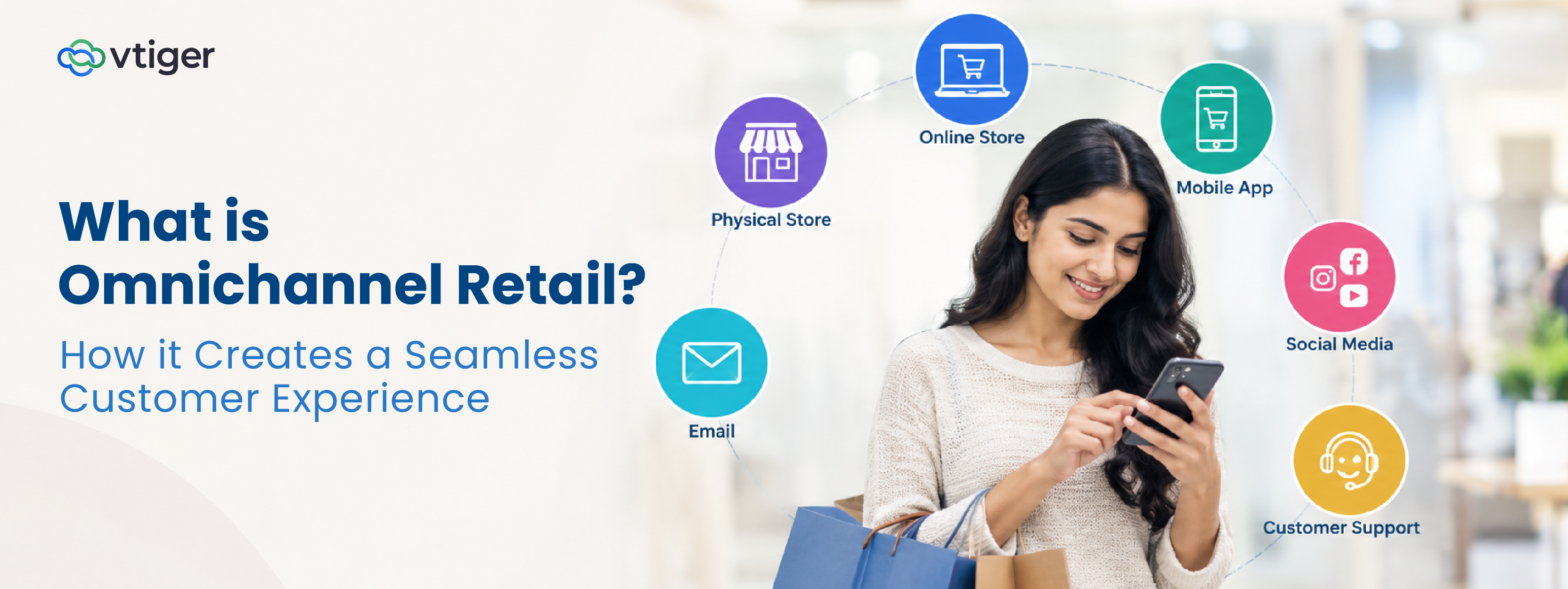
Omnichannel retail connects a retailer’s online and offline channels so customers can switch between them without losing continuity. Websites, mobile apps, physical stores and customer support teams share relevant customer, inventory, and order information to provide a consistent shopping experience.
For example, a customer might browse a jacket on an app, reserve it at a nearby store and collect it later. An omnichannel retailer connects these interactions so the store can access the reservation, inventory records reflect the sale, and marketing can use the purchase history for relevant follow-ups.
The goal is to make every channel part of one connected shopping journey rather than a collection of separate experiences.
Accelerate Business Growth with Vtiger
15-day free trialNo credit card requiredFull product access
Almost there!
Redirecting you to your free trial…
What Is Omnichannel Retail?
Omnichannel retail is a strategy that integrates a retailer’s sales and service channels through shared information and connected processes. Customers can move between a website, app, physical store or support team without having to repeat actions or provide information the retailer already has.
A connected retail experience depends on three essentials:
- Consistent information: Product details, prices and policies remain aligned across channels.
- Shared customer history: Teams can access relevant purchases, preferences and previous interactions.
- Connected transactions: Orders, returns and stock updates remain visible wherever customers interact with the retailer.
Physical stores remain important to this strategy. According to the US Census Bureau, e-commerce accounted for 17.1% of US retail sales in the second quarter of 2026, on a seasonally adjusted basis. Retailers therefore need to connect digital shopping with physical retail rather than treat online sales as a replacement for stores.
How Does Omnichannel Retail Work?
Omnichannel retail works by synchronizing the information that different channels need to serve the same customer. Each system records relevant activity and makes the information available to other connected systems.
Four types of information form the foundation:
- Customer records: Contact details, preferences and consent help channels recognize the same person.
- Purchase history: Orders and returns give employees context for recommendations and service requests.
- Inventory and order status: Stock levels, reservations and delivery updates help customers and staff make informed decisions.
- Interaction history: Emails, calls, chats and store visits allow conversations to continue across channels.
Consider how these records work together in a typical purchase.
1. Browse and reserve
The customer selects a jacket in the app and reserves it at a nearby store. The reservation and stock information are updated.
2. Collect and purchase
Store staff can access the reservation, complete the transaction and update the customer’s purchase history.
3. Follow up
The retailer can use the purchase record to send a relevant follow-up through email or another permitted channel.
A customer relationship management (CRM) system helps maintain a shared view of customer information and interactions across sales, marketing and service teams.
Learn more about how CRM systems work.
Omnichannel Retail vs Multichannel Retail
Multichannel retail uses several sales channels, while omnichannel retail connects those channels through shared systems and information. A business can sell through stores, websites and apps without offering an integrated customer journey.
| Factor | Multichannel retail | Omnichannel retail |
| Channel integration | Channels may operate independently | Channels share relevant information |
| Customer data | Records may be separate | Customer history is connected |
| Shopping experience | Can vary by channel | More consistent across channels |
| Stock and order visibility | Information may be channel-specific | Connected channels access relevant updates |
| Journey continuity | Customers may repeat steps | Customers can continue across channels |
A practical test: Can a store employee retrieve an online order, process an eligible return and update the customer’s history without relying on disconnected records or manual workarounds? The answer helps reveal whether the retailer’s channels are genuinely integrated.
Benefits of Omnichannel Retail
Omnichannel retail improves convenience, supports customer retention, and gives retailers a more complete view of shopping behavior. These benefits arise when customers can move between channels without encountering conflicting information or repeating completed steps.
The main benefits include:
- A consistent shopping experience: Customers receive aligned product information, pricing and policies across channels.
- Greater convenience: Shoppers can browse online, collect in-store, track deliveries and return purchases through suitable touchpoints.
- More informed customer service: Employees can access previous transactions and conversations before responding to a query.
- More relevant marketing: Connected purchase histories help retailers tailor communications to customer behavior and preferences.
- Better business insight: A combined view of customer activity helps teams assess how online and offline channels contribute to sales and retention.
Research published by Harvard Business Review examined 46,000 shoppers at one US retailer during 2015 and 2016. Customers who used multiple channels spent 4% more per store visit and 10% more online than single-channel shoppers. They also made 23% more repeat visits to the retailer’s stores within six months.
These findings reflect one retailer’s customers, so they should not be treated as guaranteed results for every business. Retailers can evaluate their own performance by tracking customer engagement metrics, including retention, repeat purchases and customer satisfaction, before and after integrating their channels.
Key Components of an Omnichannel Retail Strategy
An effective omnichannel retail strategy requires five connected capabilities: integrated channels, centralized customer data, inventory and order visibility, consistent customer support, and connected marketing. Each addresses a different part of the customer journey.
Integrated Online and Offline Channels
What to connect: Stores, websites, mobile apps and other sales channels.
Product descriptions, prices and policies should remain consistent wherever customers shop. Retailers also need processes that allow transactions and customer requests to move between channels without unnecessary manual intervention.
For example, an online promotion should clearly indicate whether it applies in stores, and employees should know how to handle eligible purchases made through another channel.
Centralized Customer Data
What to connect: Customer profiles, purchase history, preferences and interactions.
A centralized customer record helps employees recognize the same person across channels instead of working with separate profiles. Retailers need rules for matching duplicate records, updating customer details, and controlling access to personal information.
This follows the same principle as customer and lead management, where information from different sources is captured and organized so teams can act on it consistently.
Inventory and Order Visibility
What to connect: Stock levels, reservations, order status and delivery updates.
Inventory and order management systems must share relevant updates with websites, store tills and customer support tools. The timing of these updates matters: delayed stock information can result in reservations for products that have already sold.
Accurate visibility helps customers choose available products and gives employees reliable information when answering order-related questions.
Consistent Customer Support
What to connect: Emails, phone calls, chats, service requests and previous resolutions.
Support agents should be able to review earlier interactions regardless of where a conversation began. When a customer moves from chat to a phone call, the next agent should have the context needed to continue resolving the issue.
A shared interaction history reduces repetition and helps teams follow through on commitments.
Connected Marketing and Promotions
What to connect: Campaigns, purchase history, returns, preferences and contact consent.
Marketing messages should reflect what customers have actually bought and what they have agreed to receive. For example, a retailer should avoid promoting a product as a recent purchase when the customer has already returned it.
Connecting marketing platforms with transaction data helps teams deliver more relevant communications and maintain consistent offers across channels.
Where should retailers start? Centralized customer data is a practical foundation because service, marketing and sales teams all depend on accurate information. Inventory and order integration should then be prioritized according to the customer journeys the retailer needs to support.
Examples of Omnichannel Retail
The following examples show how retailers connect channels to remove friction at specific points in the shopping journey.
1. Buy online, collect in store
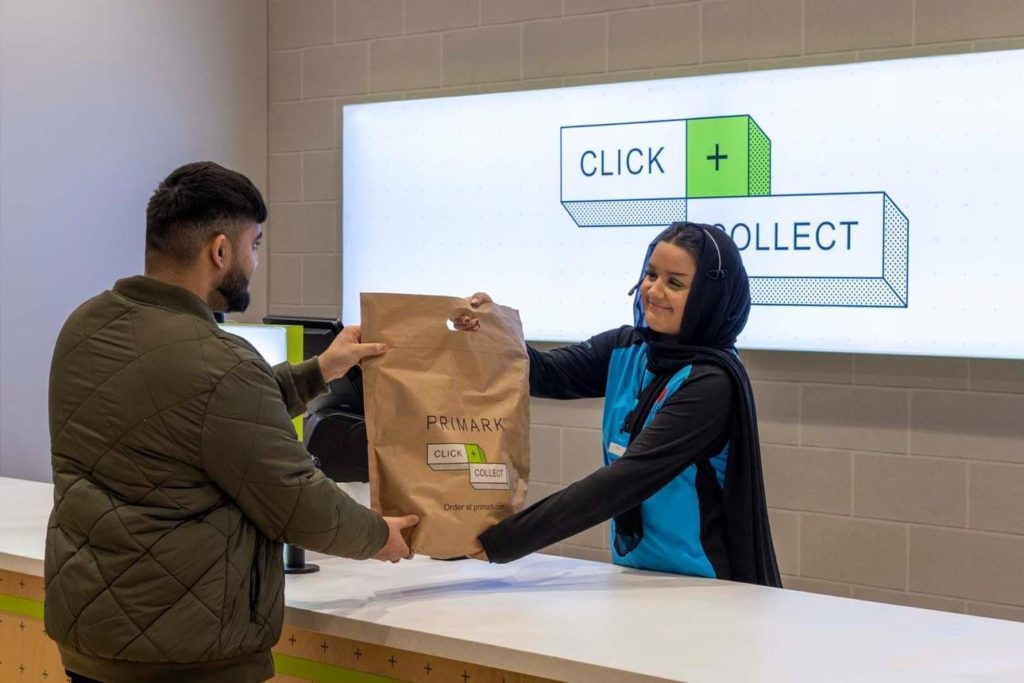
Customers order through a website or app and collect their purchases from a physical location. The store needs the order details and confirmation that the items are ready. A study of one major retailer’s collection service, reported by the Tuck School of Business, found that the service reduced online sales but increased store traffic and sales. The example highlights the need to measure the effect across channels.
2. Check local stock online
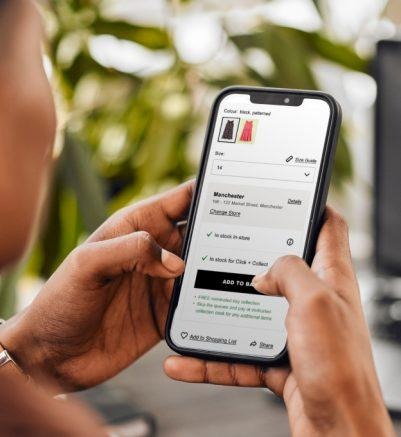
A customer checks whether a particular size is available nearby before visiting the store. Accurate inventory updates help prevent wasted trips and reduce the risk of customers losing trust in online stock information.
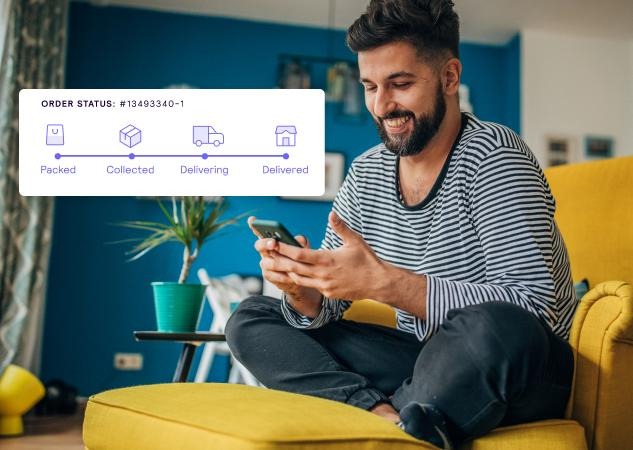
3. Track an order across devices
A customer checks delivery progress on a mobile app and later opens the retailer’s website. Both should display the same order status so the customer does not receive conflicting updates.
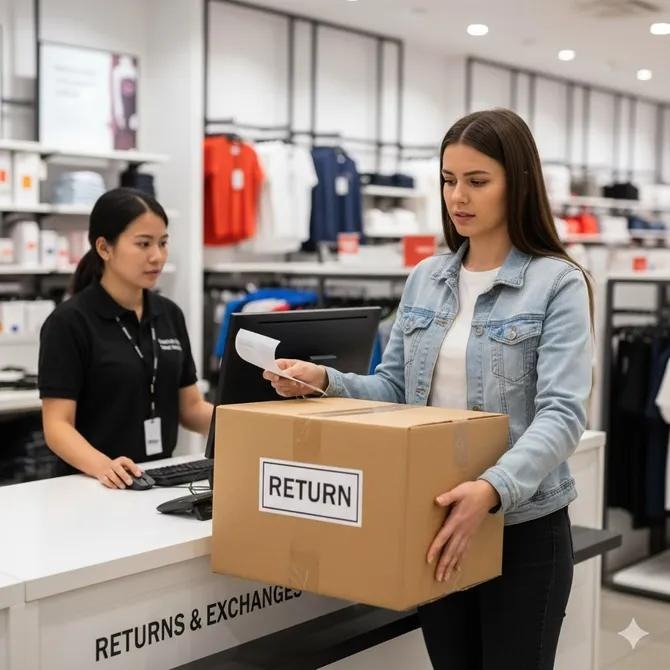
4. Return an online purchase in store
Store employees retrieve the original transaction and follow the applicable return and refund process. This requires access to online order records and clear rules for processing cross-channel returns.
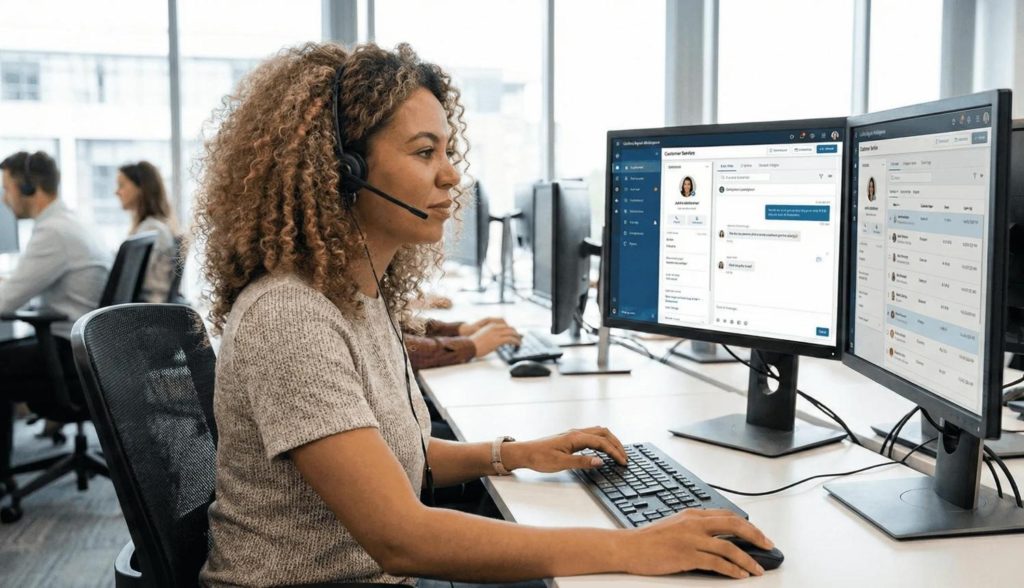
5. Continue a support conversation across channels
A customer emails about a faulty product and later calls the support team. The agent can review the earlier email and any commitments already made instead of asking the customer to explain the issue again.
A connected journey in practice: A customer orders a sofa online and visits a store to choose cushions. The store assistant can view the sofa order and delivery date, recommend cushions in a matching fabric, and arrange a suitable delivery. The interaction becomes more useful because the assistant has access to the customer’s existing order.
Challenges in Implementing Omnichannel Retail
The main challenges of omnichannel retail involve connecting existing systems, maintaining accurate information, and applying consistent processes across channels.
| Challenge | What can go wrong | What retailers need |
| Disconnected systems | Employees cannot see transactions recorded elsewhere | Reliable integration between relevant platforms |
| Inconsistent inventory | Customers reserve unavailable products | Timely stock updates across channels |
| Duplicate customer records | Purchase history is split across profiles | Record matching and data-cleaning rules |
| Mismatched promotions | An online offer is not honored in store | Consistent promotion policies and configuration |
| Integration complexity | Projects require extensive development and training | Clear priorities, testing and phased implementation |
| Privacy and security | Customer data is accessed or shared inappropriately | Consent management, access controls and data protection procedures |
Retailers should address privacy from the outset. Connecting channels does not change what customers have agreed to. Consent and contact preferences must be respected across relevant systems, and data sharing must comply with the requirements of the markets in which the business operates.
How to Build an Effective Omnichannel Retail Strategy
Retailers can implement an omnichannel strategy in four stages. Start with a customer journey that creates frequent complaints or unnecessary effort, then connect the systems and measure whether the experience improves.
Map the Customer Journey
Document how customers move from product discovery to purchase and after-sales support.
- List the channels involved in the selected journey.
- Identify where customers repeat information or encounter delays.
- Review complaints, return reasons and support logs.
- Choose a specific problem to solve first, such as failed click-and-collect reservations.
This assessment gives the project a measurable objective rather than making integration an end in itself.
Integrate Retail Systems
Identify which systems need to exchange information to support the chosen journey. These may include the e-commerce platform, store tills, inventory and order management systems, and the CRM.
Before connecting them, establish three rules:
- Data ownership: Decide which system is the primary source for each record.
- Update frequency: Set expectations for how quickly stock, orders, and customer details should be synchronized.
- Staff workflows: Ensure employees can retrieve information and update records without unnecessary manual work.
Test the complete customer journey before rolling out the integration more widely.
Personalize Customer Interactions
Use purchase history and preferences to make communications more relevant, while respecting consent and contact preferences.
For example, a retailer could assign a follow-up after an order is collected or schedule a warranty reminder when appropriate. CRM automation workflows can create tasks and trigger configured communications based on customer actions.
Set clear rules for when messages should be sent, who is responsible for them and which customers should be excluded. This keeps personalisation relevant and reduces unnecessary contact.
Measure Channel Performance
Choose metrics that reflect the problem the strategy is intended to solve.
- Conversion rate: Measures how effectively shoppers complete purchases.
- Customer satisfaction: Indicates whether the experience is meeting expectations.
- Repeat purchase rate and retention: Show whether customers return.
- Order fulfillment time: Measures how efficiently orders are completed.
- Customer complaints: Help identify recurring problems across channels.
Compare performance over equivalent periods and, where possible, assess customer behaviour before and after implementation. Account for differences between customer groups, since customers who use several channels may already spend more.
A practical 90-day rollout
Days 1–30
Map and prioritize
Document one customer journey, identify friction points and list the systems involved.
Days 31–60
Connect and test
Integrate the necessary records, test the workflow with employees and address gaps before wider deployment.
Days 61–90
Measure and improve
Review fulfillment performance, complaints and repeat purchases. Use the results to choose the next journey to connect.
How CRM Supports Omnichannel Retail
A CRM connects the customer-facing parts of an omnichannel strategy by organizing customer records, interaction histories and follow-up activities. It can exchange information with inventory and order management systems, but it does not replace their specialized stock, warehouse or fulfilment functions.
Customer Interactions and Account History
A CRM provides a shared view of customer details, emails, calls and service cases. Relevant store and website transactions can also appear through integrations.
This allows employees to review previous interactions before recommending a product, resolving a complaint or answering an order-related question. Access permissions should ensure that each team sees the information needed for its role.
Follow-Ups and Personalized Engagement
CRM tasks and configured workflows help teams respond to customer actions consistently.
Examples include:
- Assigning a follow-up after a first purchase.
- Creating a task to check whether a complaint has been resolved.
- Scheduling a relevant warranty reminder.
- Recording the outcome of a service interaction for future reference.
The CRM makes these activities visible to the responsible employee, reducing dependence on manual reminders. Communication timing and content should still follow the retailer’s policies and customer preferences.
Sales and Service Working Together
Shared customer records help sales and service teams coordinate their work. For instance, a complaint about a recent purchase can be visible before the marketing team sends another offer.
In Vtiger One, sales, marketing and help desk teams work from a central customer record. Its multi-channel help desk brings cases from email, phone, chat, social media and portals into one support environment.
Choosing CRM Software for Retail
Vtiger One’s Inventory module supports products and prices, quotes, invoices and payments. Retailers should assess whether these capabilities meet their requirements and whether separate inventory and fulfilment systems can integrate with the CRM.
When evaluating CRM software for retail, use this checklist:
- Can store, website and service teams access the same customer record?
- Can the CRM integrate with the existing inventory and order management systems?
- Can the business record consent and contact preferences and apply them across relevant channels?
- Can teams create and track follow-up tasks based on customer interactions?
The right setup gives store employees access to relevant online orders and helps service agents understand previous in-store interactions without requiring the CRM to replace every system in the retail operation.
Frequently Asked Questions (FAQs)
What is omnichannel retail?
Omnichannel retail connects a retailer’s stores, website, app and support channels through shared customer, inventory, and order information. Customers can switch between channels without unnecessarily repeating information or restarting a transaction.
What is the difference between omnichannel and multichannel retail?
Multichannel retail uses several channels that may operate independently. Omnichannel retail connects those channels so relevant customer information, transactions, and interactions remain accessible across them.
What are the benefits of omnichannel retail?
The benefits include a more consistent shopping experience, greater convenience, better-informed customer service, more relevant marketing and improved insight into customer behavior. Results depend on the quality of the integration and how effectively the retailer uses the shared information.
What are some examples of omnichannel retail?
Examples include buying online and collecting in store, checking local stock on a website, tracking orders across devices, returning online purchases in a physical store and continuing a support conversation across email and phone.
How does omnichannel retail improve customer experience?
It reduces repeated data entry, conflicting order information and the need to explain earlier interactions. Employees can access relevant customer history and continue assisting customers across channels.
What are the challenges of implementing omnichannel retail?
Common challenges include disconnected systems, inaccurate stock data, duplicate customer records, inconsistent promotions, integration costs and data privacy requirements. Retailers need reliable data synchronization, clear ownership rules and consistent processes across channels.
How does CRM support an omnichannel retail strategy?
A CRM organizes customer records, interaction histories and follow-up activities in one place. It helps sales, marketing, and service teams coordinate their work and can integrate with dedicated inventory and order management systems.